Getting Started
Learn the basic architecture of the shadcn admin dashboard template before you install and customize it.
How can I access the Admin Dashboard Template?
To access the Shadcn Studio Admin Dashboard Template source code for Next.js, follow these steps:
- If you have purchased pro plan, please login with your credentials.
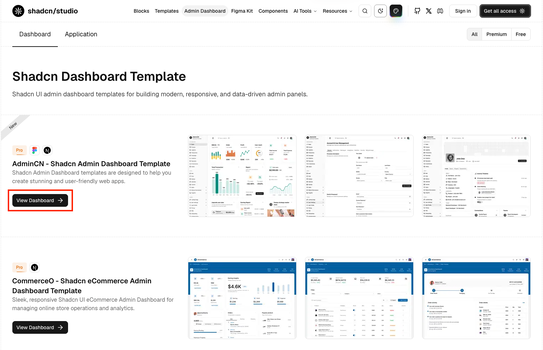
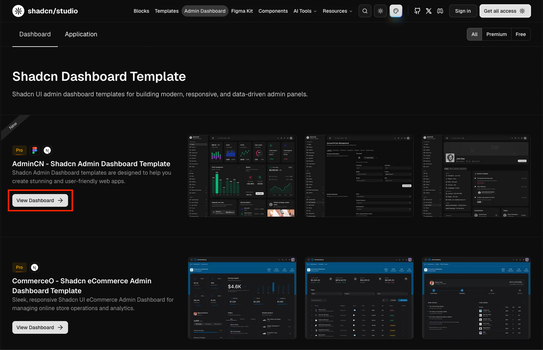
- Navigate to the Shadcn Admin Dashboard Template Page and under that navigate to Dashboard section.
- Checkout out the detail view by clicking "View Dashboard" button for the Shadcn Studio Dashboard or Application you are looking for.
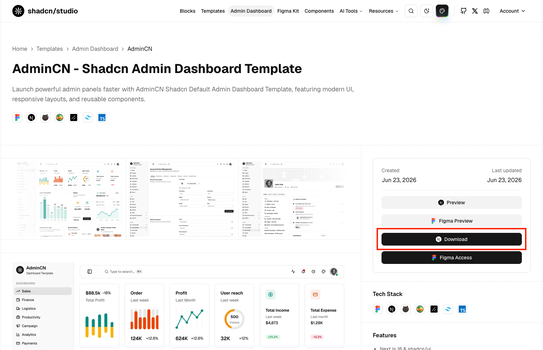
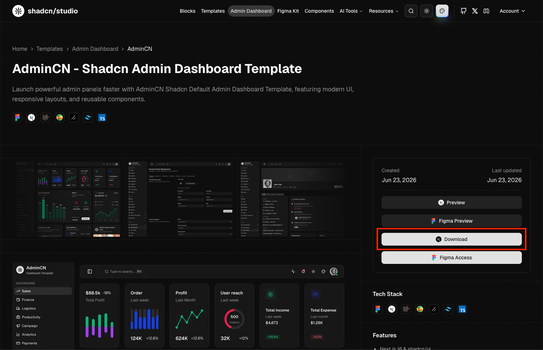
- Click on the "Download" button to download the source code as a ZIP file.
- Extract the downloaded ZIP file to your desired location on your computer.


What should you understand first?
The Admin Dashboard Template is organized around a reusable dashboard shell, route-based pages, shared UI components, and configuration-driven navigation. This makes it easier to change branding, add pages, connect APIs, and remove demo content without rebuilding the layout from scratch.
If you are setting up the project for the first time, read this page once, then continue to the Installation page.
Tech stack
| Technology | Purpose |
|---|---|
| Next.js | App Router structure for layouts, routing, pages, and server-side features. |
| React | Component-based UI structure for dashboard screens and reusable sections. |
| TypeScript | Type-safe development across pages, components, configs, and shared data. |
| Tailwind CSS | Utility-first styling, responsive layouts, and theme customization. |
| shadcn/ui | Accessible UI components used as the design system foundation. |
| Recharts | Charting library for analytics and dashboard visualizations. |
| Zustand | Lightweight state management for interactive apps and CRUD-style demos. |
| nuqs | URL query state management for tabs, filters, and shareable UI state. |
| React Hook Form + Zod | Form handling and validation for input-heavy admin flows. |
| TanStack Table | Data table foundation for sortable, filterable, and paginated records. |
Main layers
- App routes: Pages live inside
src/appand follow Next.js App Router conventions. - Layout: The layout layer controls sidebar navigation, header actions, responsive behavior, and page spacing.
- UI components: Shared components are built with shadcn/ui and Tailwind CSS so the template stays easy to customize.
- Config: Configuration files control the sidebar and color palette so you can change the structure of the app without editing layout components directly.
Recommended workflow
- Install the project and run it locally.
- Review the dashboard layout, sidebar, and route groups.
- Update branding, theme config(Colors, Layouts), and navigation items.
- Replace demo data with your API, database, or state management logic.
- Remove pages, components, and sample data that your product does not need.