
If you want to add all available shadcn/ui components to a project at once, use:
pnpm dlx shadcn@latest add --all npx shadcn@latest add --all yarn dlx shadcn@latest add --all bunx --bun shadcn@latest add --all --all is an officially supported option on the current shadcn add command - the shadcn CLI documentation lists it as -a, --all. The two are the same flag, so npx shadcn@latest add -a does exactly the same thing. It tells the CLI to add every available component instead of making you name them one by one.
Worth knowing before you reach for it: add takes as many names as you like, so the choice isn’t between one component and all of them.
The command is simple. The more interesting question is whether adding everything is right for your project. For a fresh prototype, internal tool, demo, or component sandbox, it saves a lot of repetitive CLI work. For a production application - or any repository where you’ve already customized shadcn component files - adding only what you need is usually safer.
Version note: Verified against
shadcn@4.18.0in August 2026. The component set the registry resolves changes over time, so treat the counts below as a snapshot rather than a fixed definition of--all.
Add All shadcn/ui Components in One Command
Choose npm, pnpm, Yarn, or Bun in the command selector. Your selection is remembered across every command on this page.
pnpm dlx shadcn@latest add --all npx shadcn@latest add --all yarn dlx shadcn@latest add --all bunx --bun shadcn@latest add --all One Yarn caveat is worth knowing: yarn dlx doesn’t exist in Yarn Classic 1.x, so the command shown in the Yarn tab fails with Command "dlx" not found. On Classic, run npx shadcn@latest add --all instead, or move the project to a modern Yarn. npm, pnpm, and Bun all run the CLI without issue.
Two things need to be true first: shadcn is initialized in the project, and you’re running the command from the right directory. The CLI resolves every path from components.json, so in a monorepo make sure you’re in the workspace you actually mean - or point it there explicitly with -c/--cwd:
pnpm dlx shadcn@latest add --all --cwd apps/web npx shadcn@latest add --all --cwd apps/web yarn dlx shadcn@latest add --all --cwd apps/web bunx --bun shadcn@latest add --all --cwd apps/web If there’s no components.json at all, the CLI notices and offers to create one before continuing - but adding shadcn to your existing project deliberately is better than letting a bulk add do your setup.
If you need a complete application foundation instead of an empty project, starting with a Shadcn template can save more time than bulk-installing primitives and assembling every layout yourself.
What --all Actually Installs
“All” doesn’t mean every resource in the broader shadcn ecosystem.
The CLI reads your project configuration, resolves the component registry for that setup, writes the component source files into your project, and installs the npm dependencies those components need.
The generated source becomes part of your repository. You aren’t installing one opaque UI package and importing from node_modules - shadcn distributes the source into your project so you can modify it. That distinction matters here: you’re asking the CLI to write a large set of files that you now own and maintain.
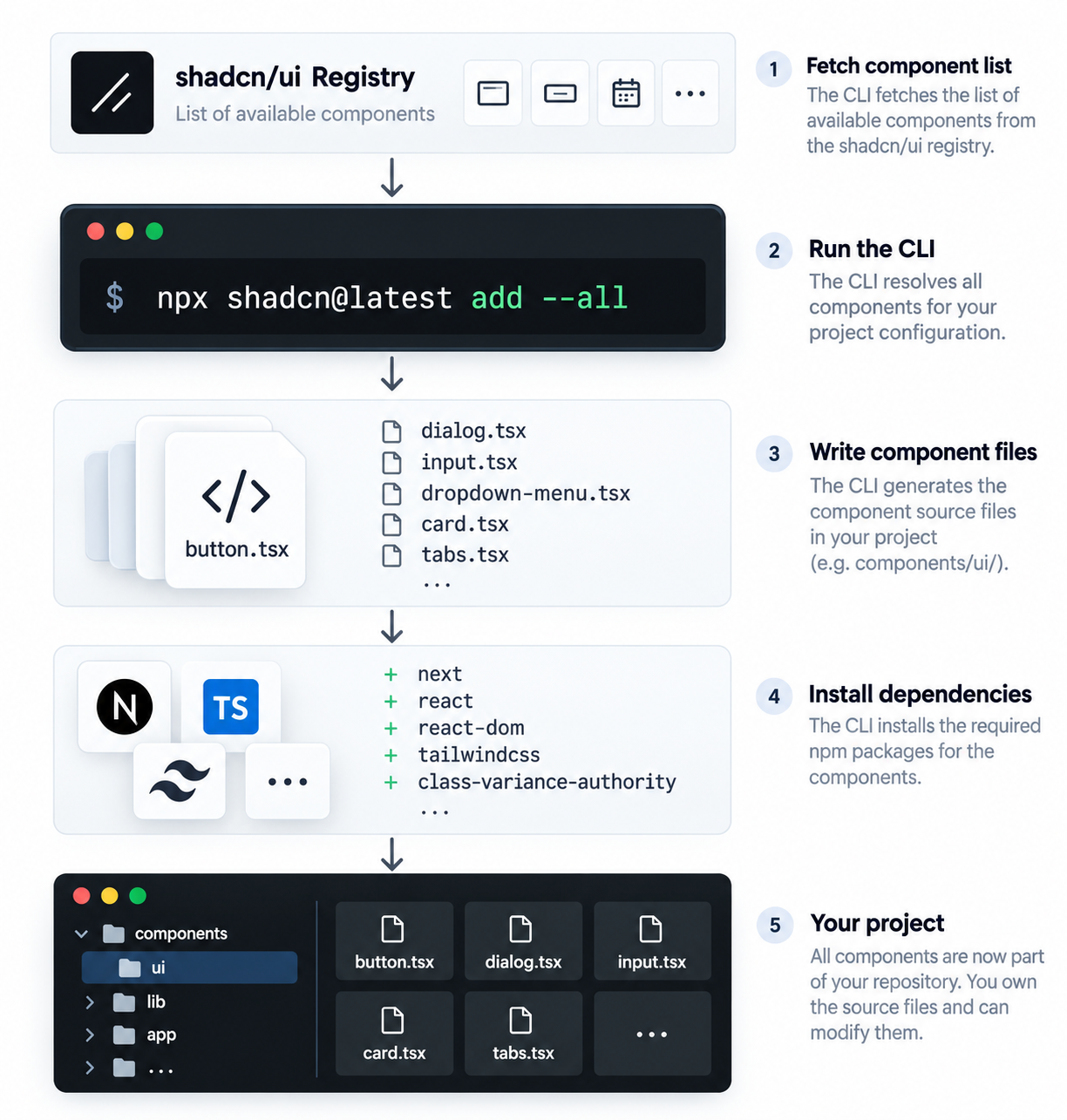
On a current Next.js project, add --all resolved 61 components, created 62 files, added 9 dependencies, and the resulting project built cleanly.
What --all Doesn’t Include
--all covers the components available through your configured component registry. It does not mean:
- every block
- every chart resource
- every third-party or namespaced registry item
- every community component built for shadcn/ui
Those live outside the component set add --all resolves.
For complete screens such as pricing, contact, authentication, and dashboard layouts, browse Shadcn pages. They solve a different problem from the registry primitives installed by --all.
Does add --all Work with Base UI, Radix, and React Aria?
Yes. Current shadcn supports Base UI, Radix, and React Aria as component bases, selected with the --base option at initialization. Base UI is the default for new projects, Radix remains fully supported, and React Aria is a first-class base.
Running add --all on a Base UI project (base-mira, shadcn@4.18.0) added all 61 components with no registry errors and passed next build. Older GitHub reports claiming --all fails against Base UI describe a bug that has since been fixed.
Your base still matters, because it determines which implementation of those components gets written into your project.
Preview Everything First with --dry-run
If the repository isn’t disposable, make this your first command:
pnpm dlx shadcn@latest add --all --dry-run npx shadcn@latest add --all --dry-run yarn dlx shadcn@latest add --all --dry-run bunx --bun shadcn@latest add --all --dry-run It resolves the whole operation and prints what would change, without writing anything. The real output lists every file and dependency; this is abridged:
├ Dependencies (9)
│ + @base-ui/react
│ + input-otp
│ + react-day-picker@latest
│ + recharts@3.8.0
│ + cmdk
│   … 4 more
│
│ 62 files, 9 deps
│
│ Run with --diff to view changes.
│ Run with --view to view file contents.
└ Run without --dry-run to apply.
That tells you which files would be created, where they’d land, whether existing components are involved, and whether the operation is bigger than you expected. --diff and --view give you the detail when you need it.
In a brand-new scaffold a dry run is optional. In an existing project it’s cheap insurance.
If Your Project Already Has shadcn Components
This is where add --all deserves caution - though the CLI is more careful than you might expect.
--overwrite defaults to false. When the CLI hits a file that already exists and differs, it stops and asks:
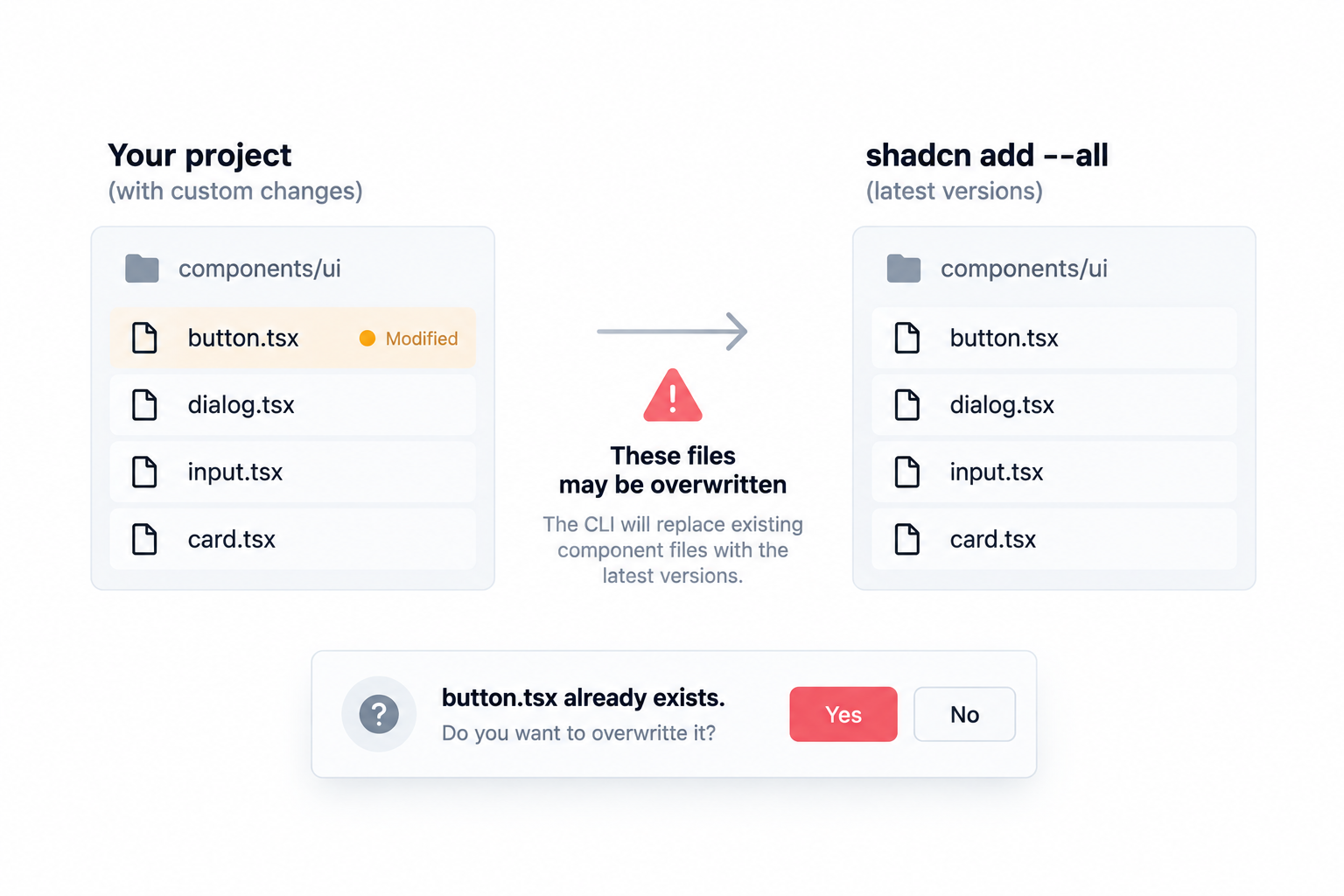
? The file button.tsx already exists. Would you like to overwrite? › (y/N)The default is N, and -y (--yes) does not answer this one for you - it only skips the initial confirmation. That’s worth knowing before you put add --all -y in a script and assume it will run unattended.
Files that are byte-identical to the registry version are skipped without a prompt:
ℹ Skipped 1 file: (files might be identical, use --overwrite to overwrite)The flag to treat carefully is the one that removes those guardrails:
pnpm dlx shadcn@latest add --all --overwrite npx shadcn@latest add --all --overwrite yarn dlx shadcn@latest add --all --overwrite bunx --bun shadcn@latest add --all --overwrite --overwrite replaces existing files with registry versions, no prompt. If you’ve changed variants, classes, component APIs, or accessibility behavior inside files like components/ui/button.tsx, those changes are gone. The CLI isn’t a Git-aware merge tool; it doesn’t know which lines are yours.
That said, it isn’t only a footgun. Deliberately refreshing your components to current upstream versions - after a major shadcn release, or when migrating base - is a reasonable use of --all --overwrite. Just go in knowing it replaces files rather than merging them, so any local changes have to be re-applied on top.
So for a project with real code in it, the safe sequence is:
- Commit or stash your work, so the operation is reversible.
- Preview it with
npx shadcn@latest add --all --dry-run. - Add only what you need, naming the components explicitly.
- Review the Git diff before committing.
That’s slower than one --all, and much cheaper than reconstructing custom component changes after an accidental overwrite.
Should You Add Every shadcn/ui Component?
A short introduction
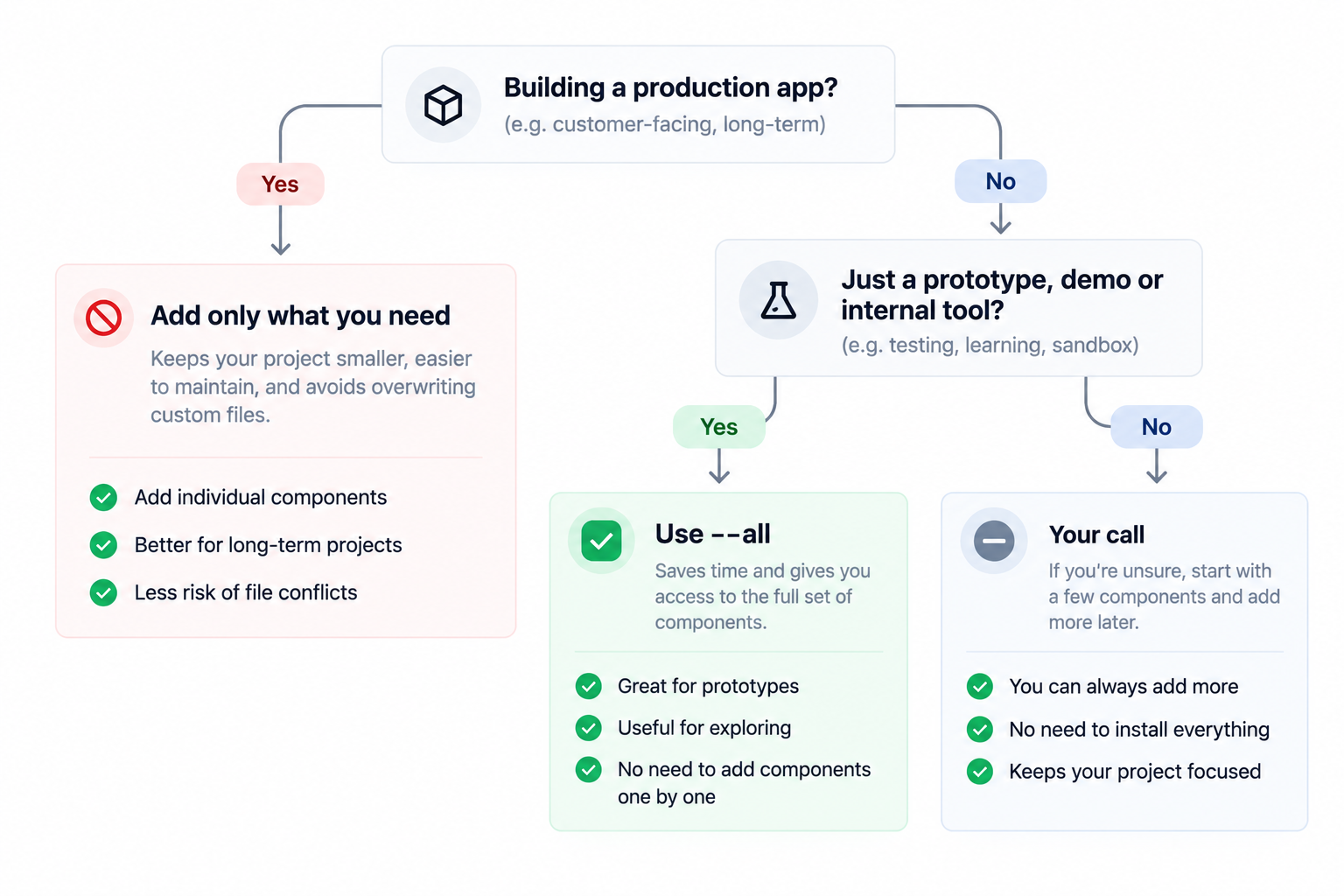
| Scenario | Recommendation |
|---|---|
| Prototype or throwaway experiment | Yes. Convenient, and the maintenance cost won’t matter. |
| Internal admin system or template | Usually yes. A broad component surface helps while requirements move. |
| Production application | Usually no. Add components as the app needs them. |
| Existing project with customized components | No. Prefer named components; avoid --overwrite unless you’ve reviewed the diff. |
| Component or design-system exploration | Yes, in a sandbox. A fast way to inspect the full surface without polluting what you ship. |
For most production apps, add components on demand:
pnpm dlx shadcn@latest add button dialog select npx shadcn@latest add button dialog select yarn dlx shadcn@latest add button dialog select bunx --bun shadcn@latest add button dialog select That keeps the repository close to what the application actually uses. If you work with an AI assistant, the CLI ships an MCP server that writes the config for your editor and lets the agent inspect registry items before installing them:
pnpm dlx shadcn mcp init npx shadcn mcp init yarn dlx shadcn mcp init bunx --bun shadcn mcp init If your goal is exploration rather than implementation, browsing the Shadcn components library is a faster way to compare variants and decide what belongs in the repository.
Does Adding All Components Increase Your Bundle Size?
Not simply because the files exist.
In a Next.js app, a file nothing imports never enters the module graph, so the bundler never traces it into a route - and what isn’t traced never reaches the client. The common “installing every component bloats your bundle” warning is misleading on that point. components/ui/carousel.tsx only becomes client payload once something imports it:
import {
  Carousel,
  CarouselContent,
  CarouselItem,
} from "@/components/ui/carousel";
The real costs of --all are elsewhere:
- more dependencies in
package.json, and a larger audit surface - more generated source to maintain
- more files for linting and type-checking to walk
- noisier diffs
- unused components drifting away from your actual design system
So bundle size isn’t the strongest argument against --all. Repository and dependency maintenance are.
And if what you actually want is ready-made product UI rather than primitives, installing every component still won’t give you composed dashboards, auth screens, or pricing sections. A library of Shadcn blocks is better suited to those reusable interface sections.
After a Bulk Add, Run Your Checks
Generated components are upstream source dropped into your repository, and they don’t automatically match your project’s conventions. On a Next.js project with Prettier (plus prettier-plugin-tailwindcss) and the current ESLint rules, one add --all produced:
- 20 of 61 files failed
prettier --check. That one’s easy:npx prettier --write "components/ui/*.tsx"and the check passes. - One ESLint error -
components/ui/carousel.tsxtripsreact-hooks/set-state-in-effect.eslint --fixwon’t repair it, since the rule isn’t auto-fixable. Delete the component if you don’t use it, or scope an exception to that file. - Type-check and
next buildboth passed. So this is a conventions and lint-gate problem rather than a correctness one - though it will still fail CI if your pipeline gates on format or lint.
Run your formatter and linter immediately after a bulk add, before committing. Reviewing that diff on its own is far easier than untangling it later from unrelated work.
How to Remove Components After Running --all
If you ran the command on a clean branch, reverting through Git is the cleanest option.
If you want to keep some of it:
- Delete the component files you don’t need.
- Check whether the dependencies those components introduced are still used elsewhere.
- Remove only the genuinely orphaned ones.
- Run your type-check and build afterward.
Don’t strip every dependency the original command added - several shadcn components share them. This is another reason to make a Git checkpoint first: the diff shows exactly what the operation introduced.
Common add --all Problems
| Problem | Likely cause | What to do |
|---|---|---|
| An overwrite prompt appears | The project already contains one or more target components | Answer N, then review before replacing customized files. Run --dry-run first. |
add --all -y doesn’t apply everything in CI | -y skips the initial confirmation, not overwrite conflicts | Behavior depends on the runner: with a TTY attached it waits on the prompt; without one it exits successfully and leaves the conflicting files untouched. Resolve conflicts first, or pass --overwrite deliberately once you’ve reviewed the diff. |
yarn dlx says the command doesn’t exist | Yarn Classic 1.x has no dlx | Use npx shadcn@latest add --all, or a modern Yarn. |
| Files appear somewhere unexpected | Aliases or working directory differ from the project you meant | Check components.json and confirm which directory you’re in. |
| Blocks or community components didn’t arrive | --all was read too broadly | Add those registry resources separately. |
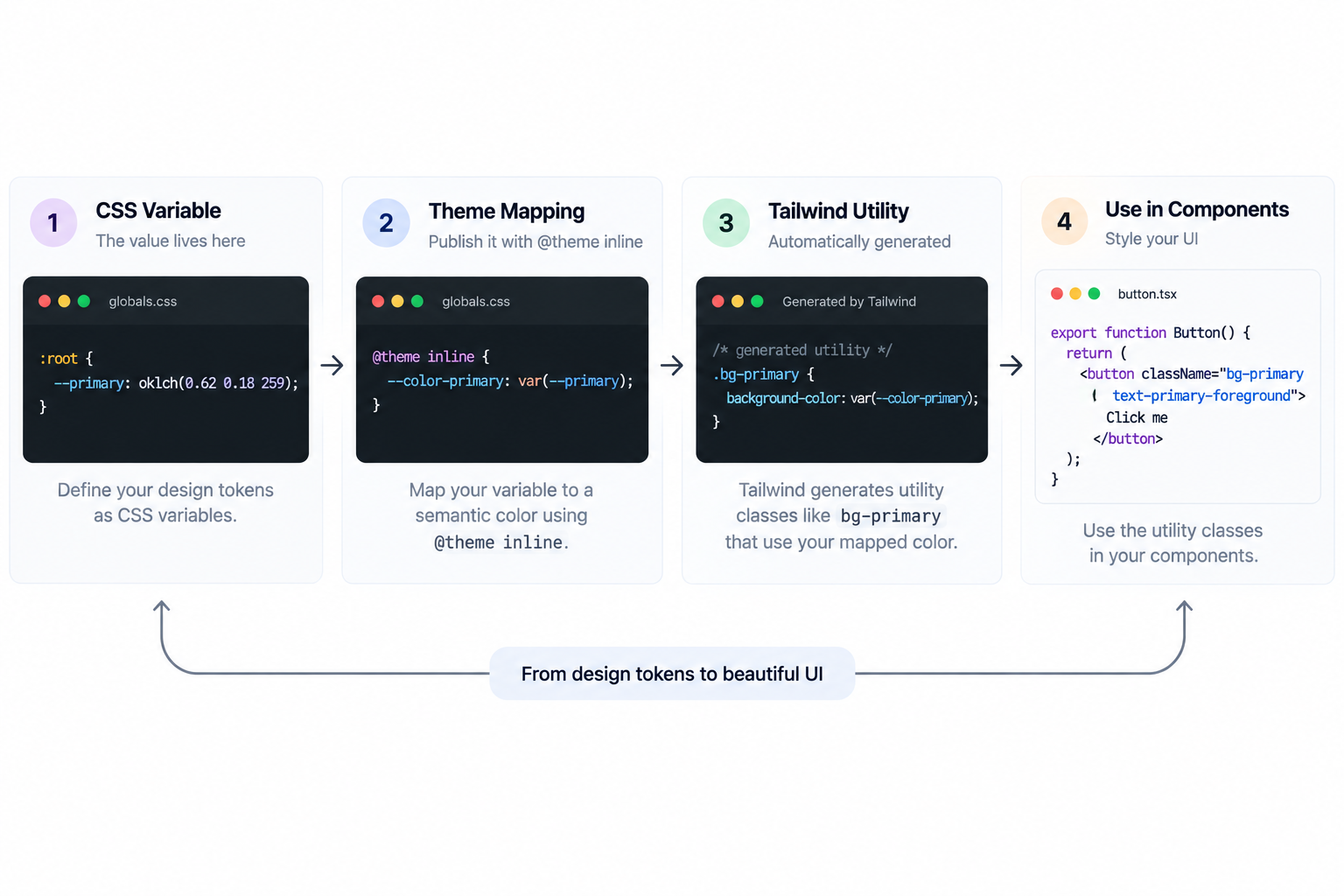
For visual changes once your component set is in place, keep installation separate from theming - see shadcn colors and theme variables for how the token system works, and a tool like the Shadcn Studio Theme Generator handles the theme without turning add --all into a styling workflow.
Conclusion
npx shadcn@latest add --all is officially supported and works with the current shadcn setup. But supported doesn’t mean recommended for every repository.
Use it freely for prototypes, internal systems, templates, and isolated exploration. For production apps, add components as you need them. And in a codebase with customized shadcn files, commit first, dry-run, install named components, and read the diff. The shortcut is genuinely useful - it just shouldn’t be the default for an application you ship.