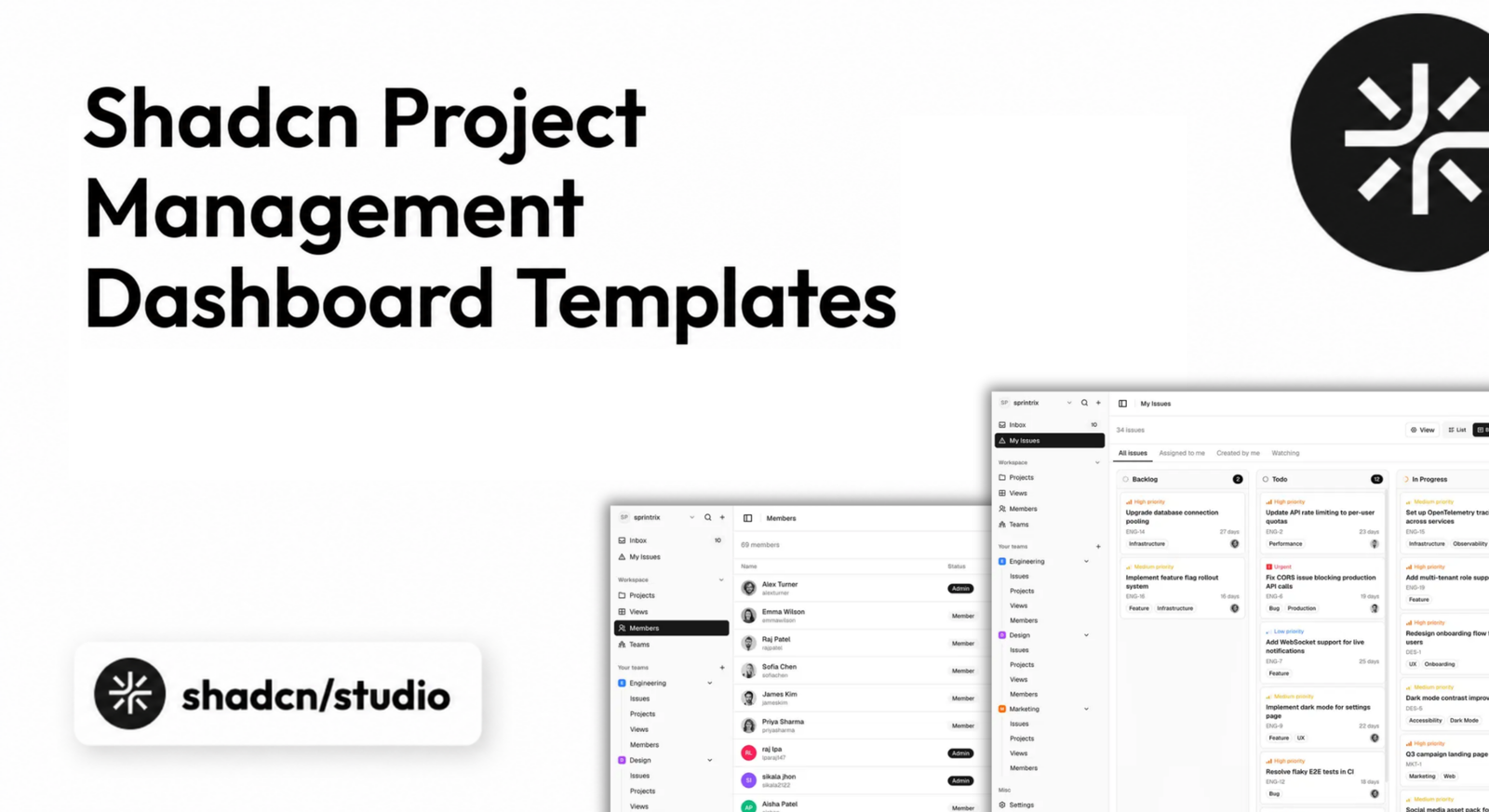
A project management dashboard needs to make a large amount of information understandable at a glance. Projects, tasks, owners, priorities, deadlines, sprint progress, workload, and team activity all need to fit into one consistent interface without overwhelming the user.
Starting with one of the available Shadcn templates can remove weeks of repetitive frontend work. A good Shadcn project management dashboard template gives you reusable screens for project lists, task boards, issue details, analytics, calendars, settings, and collaboration while leaving the source code open for your own product logic. For teams looking to make meetings more structured and productive, WhenAvailable’s guide to running effective team meetings covers practical steps for planning, conducting, and following up on team discussions.
This guide compares the best project management dashboards, templates, and related resources built for the shadcn/ui ecosystem. We considered project-management depth, supporting pages, code ownership, customization, technology stack, and how quickly each option can become part of a real SaaS product or internal tool.
Quick Comparison
| Template | Best For | Stack | Type |
|---|---|---|---|
| Sprintrix | Complete project management SaaS | Next.js 16, Shadcn UI, Tailwind CSS v4 | Premium Template |
| Kanban PM Kit | Kanban, sprints, and roadmaps | Next.js, Shadcn UI, Tailwind CSS | Premium Template |
| Shadcn Studio Kanban | Adding a board to an existing app | React, Tailwind CSS, Radix UI / Base UI | Free Component |
| Sneat Bootstrap Admin | Bootstrap-based PM applications | Bootstrap 5, JavaScript, Sass | Premium Alternative |
| Admindek Next.js | Multipurpose admin products | Next.js 16, React 19, Shadcn UI | Premium Template |
| Shadcn UI Kit Dashboard | Broad admin and PM screen library | Next.js, React, TypeScript, Shadcn UI | Free + Premium |
| Shadcn Blocks Admin | Data-heavy issue management | Next.js 16, Tailwind CSS v4, Shadcn UI | Premium Template |
| Shadcn UI Dashboard | General admin with Kanban | Next.js, React, TypeScript, Shadcn UI | Premium Template |
A quick note on scope: most entries below are complete Shadcn dashboard templates. Shadcn Studio Kanban is a focused component for adding board functionality to an existing project, while Sneat is a Bootstrap alternative included for teams evaluating a different frontend stack.
Best Shadcn Project Management Dashboard Templates
Sprintrix leads the collection because it is built specifically for end-to-end project and issue management. The remaining options range from Kanban-first application kits to multipurpose admin dashboards with project-management screens.
Sprintrix - Shadcn Project Management Template
- Best For:
- Complete project management SaaS
- Type:
- Premium Template
- Framework:
- Next.js 16, Shadcn UI, Tailwind CSS v4
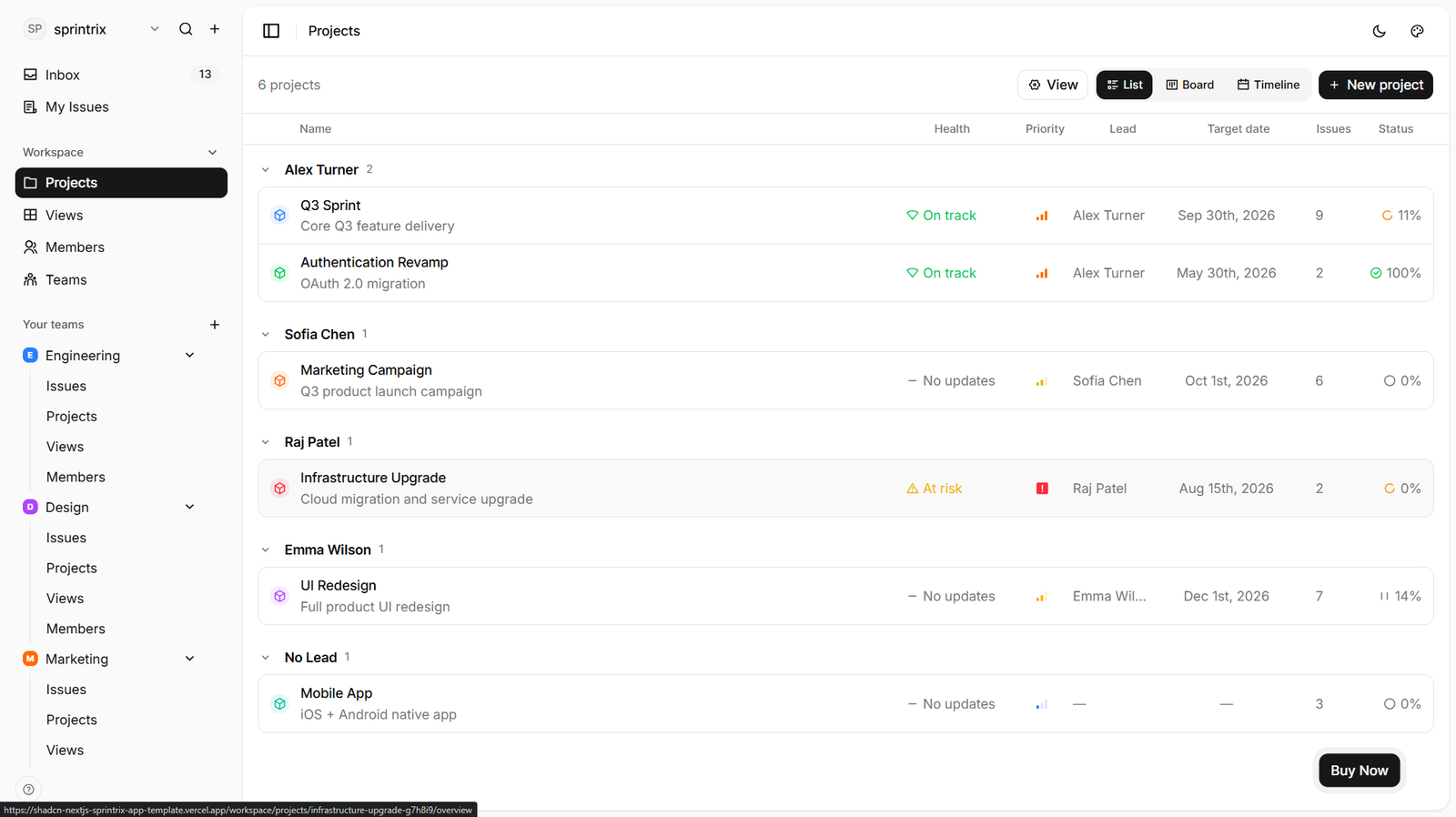
Sprintrix is our best overall recommendation for building a dedicated project management product. It combines workspaces, projects, issue tracking, roadmaps, teams, notifications, settings, billing, and authentication in one consistent frontend.
Projects can be viewed as lists, boards, or timelines, while issues support priorities, assignees, labels, due dates, comments, attachments, sub-issues, and activity. The API-ready data layer uses real fetch calls with TanStack Query, making the template a practical frontend for connecting your own backend.
Why Choose Sprintrix?
- Purpose-built for project management
- Broadest end-to-end workflow coverage
- Strong issue and team management
- API-ready frontend structure
- Complete SaaS supporting pages
Key Features
- Projects, issues, roadmaps, and workspaces
- List, board, and timeline views
- Team and member management
- Notifications and activity inbox
- Authentication, settings, and billing pages
- Zustand and TanStack Query
- Live theme customizer
Keep in Mind: Sprintrix is a production-ready frontend. You still need to connect your preferred backend, database, authentication provider, and real-time collaboration layer.
Kanban PM Kit
- Best For:
- Kanban, sprint, and roadmap workflows
- Type:
- Premium Template
- Framework:
- Next.js, Shadcn UI, Tailwind CSS
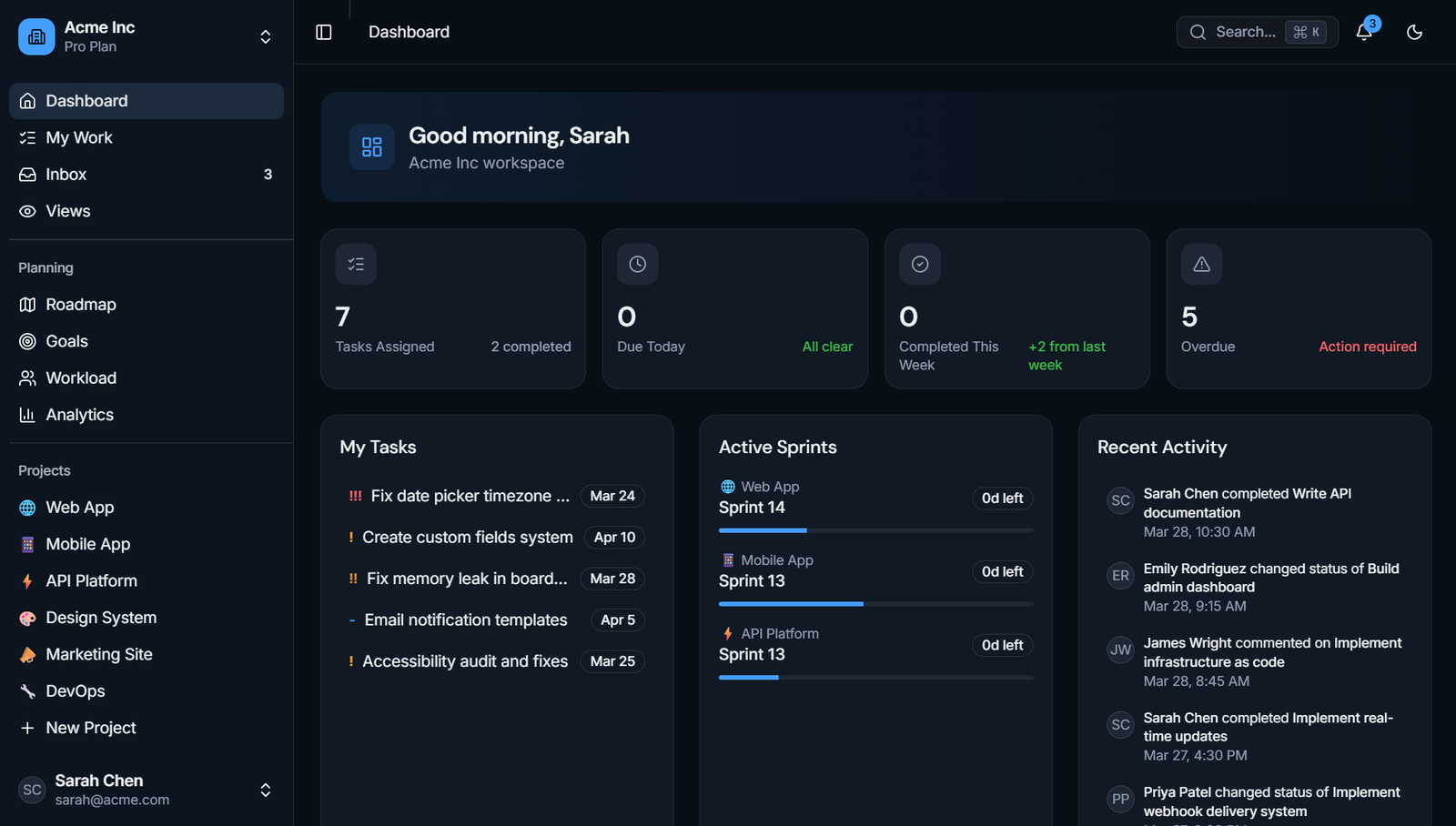
Kanban PM Kit is a Kanban-first project management application kit with 44 pages and roughly 50 screens. It covers boards, task views, sprint cycles, modules, roadmaps, workload, analytics, goals, notifications, and team management.
The board uses @hello-pangea/dnd and supports task movement between columns. Teams can also switch among board, list, calendar, timeline, and backlog views, while sprint pages add dates, progress, burndown metrics, and module planning.
Why Choose Kanban PM Kit?
- Deep Kanban and sprint-planning coverage
- Multiple project and task views
- Useful workload and roadmap screens
- Built for product teams and agencies
- Responsive project-management interface
Key Features
- 44 pages across 12+ sections
- Drag-and-drop Kanban board
- Sprint cycles and burndown tracking
- Gantt-style timeline and roadmap
- Workload heatmap and team capacity
- Goals and OKR tracking
- Velocity and completion analytics
Keep in Mind: The kit does not include a backend, database, authentication backend, data synchronization, or real-time collaboration service.
As shadcn/ui has expanded into a much broader ecosystem of components, blocks, and templates, it is worth highlighting a platform that helps developers build project dashboards, task boards, team workspaces, and complete admin applications much faster.
Special Recommendation: shadcn/studio
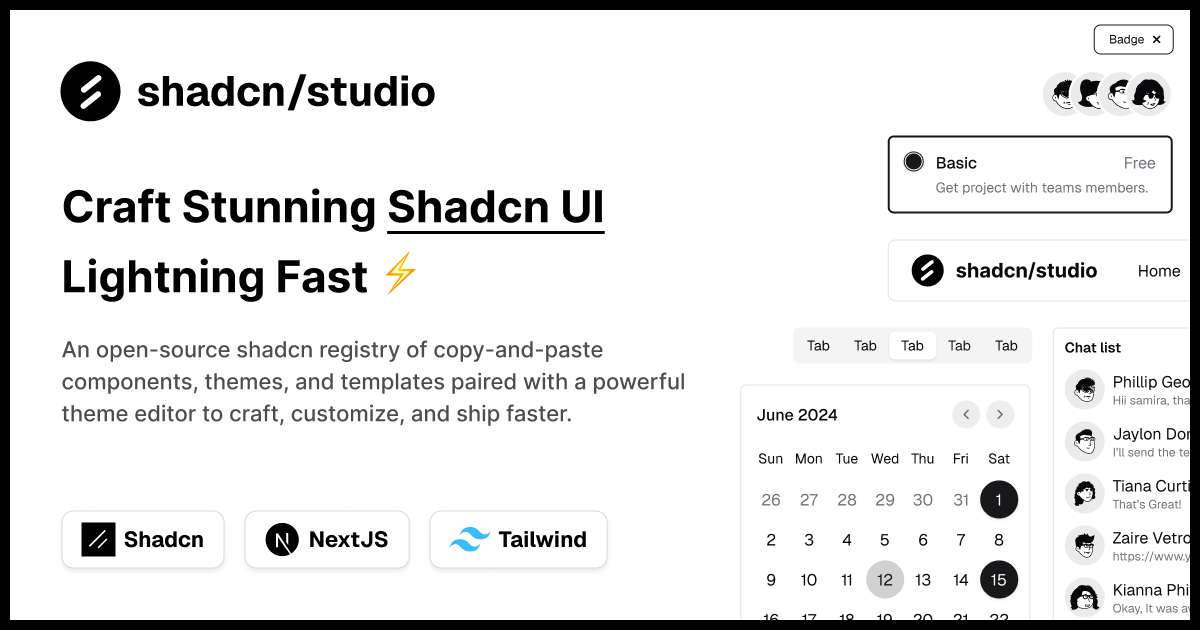
This isn’t a traditional component library or a replacement for shadcn UI. Instead, it’s a unique collection that offers customizable variants of components, blocks, and templates. Preview, customize, and copy-paste them into your apps with ease.
Building on the solid foundation of the Shadcn components & blocks, we’ve enhanced it with custom-designed components & blocks to give you a head start. This allows you to craft, customize, and ship your projects faster and more efficiently.
Features:
- Open-source: Dive into a growing, community-driven collection of copy-and-paste shadcn ui components, Shadcn blocks, and templates.
- Component & Blocks variants: Access a diverse collection of customizable shadcn blocks and component variants to quickly build and style your UI with ease.
- Animated variants with Motion: Add smooth, modern animations to your components, enhancing user experiences with minimal effort.
- Landing pages & Dashboards: Explore 20+ premium & free Shadcn templates for dashboards, landing pages & more. Fully customizable & easy to use.
- shadcn/ui for Figma: Speed up your workflow with Shadcn Figma UI components, blocks & templates - a full design library inspired by shadcn/ui.
- Powerful theme generator: Customize your UI instantly with Shadcn Theme Generator. Preview changes in real time and create consistent, on-brand designs faster.
- shadcn/studio MCP: Integrate shadcn/studio MCP Server directly into your favorite IDE and craft stunning shadcn/ui Components, Blocks, and Pages inspired by shadcn/studio.
- Shadcn Figma To Code Plugin: Convert your Figma designs into production-ready code instantly with the Shadcn Figma Plugin.
Shadcn Studio Kanban Component
- Best For:
- Adding Kanban to an existing dashboard
- Type:
- Free Component
- Framework:
- React, Tailwind CSS, Radix UI / Base UI
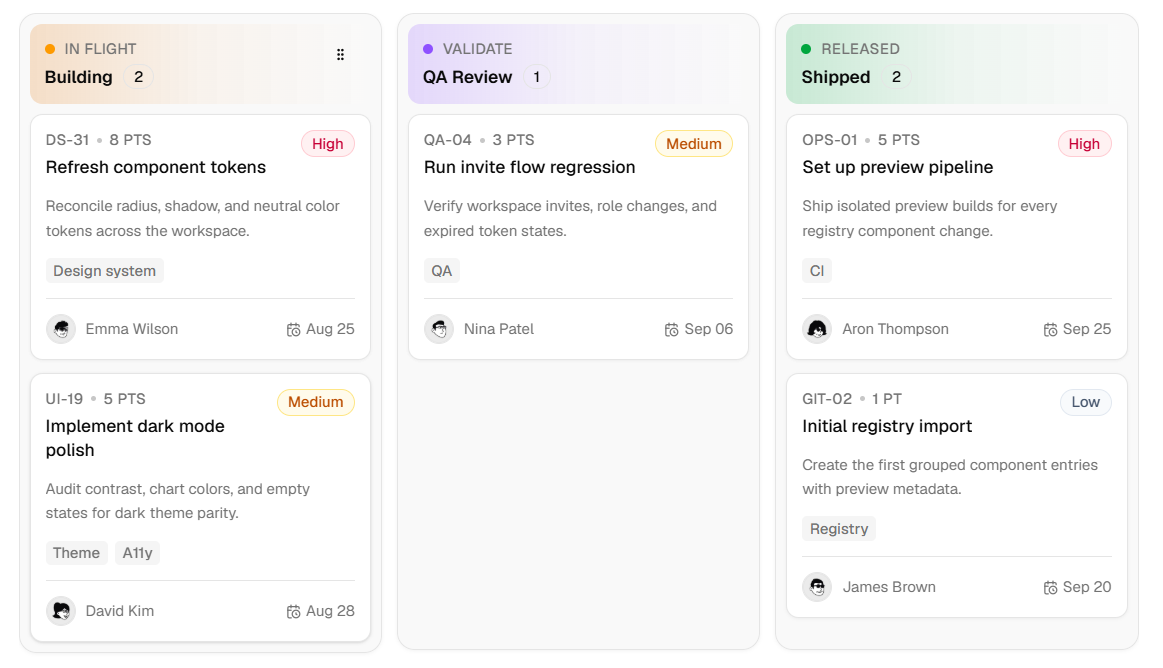
Shadcn Studio Kanban is a focused choice for teams that already have a dashboard shell and only need the task-board experience. It provides column-based organization, draggable cards, responsive horizontal scrolling, empty states, and flexible card metadata.
The component works with both Radix UI and Base UI and composes with familiar Shadcn primitives such as Card, Badge, Avatar, Dropdown Menu, Dialog, Sheet, Input, and Scroll Area.
Why Choose Shadcn Studio Kanban?
- Smaller scope than a complete template
- Fits established Shadcn applications
- Radix UI and Base UI options
- Flexible card and column styling
- Good foundation for custom workflows
Key Features
- Column and task-card management
- Drag-and-drop workflow
- Assignees, dates, tags, and priorities
- Responsive horizontal scrolling
- Custom empty states
- Search, filters, and board actions
Keep in Mind: This is a component rather than a complete project management dashboard. You need to provide the surrounding pages, data model, and persistence.
Sneat Bootstrap Admin
- Best For:
- Bootstrap-based project applications
- Type:
- Premium Alternative
- Framework:
- Bootstrap 5, JavaScript, Sass
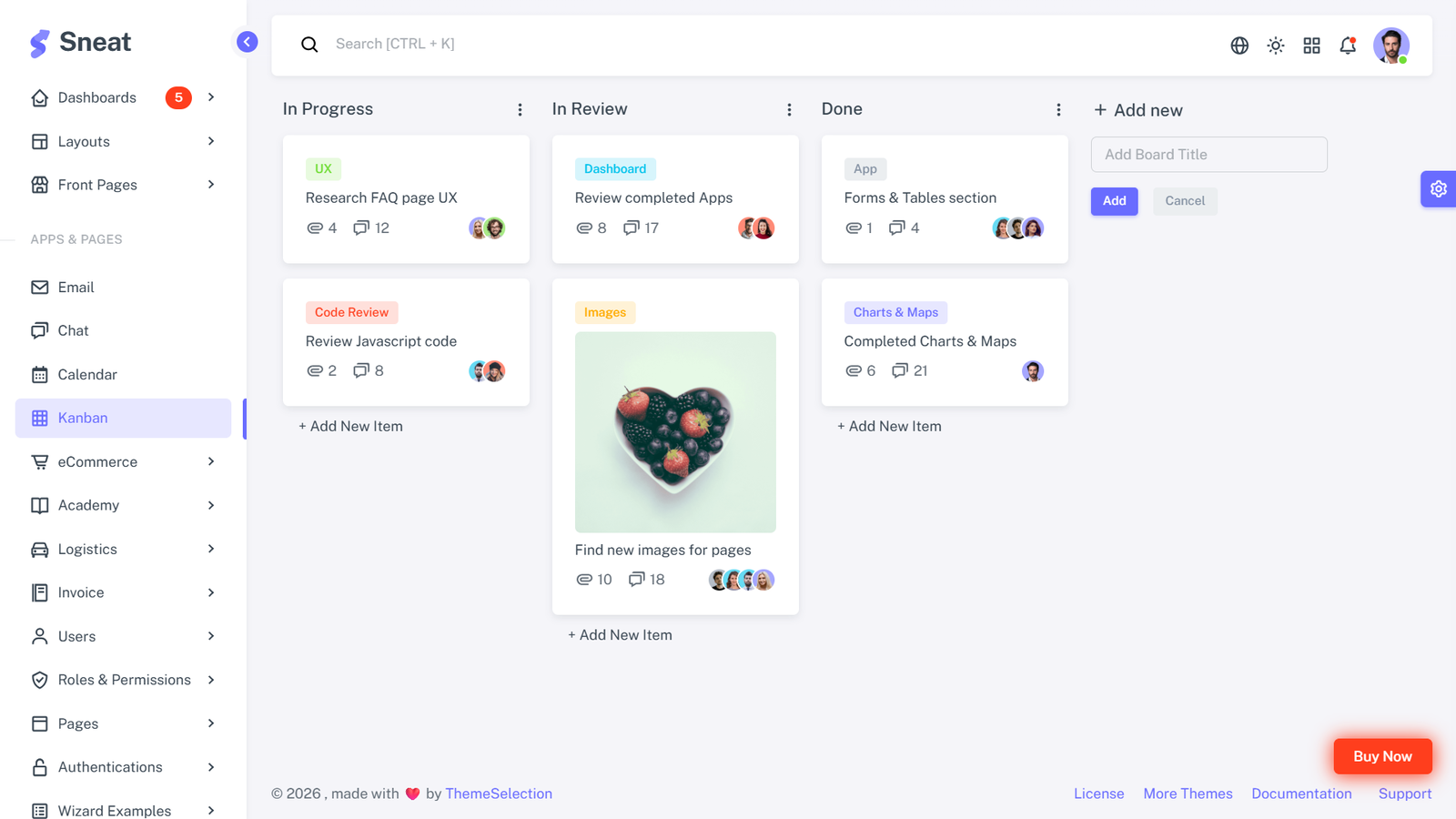
Sneat Bootstrap Admin is a mature Bootstrap admin dashboard for teams that do not require React or shadcn/ui. It supports project-management applications and includes a Kanban app alongside email, chat, calendar, ecommerce, invoices, roles, permissions, and user management.
The template offers vertical and horizontal layouts, several theme modes, internationalization, RTL support, authentication pages, charts, cards, and a layout generator. It is useful as a comparison point when choosing between a Shadcn codebase and a traditional Bootstrap admin foundation.
Why Choose Sneat Bootstrap Admin?
- Established Bootstrap admin foundation
- Kanban included among several applications
- Broad internationalization support
- Many layouts and supporting pages
- Useful for non-React teams
Key Features
- Bootstrap 5 and Sass
- Kanban, calendar, chat, and email apps
- Vertical and horizontal layouts
- Light, dark, and system themes
- i18n and RTL support
- Authentication and 30+ utility pages
- Charts and advanced cards
Not a Shadcn Template: Sneat uses Bootstrap rather than shadcn/ui. Choose it only if Bootstrap matches your project stack or you are comparing alternative admin foundations.
Admindek Next.js
- Best For:
- Multipurpose admin products
- Type:
- Premium Template
- Framework:
- Next.js 16, React 19, Shadcn UI
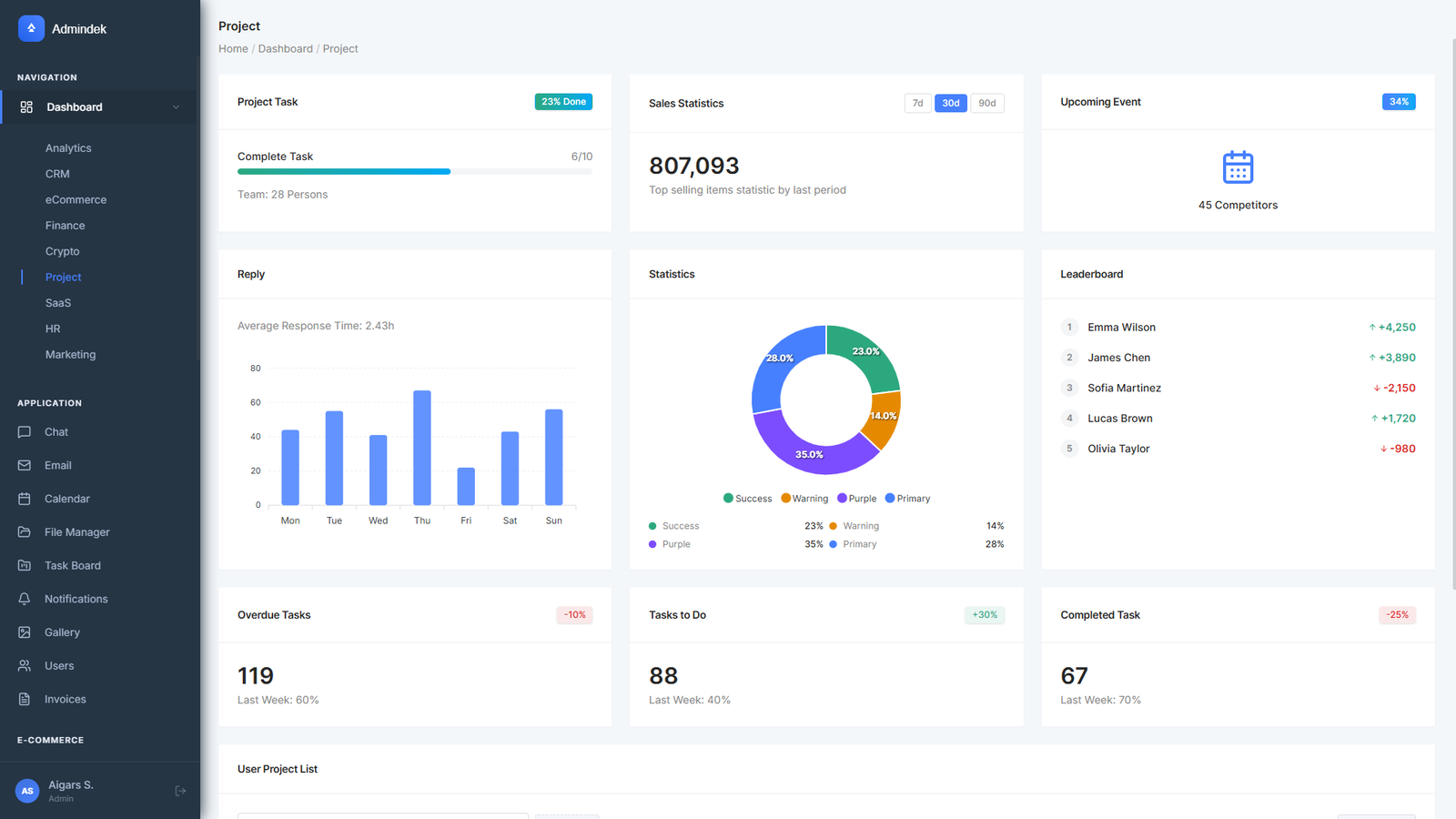
Admindek Next.js is a multipurpose Shadcn admin template with more than 80 pages and nine dashboard variants. Its project dashboard includes task overview, project progress, and a user project list, while the broader kit covers CRM, finance, SaaS, HR, marketing, and ecommerce.
Admindek is a better match for teams that need project reporting inside a larger admin product rather than a project-management-only application. Its supporting stack includes data tables, charts, forms, validation, themes, internationalization, and documentation.
Why Choose Admindek Next.js?
- Broad multipurpose dashboard coverage
- Modern Next.js and Shadcn stack
- Strong data-table and form foundation
- Useful project reporting dashboard
- Many authentication and utility pages
Key Features
- 80+ pages and nine dashboards
- Project task and progress overview
- TanStack data tables
- ApexCharts visualizations
- React Hook Form and Zod
- Dark mode, RTL, and i18n
- Built-in documentation
Keep in Mind: Admindek is a general admin template. Its project dashboard is useful for reporting, but it is less specialized than Sprintrix or Kanban PM Kit.
Shadcn UI Kit Admin Dashboard
- Best For:
- Large admin and application UI library
- Type:
- Free + Premium
- Framework:
- Next.js, React, TypeScript, Shadcn UI
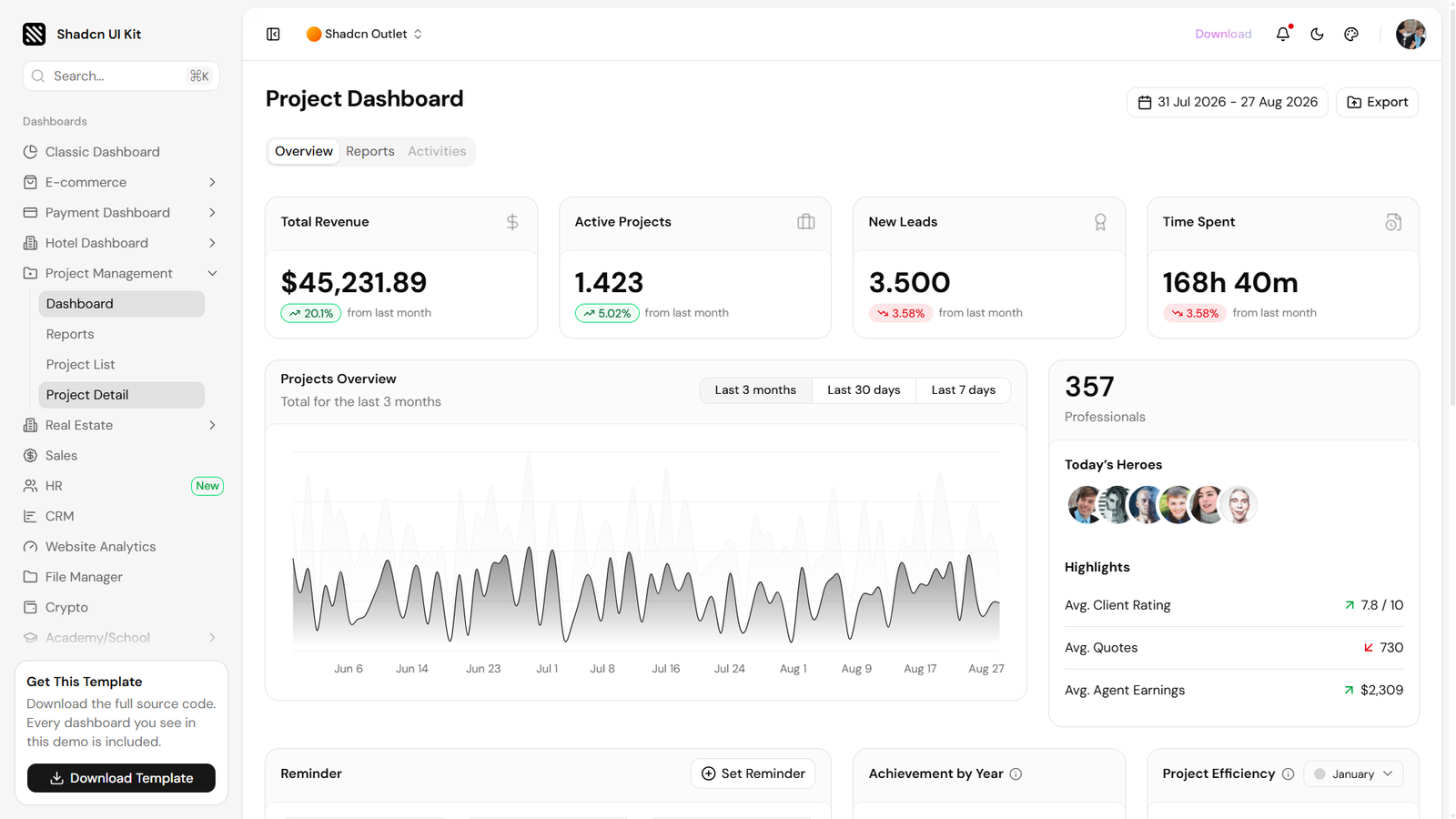
Shadcn UI Kit Admin Dashboard is a broad admin package with a dedicated project-management dashboard plus project reports, lists, details, tasks, and Kanban functionality. The main dashboard combines revenue, active projects, leads, time tracking, team highlights, reminders, project efficiency, and a searchable recent-project table.
The complete kit includes 15 dashboard designs, 17 web applications, and more than 40 supporting pages. This makes it suitable for teams that want project management alongside CRM, sales, finance, file management, chat, calendar, and other admin experiences.
Why Choose Shadcn UI Kit Admin Dashboard?
- Dedicated project-management dashboard
- Large collection of adjacent applications
- Useful project list and detail screens
- Accessible Shadcn component foundation
- Free version available for evaluation
Key Features
- Project dashboard, reports, lists, and details
- Kanban, tasks, todo, and calendar apps
- 15 dashboard designs
- 17 web applications
- 40+ supporting pages
- TanStack Table, Recharts, and Zod
- Light and dark themes
Shadcn Blocks Admin Dashboard
- Best For:
- Data-heavy issue management
- Type:
- Premium Template
- Framework:
- Next.js 16, Tailwind CSS v4, Shadcn UI
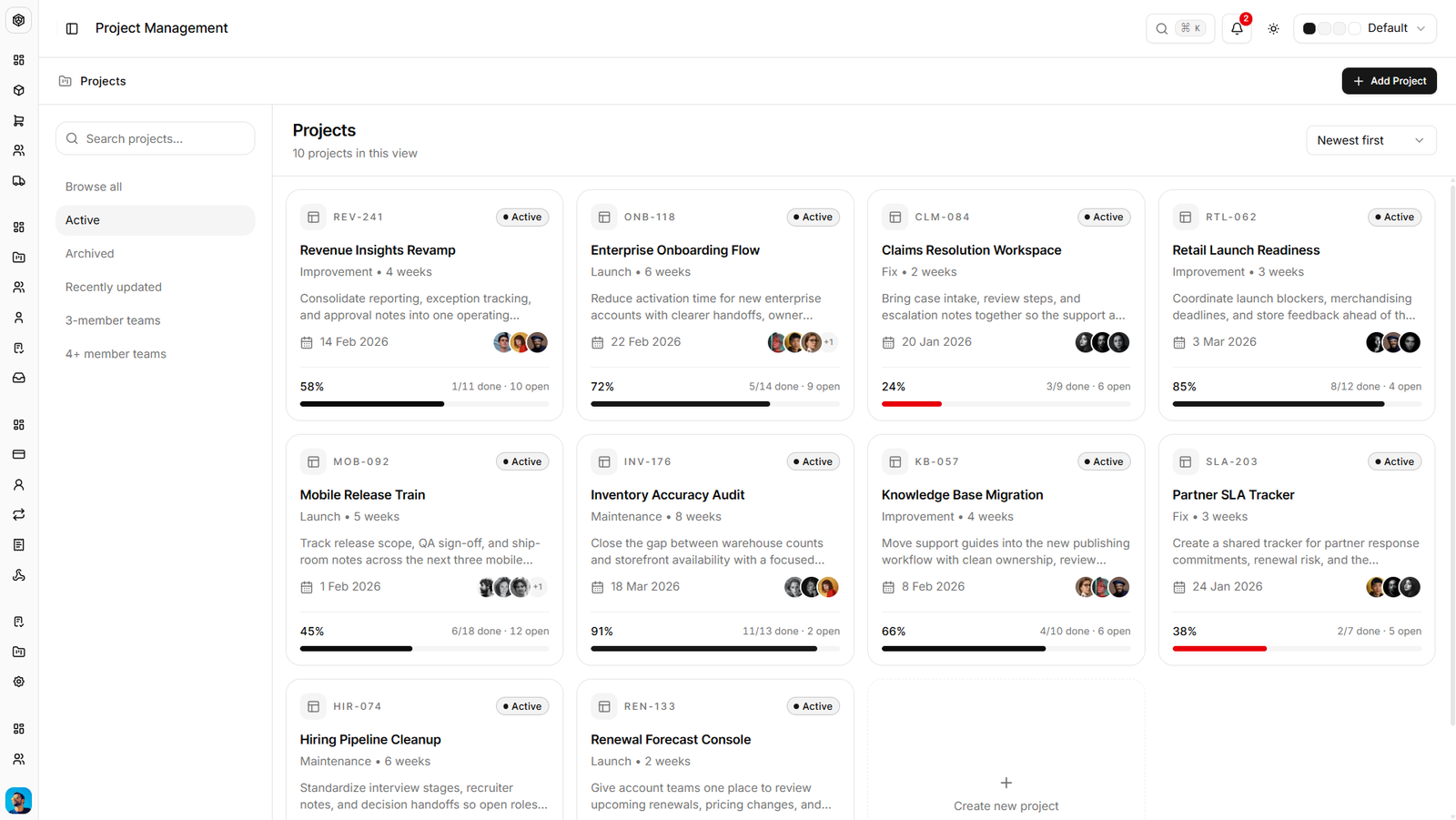
Shadcn Blocks Admin Dashboard includes a 32-page project-management application built around a shared issue model. The same data powers list, Kanban, Gantt, calendar, spreadsheet, and inbox views, with interactions for drag ranking, rescheduling, and inline editing.
The broader admin kit contains 139 typed pages across project management, ecommerce, payments, todo, and developer applications. Its Zod-parsed mock JSON layer gives teams a clear contract to replace with REST, tRPC, Postgres, or another backend.
Why Choose Shadcn Blocks Admin Dashboard?
- Strongest variety of issue views
- Large typed application surface
- Consistent data model across screens
- Good starting point for API integration
- Light, dark, and custom token support
Key Features
- 32 project-management pages
- List, Kanban, Gantt, calendar, and spreadsheet
- Drag ranking and rescheduling
- Inline issue editing
- Typed Zod mock data
- Next.js 16 and Tailwind CSS v4
- Users, settings, auth, and error pages
Keep in Mind: The kit provides a frontend and typed mock layer. Your team must connect the API, authentication, database, and other production services.
Shadcn UI Dashboard
- Best For:
- General admin panels with Kanban
- Type:
- Premium Template
- Framework:
- Next.js, React, TypeScript, Shadcn UI
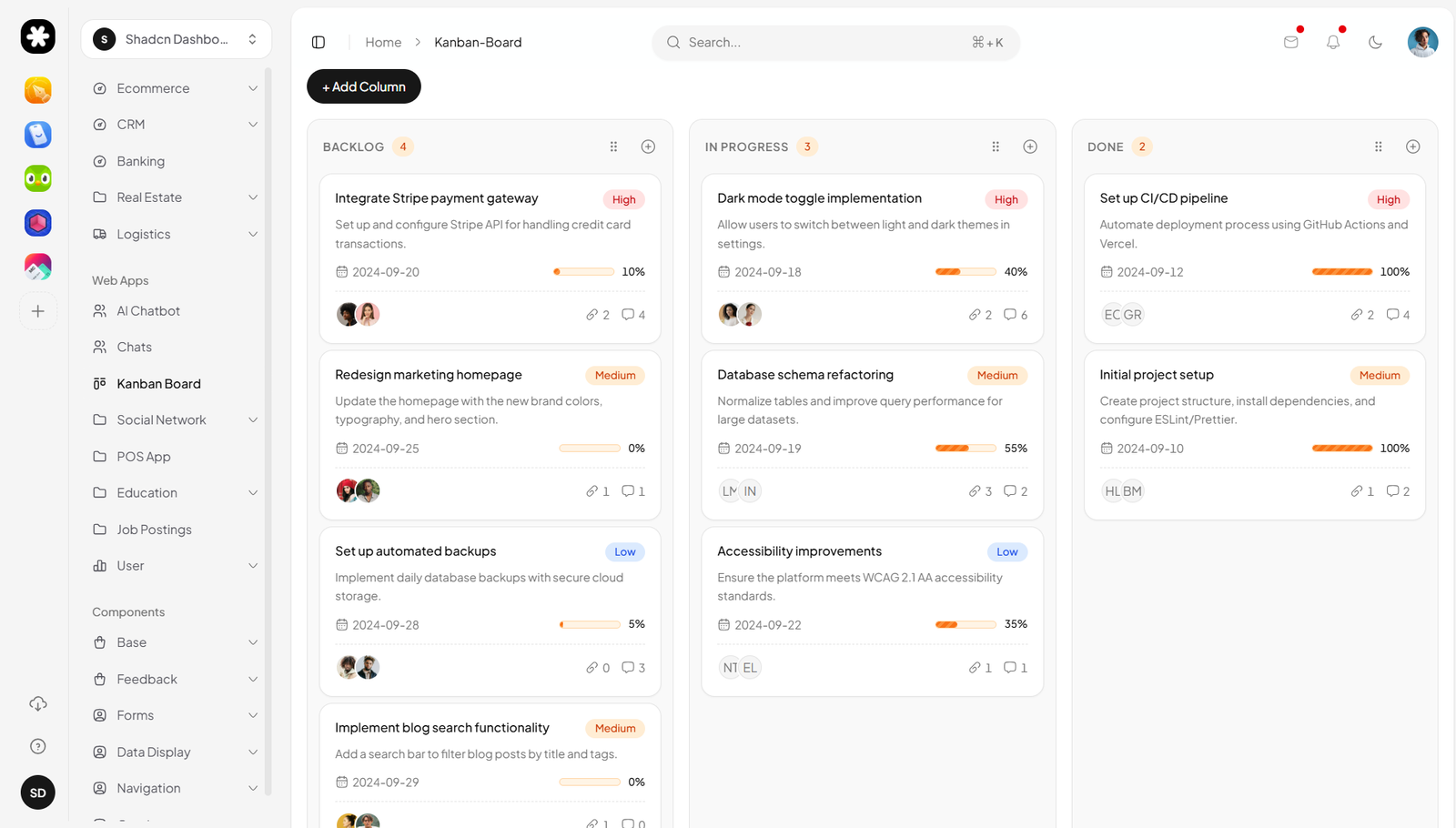
Shadcn UI Dashboard is a multipurpose admin template with more than 20 page templates and 50 UI components. Its application collection includes projects and a detailed Kanban board alongside analytics, ecommerce, CRM, calendar, chat, and authentication flows.
The Kanban example uses rich task cards with priorities, progress, dates, assignees, comments, and attachment counts. The broader template adds TanStack tables, Recharts visualizations, drag-and-drop boards, dark mode, and end-to-end TypeScript.
Why Choose Shadcn UI Dashboard?
- Polished multipurpose admin foundation
- Detailed Kanban card design
- Modern React and Tailwind stack
- Useful for SaaS and internal tools
- One-time purchase with source access
Key Features
- 20+ page templates
- 50+ UI components
- Projects and Kanban application screens
- TanStack tables and Recharts
- Light and dark themes
- TypeScript and Zod-validated forms
- Copy-and-paste blocks
Keep in Mind: This is a multipurpose dashboard rather than a dedicated project-management product, so compare its planning depth with the more specialized options above.
How to Choose a Project Management Dashboard Template
The right template depends on whether project management is your core product or one module inside a larger admin system.
- Choose Sprintrix if you want the most complete Shadcn foundation for projects, issues, teams, workspaces, and roadmaps.
- Choose Kanban PM Kit if Kanban, sprint cycles, workload planning, and analytics are central to your workflow.
- Choose Shadcn Studio Kanban if your application already has navigation, settings, and data pages and only needs a flexible board.
- Choose Sneat only when your application uses Bootstrap rather than Shadcn and React.
- Choose Admindek if you need a general admin dashboard with project reporting alongside several business verticals.
- Choose Shadcn UI Kit if you want a broad library of project screens, admin dashboards, and web applications.
- Choose Shadcn Blocks Admin if you need many issue views backed by one typed frontend data model.
- Choose Shadcn UI Dashboard if you want a polished multipurpose dashboard with Kanban and project pages included.
Features to Check Before Choosing
A visually impressive preview does not always include the product behavior your application needs. Review these areas before buying or integrating a template:
- Project views: Check for list, board, calendar, timeline, Gantt, and backlog views relevant to your workflow.
- Task details: Look for assignees, priorities, labels, due dates, subtasks, dependencies, comments, and attachments.
- Sprint planning: Confirm whether cycles, milestones, burndown charts, and velocity metrics are actually included.
- Team management: Review member directories, roles, invitations, permissions, workload, and capacity screens.
- Data integration: Understand whether the template provides static mock data, typed schemas, real fetch calls, or backend services.
- Accessibility: Test keyboard navigation, focus states, drag-and-drop alternatives, contrast, and screen-reader feedback.
- Responsive behavior: Try long boards, wide tables, touch interactions, and dense task cards on smaller screens.
- Licensing: Confirm how many developers, products, and client projects the license permits.
Frequently Asked Questions
What is the best Shadcn project management dashboard template?
- Sprintrix is the best overall choice for a dedicated project-management product because it includes workspaces, projects, issues, roadmaps, teams, multiple views, notifications, settings, billing, and authentication screens.
Which template is best for Kanban and sprint planning?
- Kanban PM Kit provides the deepest Kanban-first workflow in this collection, with drag-and-drop boards, sprint cycles, burndown tracking, roadmaps, workload views, goals, and analytics.
Are these project management templates full-stack applications?
- Usually not. Most provide frontend source, mock data, schemas, or API-ready patterns. You generally need to connect a database, authentication, permissions, storage, notifications, and real-time collaboration yourself.
Can I use these templates with an existing backend?
- Yes. Shadcn templates give you editable React source, so you can replace mock data or fetch functions with REST, GraphQL, tRPC, Server Actions, or another API layer. Review each template’s state and data model before integrating it.
Does shadcn/ui include an official project management dashboard?
- No. The official shadcn/ui project provides reusable components and examples rather than a complete project-management product. The Shadcn templates in this guide are third-party resources built with or designed around that component system.
Is Sneat a Shadcn dashboard template?
- No. Sneat uses Bootstrap 5 and is included only as an alternative for teams evaluating a non-Shadcn admin stack. Choose one of the React and Shadcn options if source-level compatibility with an existing Shadcn application is required.
Conclusion
Sprintrix is the strongest overall Shadcn project management dashboard template in this collection. It is purpose-built for projects, issues, workspaces, roadmaps, and team collaboration rather than adapting a general admin dashboard to the job.
Kanban PM Kit is the better choice when your product revolves around Kanban, sprint cycles, roadmaps, workload, and analytics. For the widest variety of issue-management views, Shadcn Blocks Admin Dashboard stands out with list, Kanban, Gantt, calendar, spreadsheet, and inbox screens using one shared issue model.
The broader templates from Shadcn UI Kit, Admindek, and Shadcn UI Dashboard work well when project management is one part of a larger admin product. If you already have the surrounding application and only need a board, Shadcn Studio Kanban is the smallest and most focused starting point.
The best template is the one whose data model and workflow are closest to the product you plan to ship. Evaluate the live previews with realistic projects, long task lists, multiple roles, mobile layouts, and failed updates before committing to a codebase.