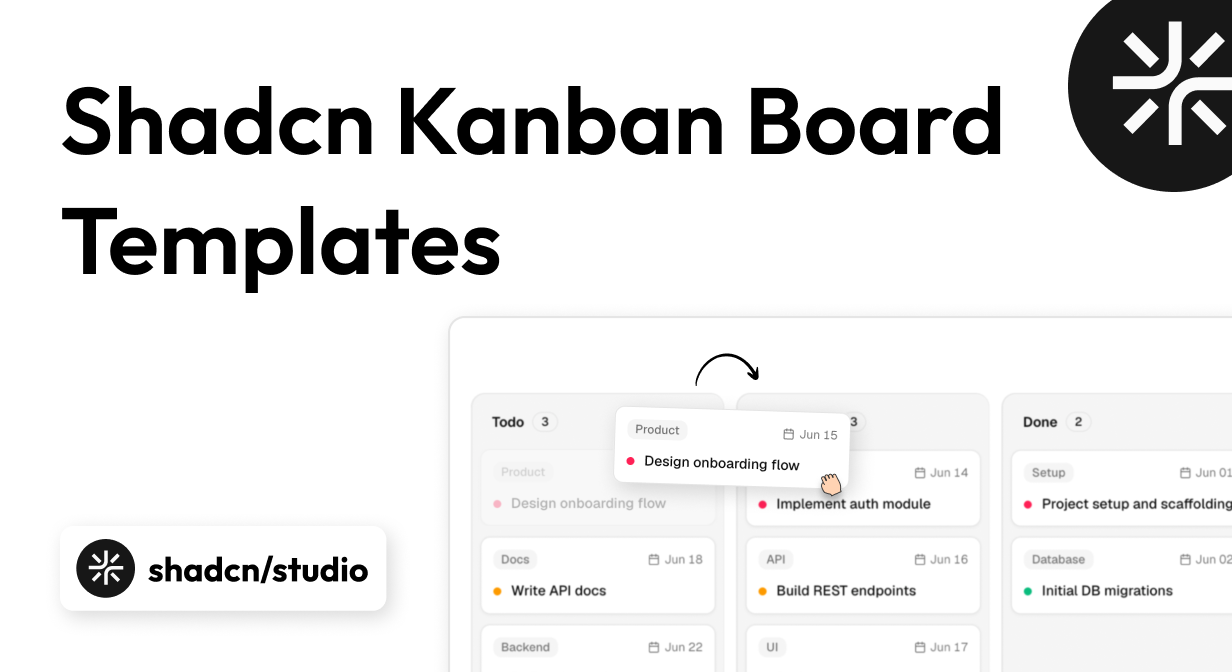
A good Kanban board looks simple: columns, cards, and a drag-and-drop interaction. Building one that feels reliable is much harder. You need to handle card reordering, cross-column moves, touch and keyboard input, responsive overflow, empty states, optimistic updates, and accessible feedback without making the interface feel heavy.
That is why a ready-made Shadcn Kanban board template can save so much development time. Because most available options focus on reusable board interfaces, Shadcn blocks are a practical starting point. Instead of starting with low-level drag-and-drop logic, you can begin with a working React interface and customize its cards, columns, filters, and data model for your product.
This guide compares 10 of the best Kanban resources in the shadcn/ui ecosystem. The list includes focused components, complete task-board blocks, component collections, and full admin dashboard templates. We evaluated them by interaction quality, customization, accessibility, installation experience, and how much application UI they provide around the board.
Quick Comparison
| Resource | Best For | Notable Technology | Scope |
|---|---|---|---|
| Shadcn Studio Kanban | Most Shadcn projects | React, Tailwind, Radix/Base | Component variants |
| shadcn-kanban-board | Accessible open-source products | Pure React, Shadcn UI | Component |
| Kibo UI Kanban | Fast integration | DnD Kit, Shadcn UI | Component |
| ReUI Kanban | Roadmaps and custom board layouts | DnD Kit, Radix/Base UI | Component set |
| AdminCN | Complete SaaS and admin products | Next.js 16, Tailwind CSS v4 | Full template |
| Shadcn UI Kit Kanban | Detailed project management | React, Shadcn UI | Dashboard app |
| Cult UI Pro Kanban Board | Premium animated interfaces | React, Motion | Pro component |
| Spectrum UI Kanban | Editable animated task boards | TypeScript, Tailwind, Motion | Component |
| HextaUI Task Board | Practical task management pages | React, Shadcn UI | Application block |
| Shadcn Blocks Kanban | Choosing between board variants | React, Tailwind, Shadcn UI | Component collection |
A quick note on terminology: shadcn/ui does not ship an official Kanban primitive. The options below are third-party components and templates designed to fit into Shadcn projects. Some provide only the board UI, while others include an entire dashboard application.
Best Shadcn Kanban Board Templates and Components
Shadcn Studio leads the collection as our top overall component. The next entries move from focused open-source components to richer blocks and complete dashboard templates.
Shadcn Studio Kanban
- Best For:
- Flexible Shadcn projects
- Type:
- Free / Component
- Framework:
- React, Tailwind CSS, Radix UI / Base UI
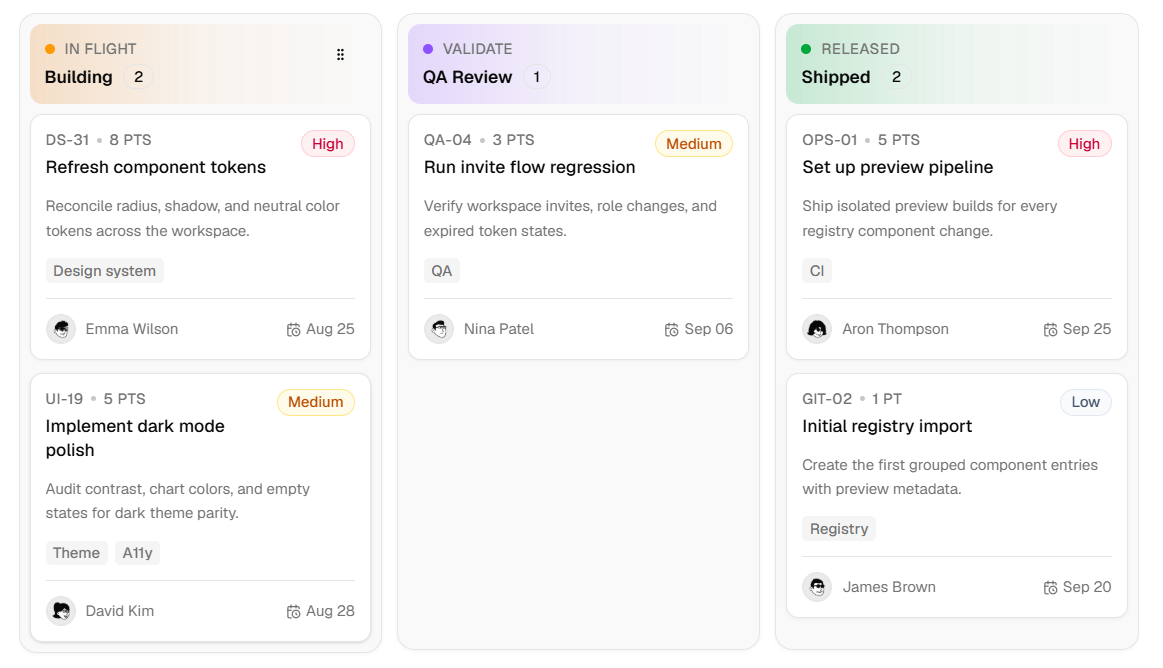
Shadcn Studio Kanban is our best overall pick because it provides a polished board while staying close to the copy-and-customize workflow developers expect from Shadcn. It supports both Radix UI and Base UI, making it suitable for new projects and established codebases using either primitive layer.
The component covers column-based task organization, draggable cards, responsive horizontal scrolling, and custom card content. It composes naturally with Card, Badge, Avatar, Dropdown Menu, Dialog, Sheet, and Scroll Area for assignees, priorities, filters, and task details.
Why Choose Shadcn Studio Kanban?
- Best balance of flexibility and design quality
- Radix UI and Base UI options
- Fits existing Shadcn design systems
- Useful across project management, CRM, and roadmaps
- Easy to customize with Tailwind CSS
Key Features
- Column and card drag-and-drop patterns
- Responsive horizontal board layout
- Custom cards, labels, and empty states
- Composable Shadcn primitives
- Search, filters, and action controls
- Advanced AdminCN companion template
Keep in Mind: The component provides the interface; you still need to connect persistence, permissions, and API error handling.
shadcn-kanban-board
- Best For:
- Accessible open-source apps
- Type:
- Free / Open Source
- Framework:
- React, Shadcn UI
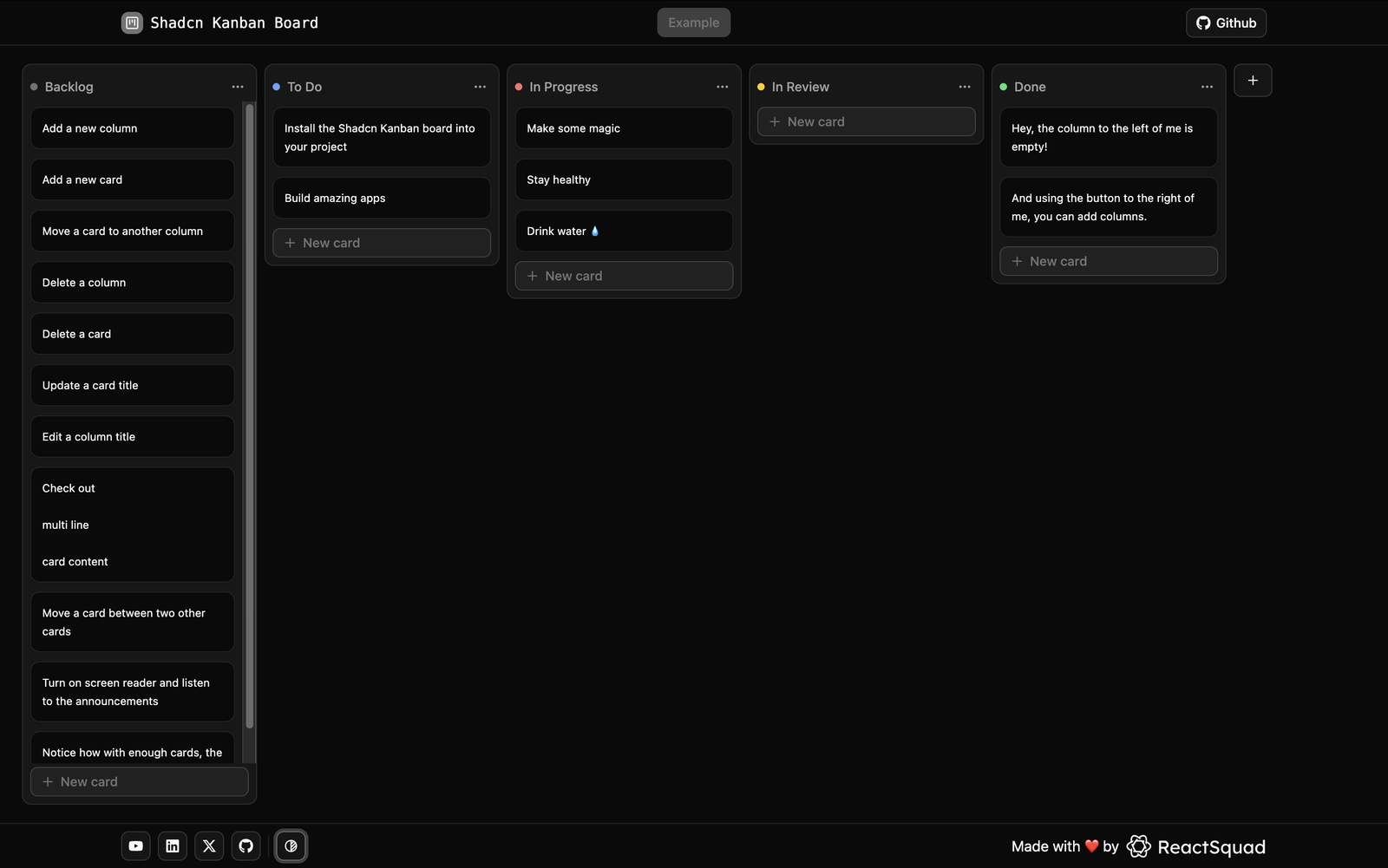
shadcn-kanban-board by Jan Hesters is a production-focused, MIT-licensed Kanban component. Accessibility is part of the core implementation rather than a task left entirely to the integrating team.
The board supports keyboard controls and screen-reader announcements, adapts to your Shadcn color scheme, and exposes extension points for custom drag monitors and announcements. It can work with local state, React Router actions, or Next.js Server Actions.
Why Choose shadcn-kanban-board?
- Free and MIT licensed
- Accessibility-first implementation
- Source code stays in your project
- Flexible state and backend integration
- Convenient Shadcn registry install
Key Features
- Full keyboard controls
- Screen-reader announcements
- Automatic Shadcn theming
- Custom DnD monitors
- Extensible announcement handlers
- Registry-based installation
As shadcn/ui has grown into a broader ecosystem of components, blocks, and templates, it is worth highlighting a platform that helps developers build Kanban boards, task workflows, dashboards, and complete admin applications much faster.
Special Recommendation: shadcn/studio
This isn’t a traditional component library or a replacement for shadcn UI. Instead, it’s a unique collection that offers customizable variants of components, blocks, and templates. Preview, customize, and copy-paste them into your apps with ease.
Building on the solid foundation of the Shadcn components & blocks, we’ve enhanced it with custom-designed components & blocks to give you a head start. This allows you to craft, customize, and ship your projects faster and more efficiently.
Features:
- Open-source: Dive into a growing, community-driven collection of copy-and-paste shadcn ui components, Shadcn blocks, and templates.
- Component & Blocks variants: Access a diverse collection of customizable shadcn blocks and component variants to quickly build and style your UI with ease.
- Animated variants with Motion: Add smooth, modern animations to your components, enhancing user experiences with minimal effort.
- Landing pages & Dashboards: Explore 20+ premium & free Shadcn templates for dashboards, landing pages & more. Fully customizable & easy to use.
- shadcn/ui for Figma: Speed up your workflow with Shadcn Figma UI components, blocks & templates - a full design library inspired by shadcn/ui.
- Powerful theme generator: Customize your UI instantly with Shadcn Theme Generator. Preview changes in real time and create consistent, on-brand designs faster.
- shadcn/studio MCP: Integrate shadcn/studio MCP Server directly into your favorite IDE and craft stunning shadcn/ui Components, Blocks, and Pages inspired by shadcn/studio.
- Shadcn Figma To Code Plugin: Convert your Figma designs into production-ready code instantly with the Shadcn Figma Plugin.
Kibo UI Kanban
- Best For:
- Fast integration
- Type:
- Free / Component
- Framework:
- React, DnD Kit, Shadcn UI
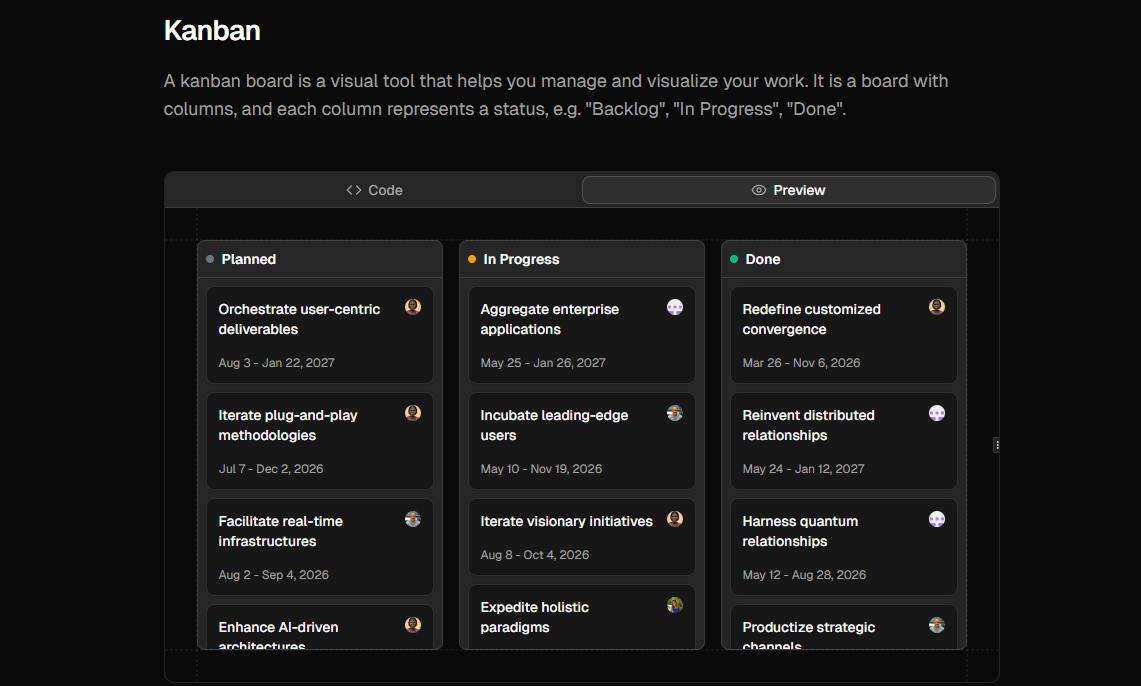
Kibo UI Kanban keeps its API and feature set intentionally focused. It provides draggable cards that move between columns and lets you replace the card contents with your own application UI.
The DnD Kit foundation and Kibo UI CLI make this a practical option when you need the essential Kanban interaction without adopting a complete dashboard or a heavily opinionated task schema.
Why Choose Kibo UI Kanban?
- Quick CLI installation
- Small and understandable feature set
- Easy to adapt to different data models
- No full dashboard dependency
- Useful base for custom workflows
Key Features
- DnD Kit foundation
- Cross-column drag and drop
- Custom card contents
- Simple board structure
- Shadcn-compatible styling
Keep in Mind: Filtering, task dialogs, persistence, and optimistic updates need to be added for your application.
ReUI Kanban
- Best For:
- Multiple board layouts
- Type:
- Free / Open Source
- Framework:
- React, DnD Kit, Radix UI / Base UI
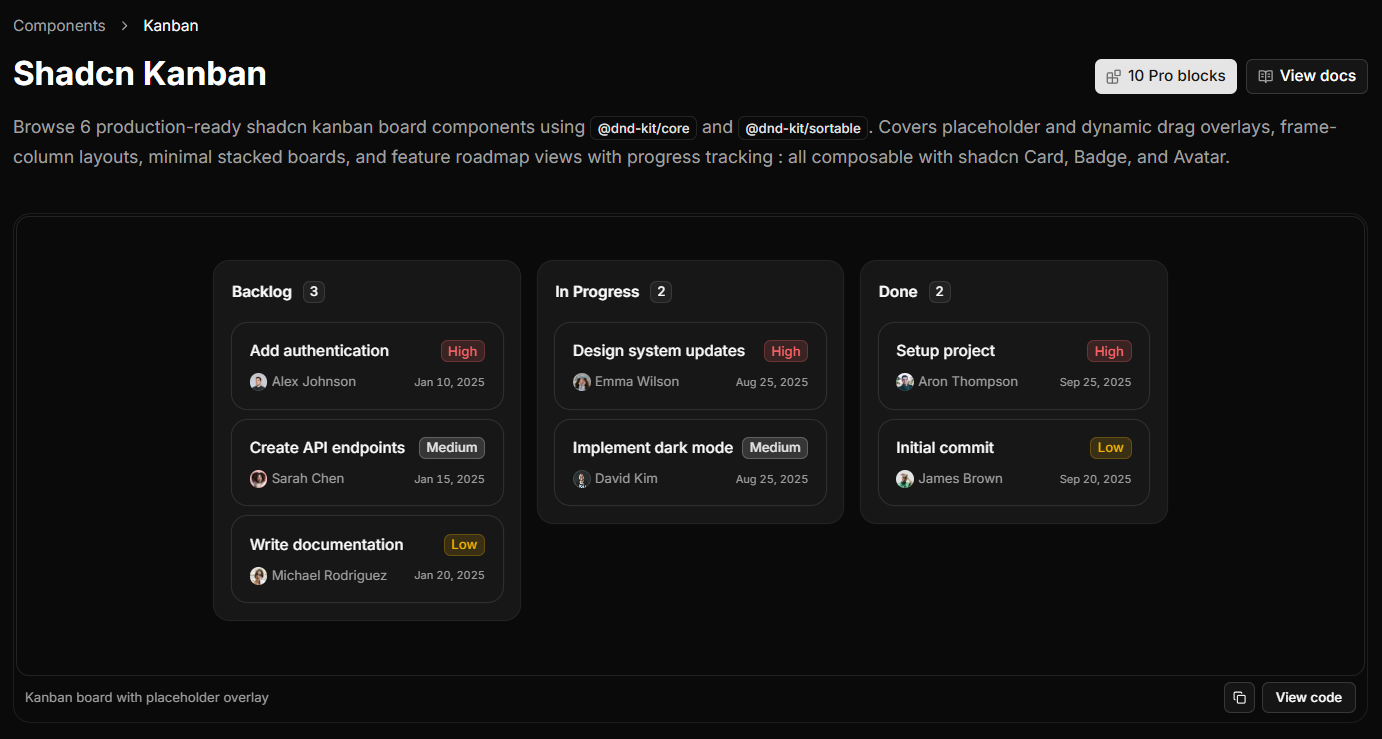
ReUI Kanban is the most varied focused component set in this collection. Its examples cover placeholder and dynamic overlays, a framed column layout, a minimal stacked board, and a feature roadmap with progress indicators.
ReUI uses @dnd-kit/core and @dnd-kit/sortable for pointer, touch, and keyboard sensors. Board state remains plain React data, so moves can be synced through REST, GraphQL, or Server Actions without adopting proprietary state management.
Why Choose ReUI Kanban?
- Several board patterns in one library
- Good option for product roadmaps
- Keyboard-capable DnD Kit foundation
- Backend-agnostic state model
- Radix UI and Base UI flavors
Key Features
- Same-column and cross-column sorting
- Placeholder and dynamic drag overlays
- Framed and minimal layouts
- Roadmap view with progress
- Composable cards and metadata
- Pointer, touch, and keyboard sensors
AdminCN - Shadcn Admin Dashboard Template
- Best For:
- Complete admin products
- Type:
- Premium Template
- Framework:
- Next.js 16, Shadcn UI, Tailwind CSS v4
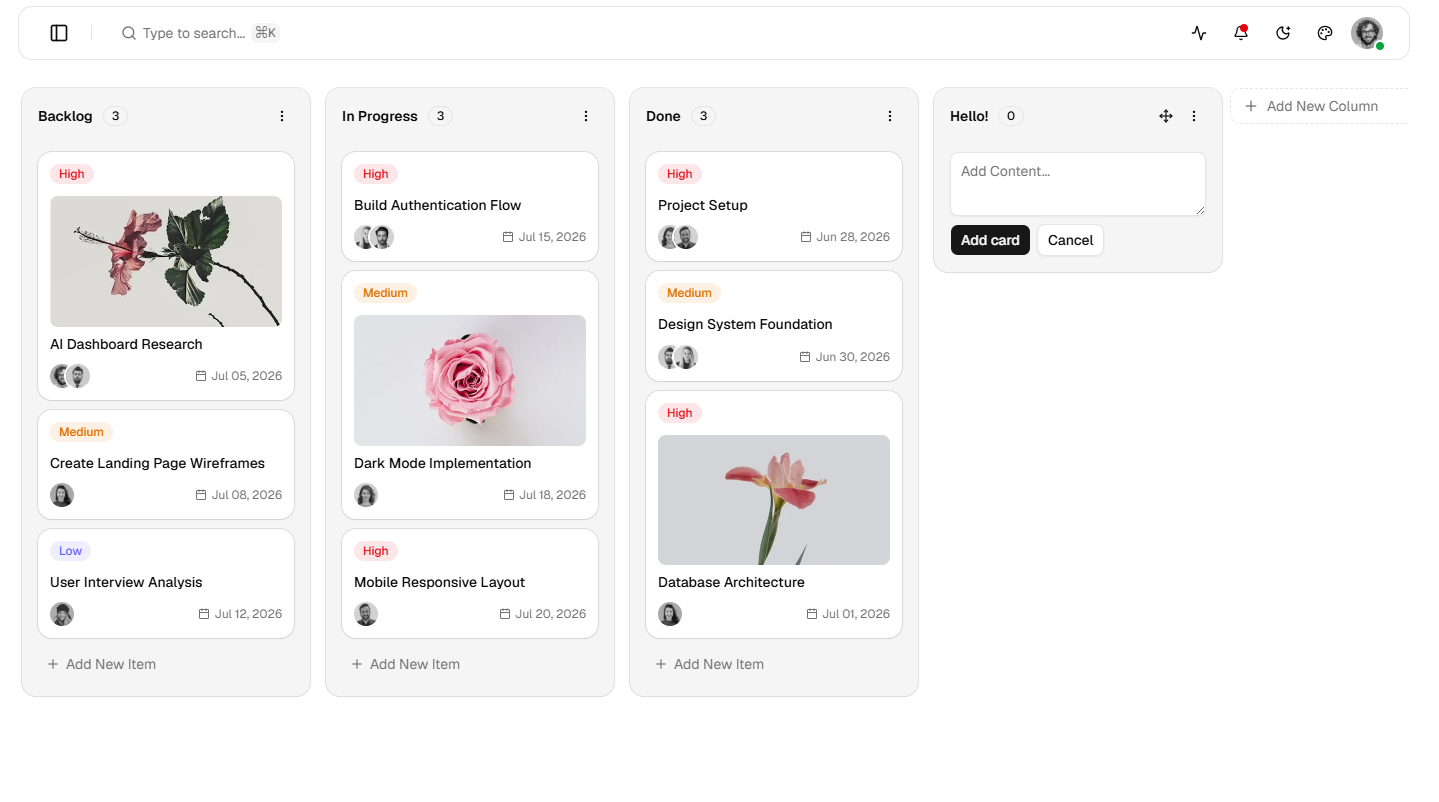
AdminCN is much more than a Kanban component. It is a complete Next.js admin template that includes Kanban alongside mail, chat, calendar, contacts, and users applications.
The template includes six layouts, nine dashboard views, more than 50 pages, authentication flows, settings, forms, tables, charts, and a theme customizer. That surrounding structure can save more time than the board itself when building a project-management SaaS, CRM, or internal tool.
Why Choose AdminCN?
- Most complete application foundation
- Production-ready dashboard structure
- Useful for SaaS, CRM, and internal tools
- Consistent supporting pages and apps
- Full source-code ownership
Key Features
- Kanban among six included apps
- Six dashboard layouts
- Nine dashboard views
- 50+ supporting pages
- Authentication, settings, forms, and tables
- Theme presets and customizer
Keep in Mind: AdminCN is a much larger starting point than a component. Choose it when the surrounding dashboard is useful to your product.
Shadcn UI Kit Kanban
- Best For:
- Rich task management
- Type:
- Premium Template
- Framework:
- React, Shadcn UI
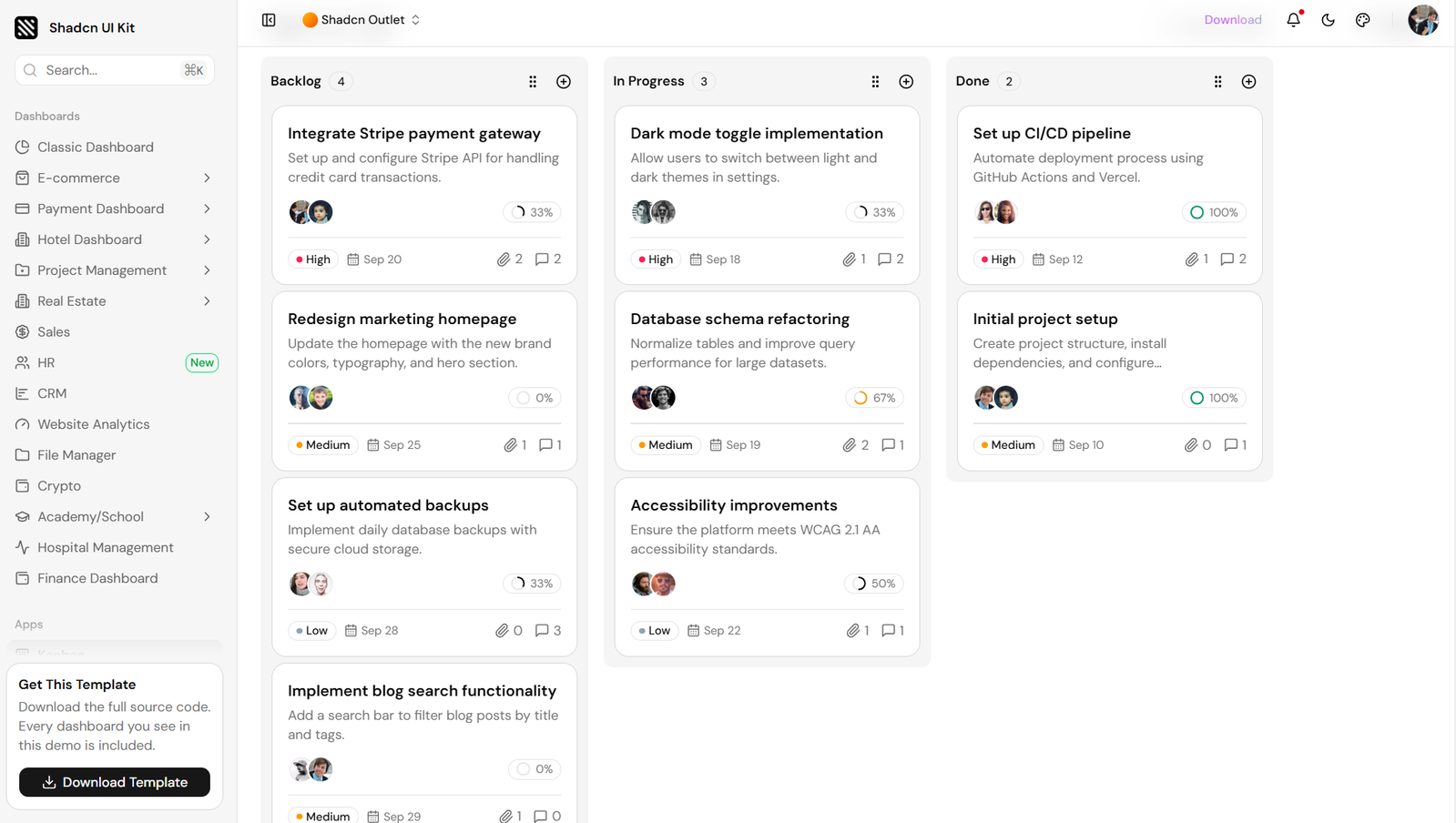
Shadcn UI Kit Kanban shows a detailed task board inside a complete admin dashboard. Cards include descriptions, assignees, progress, priority, due dates, comments, and attachments, making it more realistic than a title-only demo.
The application also exposes board, list, and table view controls. Visual planners can use the board while people who need to scan more data can switch to a denser representation.
Why Choose Shadcn UI Kit Kanban?
- Information-rich task cards
- Alternative ways to view the same work
- Designed inside a full admin system
- Good fit for complex project tools
- Broad collection of adjacent app pages
Key Features
- Assignees and priority levels
- Progress and due dates
- Comment and attachment indicators
- Board, list, and table controls
- Backlog, in-progress, and done stages
- Complete downloadable dashboard source
Cult UI Pro Kanban Board
- Best For:
- Premium animated interfaces
- Type:
- Premium Component
- Framework:
- React, Motion, Shadcn UI
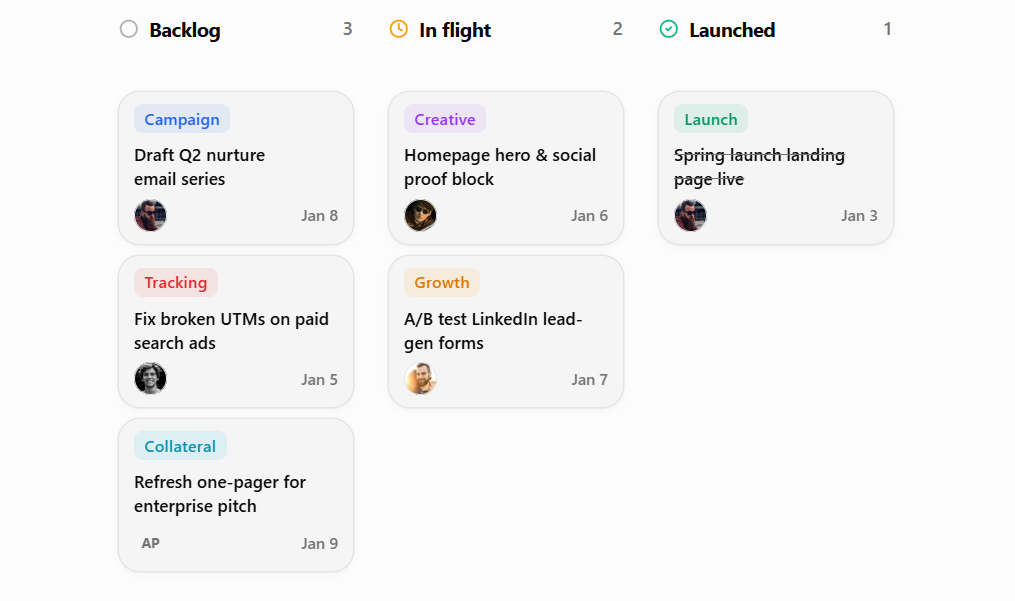
Cult UI Pro Kanban Board is a polished paid component for teams that want a more animated visual experience. It uses Motion and presents workflow cards with categories, assignees, dates, and clear stages.
The component fits products where drag feedback contributes to the perceived quality of the interface, including marketing workflows, creative production boards, and launch planning tools.
Why Choose Cult UI Pro Kanban Board?
- Premium interaction design
- Strong fit for creative workflows
- Source remains customizable
- Convenient Pro installation workflow
- Polished task-card composition
Key Features
- Motion-powered interaction
- Drag-and-drop columns and cards
- Assignees, categories, and dates
- Pro CLI shortcut
- Open in v0 workflow
- Tailwind-friendly source
Keep in Mind: Source access requires Cult UI Pro. Test reduced-motion behavior and keyboard interaction in your final application.
Spectrum UI Kanban Board
- Best For:
- Editable animated task boards
- Type:
- Free Account
- Framework:
- React, TypeScript, Tailwind CSS, Motion
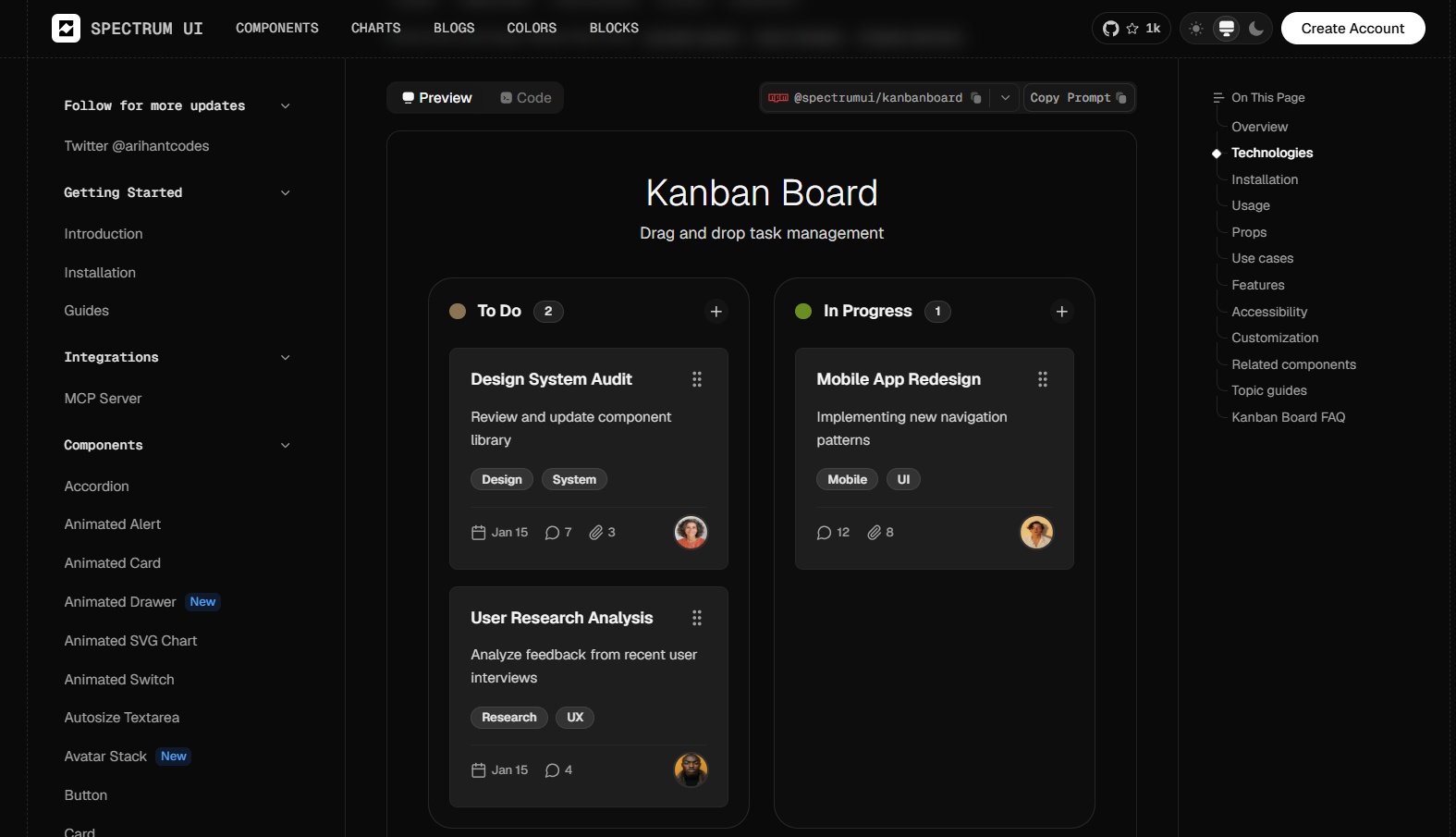
Spectrum UI Kanban Board provides a responsive, animated board with practical card details such as descriptions, labels, dates, activity counts, and assignees across four workflow stages.
Its source is intended to live inside your repository, so you can edit the Tailwind classes, structure, and Motion transitions directly. Access to the code and installation command currently requires a free Spectrum UI account.
Why Choose Spectrum UI Kanban Board?
- Focused component instead of a full template
- Editable TypeScript source
- Useful metadata in the default cards
- Direct styling and animation control
- Responsive starting point
Key Features
- React and TypeScript
- Tailwind CSS styling
- Motion animations
- Four workflow columns
- Shadcn Card, Button, and form primitives
- Responsive variants
Keep in Mind: Verify keyboard behavior, focus order, screen-reader feedback, and reduced-motion support before production.
HextaUI Task Board
- Best For:
- Realistic task workflows
- Type:
- Free Block
- Framework:
- React, Shadcn UI
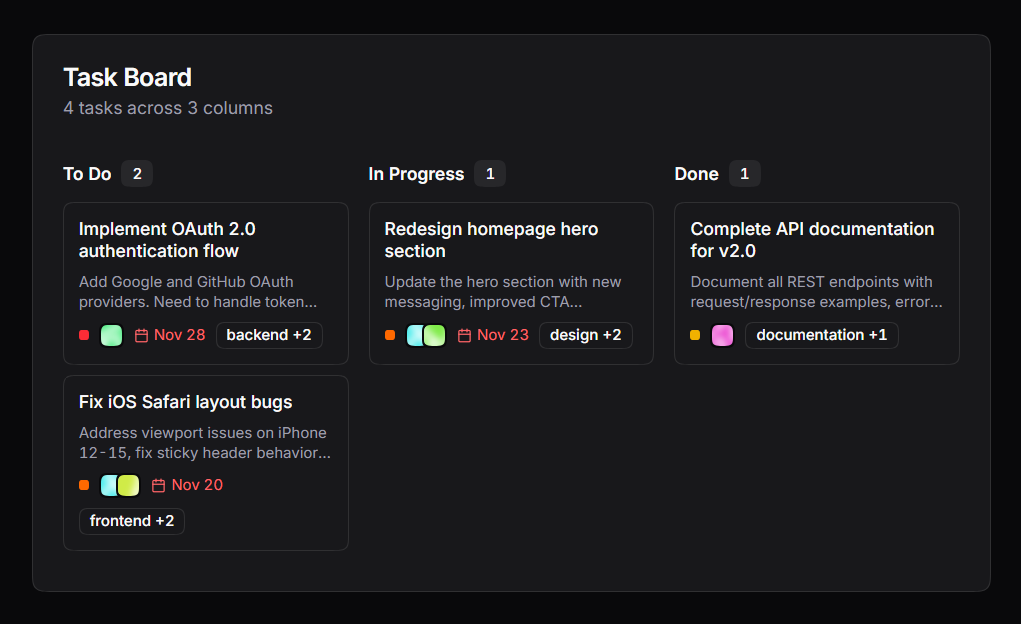
HextaUI Task Board is a Kanban-style application block with drag-and-drop functionality. Its example uses realistic project tasks with descriptions, assignees, dates, and category labels across To Do, In Progress, and Done.
The richer cards suit engineering trackers, content operations, and internal tools where a task needs enough context to be understood without opening a separate detail view. Related HextaUI blocks cover task creation, details, filters, lists, progress, and projects.
Why Choose HextaUI Task Board?
- Realistic rather than placeholder content
- Useful neighboring task screens
- Good fit for engineering workflows
- Detailed but scannable cards
- Easy to continue in v0
Key Features
- Kanban-style drag and drop
- Long-form task descriptions
- Assignees, dates, and tags
- Three workflow columns
- Related task-management blocks
- Open in v0 action
Shadcn Blocks Kanban
- Best For:
- Comparing focused variants
- Type:
- Free + Pro
- Framework:
- React, Tailwind CSS, Shadcn UI
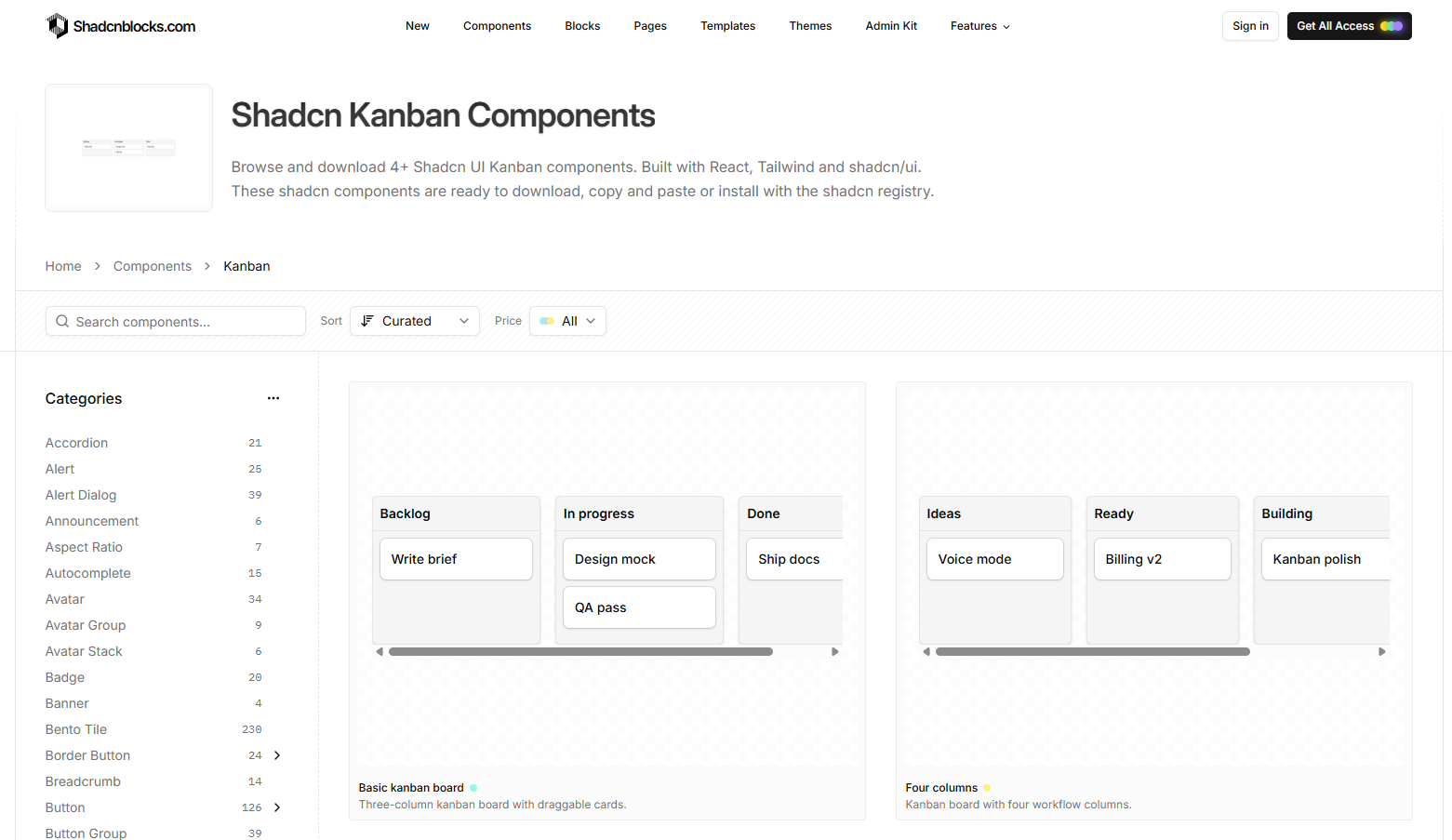
Shadcn Blocks Kanban is a collection of ready-to-use Kanban examples. It includes a basic three-column board, a four-column workflow, custom card content, and drag-event logging.
The variants help when you already know the behavior you need and want the smallest matching example. Custom content supports product-specific metadata, while drag-event logging provides a clear hook for persistence, analytics, or debugging.
Why Choose Shadcn Blocks Kanban?
- Several small examples in one collection
- Easy to compare before integrating
- Framework-flexible React source
- Useful event-handling example
- Direct markup and styling control
Key Features
- Three- and four-column layouts
- Custom card children
- Drag-end event access
- Copy-and-own source
- Next.js, Remix, Astro, and Vite support
- Light and dark themes
Keep in Mind: Check which individual variants require Pro access before selecting one for your project.
How to Choose the Right Shadcn Kanban Board
The best option depends less on appearance and more on how much of the application you have already built.
- Choose Shadcn Studio Kanban if you want a versatile component with Radix UI and Base UI options.
- Choose shadcn-kanban-board if open-source licensing and built-in accessibility are your priorities.
- Choose Kibo UI Kanban if you need a minimal DnD Kit foundation that is quick to install.
- Choose ReUI Kanban if you want several drag-overlay styles or a roadmap view.
- Choose AdminCN if you need the entire admin application around the board.
- Choose Shadcn UI Kit Kanban if tasks need rich metadata and alternative list or table views.
- Choose Cult UI Pro if premium motion and presentation justify a paid component.
- Choose Spectrum UI if you want editable TypeScript and Motion source in a focused component.
- Choose HextaUI if you need a task-focused block with related application screens.
- Choose Shadcn Blocks if you want to compare small, targeted variants before integrating one.
What a Kanban Template Does Not Build for You
A polished board is still only the frontend layer. Before shipping, plan for the application behavior around it:
- Persistent ordering: Store stable column and task IDs plus explicit position values.
- Optimistic updates: Move cards immediately, then recover gracefully when an API request fails.
- Concurrent edits: Decide what happens when two team members move the same card.
- Permissions: Restrict who can create columns, edit tasks, or move work into protected stages.
- Keyboard access: Make every drag action possible without a mouse and announce the result.
- Mobile behavior: Test horizontal scrolling, touch sensors, drag handles, and long columns.
- Large boards: Consider virtualization, pagination, or filters when hundreds of cards are possible.
- Empty and loading states: Provide clear actions when a column is empty or data is being fetched.
Treat the template as a UI accelerator, not as the complete project-management system.
Frequently Asked Questions
Does shadcn/ui include an official Kanban component?
- No. Kanban is not part of the official shadcn/ui component set. The resources in this guide are third-party components, blocks, and templates designed to work with Shadcn conventions and styling.
Which Shadcn Kanban board is best for accessibility?
- shadcn-kanban-board is the clearest accessibility-first option in this collection because it explicitly includes keyboard controls and screen-reader announcements. ReUI also uses DnD Kit keyboard sensors. Regardless of the starting point, test the final implementation with a keyboard and screen reader after adding your own card actions and dialogs.
Can I use these Kanban boards with Next.js?
- Yes. All of these options use React-oriented technology, and several are built specifically for Next.js. Components that rely on drag-and-drop need to run on the client, while persistence can be connected to Route Handlers, Server Actions, REST APIs, or another backend.
Are these Kanban templates free?
- Several options are free or open source, including the MIT-licensed shadcn-kanban-board. Others use free-account, mixed free/Pro, or premium access models. Review the current license and pricing on each resource’s website before using the code in a commercial product.
Which drag-and-drop library should I choose?
- DnD Kit is a strong choice when you want established pointer, touch, and keyboard sensors plus sortable primitives. A dependency-free implementation can be attractive when bundle control matters, but compare its accessibility and edge-case behavior against your requirements before deciding.
Conclusion
The best all-around Shadcn Kanban board template is Shadcn Studio Kanban. It combines a polished board foundation with Radix UI and Base UI support, familiar Shadcn composition, and enough flexibility for project management, CRM, roadmap, and dashboard use cases.
For a free and accessibility-focused starting point, shadcn-kanban-board is the strongest open-source pick. If you want to evaluate several interaction and layout patterns, ReUI Kanban offers the most variety. And when the Kanban board is only one part of a larger admin product, AdminCN gives you the most complete application foundation.
Whichever option you choose, validate the board with real task data, keyboard navigation, touch devices, failed updates, and long columns. Those details are what turn a polished demo into a reliable product feature.