Shadcn Text Editor
Build a rich text editor with Shadcn Text Editor blocks powered by Tiptap. Perfect for comments, notes, changelogs, and docs inside dashboards.

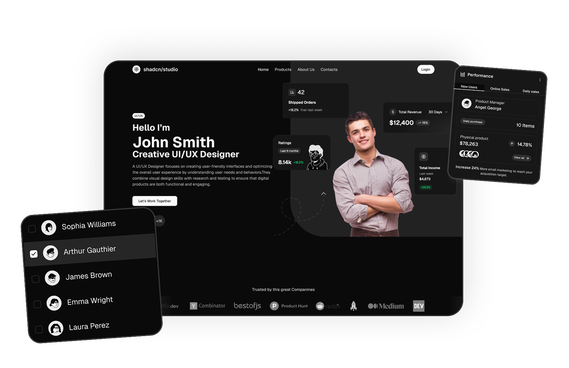
Shadcn Text Editor Blocks
Shadcn Text Editor Blocks are rich text editing components designed for building document editors, comment threads, changelogs, and content tools inside dashboards and applications. Built using Shadcn UI, Tailwind CSS, React, and Tiptap, these blocks combine a familiar formatting toolbar with modern editing patterns like slash commands, selection-triggered menus, and editable tables.
Whether you're building a product changelog editor, a commenting system, a notes app, or a documentation tool, a rich text editor is one of the most reused pieces of UI inside modern SaaS dashboards.
At Shadcn Studio, you will find numerous Shadcn Blocks. You can explore a collection of Tiptap-powered text editor blocks that help developers add polished, production-ready editing experiences without wiring up ProseMirror schemas and extensions from scratch.
What Is a Shadcn Text Editor?
A Shadcn Text Editor is a rich text editing component built on Tiptap, a headless, ProseMirror-based editor framework, styled with Shadcn UI and Tailwind CSS. Unlike a plain textarea, it lets users format text, insert structured content like tables and checklists, and interact with the document directly instead of typing raw markdown or HTML.
Most Shadcn text editor blocks share a few core patterns: a toolbar or floating menu for formatting, markdown-style shortcuts (such as typing # for a heading or ``` for a code block), and keyboard-driven navigation through lists, tables, and nested content.
Because it's built on Tiptap, the editor outputs structured JSON or HTML, making it straightforward to save, re-render, or sync the content elsewhere in your application.
Components Used in These Text Editor Blocks
Text editor blocks are assembled from a small set of shadcn/ui components: Button for toolbar actions, Separator to group formatting controls, Tooltip for toolbar hints, Avatar for comment authors, Popover for the slash command and insert menus, Badge for word and character counts, and Checkbox for task and checklist items.
Why Use Shadcn Text Editor Blocks?
Shadcn text editor blocks help developers add rich, structured editing to dashboards and applications without building on top of raw ProseMirror.
- Built on Tiptap: A proven, headless, ProseMirror-based editing framework instead of a custom
contenteditableimplementation. - Markdown Shortcuts Built In: Typing
#,-, or```triggers headings, lists, and code blocks automatically. - Structured Output: Content saves as clean JSON or HTML, making it easy to persist, render, and search.
- Built with React and Tailwind: Easy to integrate into Next.js, React, and modern frontend stacks.
- Fully Responsive: Toolbars and menus adapt across desktop, tablet, and mobile layouts.
- Copy-Paste Developer Workflow: A copy-paste or CLI install workflow for production-ready Shadcn UI components.
Types of Shadcn Text Editor Layouts
- Comment Editor: A compact editor for threaded comments, with inline formatting like bold, italic, and strikethrough, and a character limit indicator.
- Code Block Editor: Supports fenced code blocks with language selection and a copy button, triggered by typing a markdown-style code fence.
- Table Editor: An editable table where clicking a cell enables direct editing, Tab moves to the next cell, and pressing Tab in the last cell adds a new row.
- Checklist and Task Editor: Nested, toggleable checklists and ordered lists, with Tab and Shift+Tab used to nest or lift list items.
- Slash Command Editor: A Notion-style editor where typing
/opens a menu to insert headings, lists, quotes, code blocks, or dividers. - Selection Toolbar Editor: A minimal editor where the formatting menu appears only when text is selected, keeping the interface clean by default.
- Full Toolbar Document Editor: A complete document editing experience with a fixed toolbar, headings, alignment, lists, highlights, links, and a live word and character count.
Related Shadcn Dashboard & Application Block Categories
Text Editor is one of the Dashboard & Application categories on Shadcn Studio. A content-heavy dashboard often pairs the editor with these:
- Shadcn Comments Component: Threaded discussion UI for feedback and collaboration around a piece of content.
- Shadcn Kanban Board: Drag-and-drop task boards for tracking work linked to documents and content.
- Shadcn Notification Component: Alert and activity feeds for edits, mentions, and comment replies.
- Shadcn File Manager: Upload, organize, and attach files alongside written content.
- Shadcn Calendar Component: Scheduling UI for publishing dates and content calendars.
- Shadcn Settings Page: Account and workspace settings layouts that often sit near content tools.
All Shadcn Block Groups
Text Editor is one part of the Shadcn Studio library, which is organized into seven block groups. Browse the rest to build the other parts of your product:
- Marketing UI Blocks: Landing page sections including hero, features, pricing, testimonials and more.
- Dashboard & Application Blocks: Dashboard shells, charts, widgets, statistics and dialogs for app interfaces, with the text editor blocks on this page.
- eCommerce UI Blocks: Product lists, carts, checkout pages and order summaries for online stores.
- Datatable UI Blocks: Interactive data tables with sorting, filtering, grouping and row actions.
- Bento Grid UI Blocks: Asymmetric grid layouts for feature showcases.
- Animated Blocks: Motion-driven hero, FAQ and CTA sections with draggable and scroll-triggered interactions.
- Free Blocks: A free set across marketing, dashboard and eCommerce, handy for trying the library first.
Use Cases for Shadcn Text Editor Blocks
- SaaS Changelogs and Release Notes: Write and format product updates with headings, highlights, and links before publishing.
- Commenting and Feedback Systems: Let users leave formatted, threaded comments on tasks, documents, or designs.
- Internal Documentation and Wikis: Build notes and knowledge-base pages with headings, checklists, and code blocks.
- CMS and Admin Panels: Give non-technical users a formatting toolbar instead of asking them to write raw HTML or markdown.
- Project and Task Management Tools: Add rich, checklist-driven task descriptions and meeting notes inside a dashboard.
Base UI and Radix UI Text Editor Block Support
Shadcn Studio text editor blocks work with both Base UI Text Editor Block and Radix UI Text Editor Block workflows. Developers can build accessible, composable editing interfaces on top of Tiptap with accessible primitives, flexible toolbars, and reusable editing patterns for production-ready applications.
To get proper guidance, refer the tutorial on how to Migrate from Radix UI to Base UI
FAQs
A Shadcn text editor is a rich text editing component built on Tiptap and styled with Shadcn UI and Tailwind CSS, letting users format text, insert tables and checklists, and edit content directly instead of writing raw markdown or HTML.
Yes. Shadcn Studio's text editor blocks are built on Tiptap, a headless, ProseMirror-based editor framework, styled to match your Shadcn UI theme.
Shadcn Studio offers Comment, Code Block, Table, Checklist, Slash Command, Selection Toolbar, and Full Toolbar document editor variants, with more added regularly.
Yes. Typing patterns like # for a heading, - for a list, or a code fence automatically converts the text into
the matching block, the same way Tiptap and other markdown-aware editors behave.
Yes. The Comment Editor variant is built for compact, inline-formatted comments with a character limit, making it suitable for feedback threads and discussion UIs.
Yes. Shadcn UI blocks can be used with React-based frameworks like Next.js, and integrate easily into modern web apps.
Yes. Developers can customize the toolbar, available formatting options, and styling using Tailwind CSS, and extend the underlying Tiptap editor with additional extensions.
Yes. Developers can integrate these blocks into scalable Base UI or Radix UI workflows with reusable and customizable editing systems.
Yes, the design file is included with the premium blocks, but it is available only if you have purchased the Pro, Enterprise, or Team plan.
Please join our Discord channel and let one of the project maintainers know that you have purchased Shadcn Studio Pro. You will then have access to a private support channel. For account, billing, or license questions, reach us through the chat feature at the bottom right corner of our website's pages.