Shadcn Animated Blocks
Bring Hero, FAQ, CTA and more sections to life with Shadcn Animated Blocks. Draggable, scroll-triggered motion built with Tailwind CSS and React.
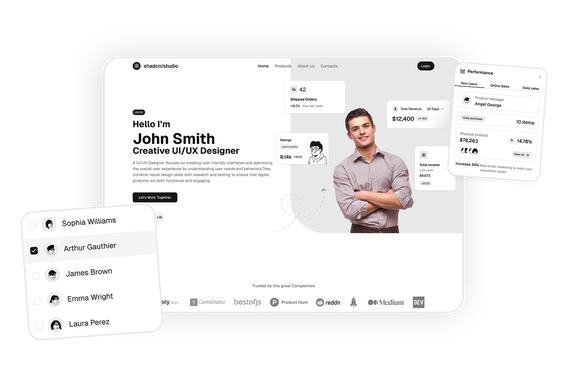
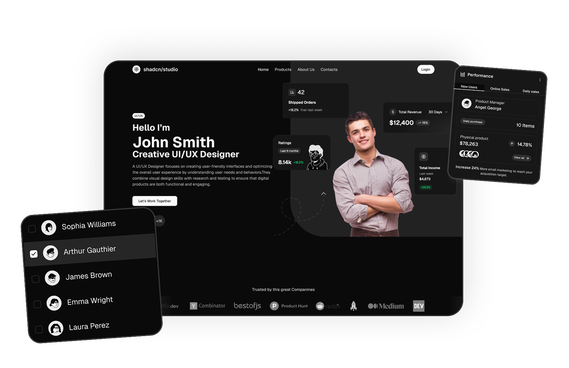
A glitching pixel grid settles into the studio’s wordmark in this Shadcn Hero Section, before dropping into bold kinetic type for the tagline and a floating panel cycling through the studio’s services.
Six AI models hand off a landing page build to one another through one shared hub, with this Shadcn Hero Section pairing that live workflow demo with a bold headline up top.
A giant cut-out author name stacks behind a portrait in this Shadcn Hero Section, lit by a cursor-following ink spotlight and paired with a self-writing “letter to tomorrow” and a 3D book carousel.
Shadcn Animated Blocks
Shadcn Animated Blocks are motion-driven UI sections built to make landing pages feel alive instead of static. Built using Shadcn UI, Tailwind CSS, and React, these blocks combine scroll-triggered reveals, draggable interactions, kinetic typography, and live data visuals, turning a section visitors would read once into one they explore and interact with.
At Shadcn Studio, you will find numerous Shadcn Blocks. Alongside the standard marketing, dashboard, and eCommerce blocks, you can now explore a growing collection of animated blocks, including hero sections, FAQ sections, and CTA sections, each built with the same copy-paste workflow developers already use across the library.
What Is a Shadcn Animated Block?
A Shadcn Animated Block is a page section where motion is part of the content, not just decoration. Instead of a static headline and image, an animated block might let visitors drag a variable to redraw a graph, watch a pixel grid resolve into a logo, follow connector lines animate between tools in a workflow, or build a product kit by tapping items in and out of a visual scene.
Common animation patterns include draggable real-time diagrams, scroll or load-triggered reveals, animated connector lines and node graphs, kinetic or typewriter typography, and interactive product builders tied to a live preview.
Why Use Shadcn Animated Blocks?
Shadcn animated blocks help developers add motion-rich storytelling to a page without hand-building animation logic from scratch.
- Higher Engagement: Draggable and interactive sections hold a visitor's attention longer than static text and images.
- Explains Complex Ideas Visually: Formulas, workflows, and systems become easier to understand when visitors can manipulate them directly.
- Built with React and Tailwind: Easy to integrate into Next.js, React, and modern frontend stacks.
- Smooth, Performance-Friendly Motion: Animations are built to stay fluid without slowing down page load or interaction.
- Fully Responsive: Animated blocks adapt their motion and layout across desktop, tablet, and mobile devices.
- Copy-Paste Developer Workflow: A copy-paste or CLI install workflow for production-ready Shadcn UI components.
- Dark Mode Support: Animated blocks follow your theme, including colors used in motion and highlight states.
Types of Shadcn Animated Blocks
Hero Section: Pairs a headline with an interactive centerpiece, such as a draggable formula and graph, a pixelated logo reveal, an animated workflow diagram, kinetic typography, or a tap-to-build product scene.
FAQ Section: Brings motion to accordion reveals, such as smooth expand and collapse transitions or staggered item entrances.
CTA Section: Uses pulsing buttons, animated backgrounds, or scroll-triggered entrances to draw attention to the final call-to-action.
And more...: Additional animated section types are added regularly.
Use Cases for Shadcn Animated Blocks
From explaining tricky formulas to letting shoppers build their own kit, here's where Shadcn Animated Blocks genuinely earn their place on a page.
- EdTech and Learning Platforms: Draggable diagrams let visitors manipulate formulas and see results change instantly.
- Design and Technology Studios: Bold kinetic typography and scroll reveals set a distinctive first impression.
- AI and SaaS Product Pages: Animated workflow diagrams show how multiple tools or models connect.
- Personal and Portfolio Sites: Typewriter effects and layered typography give personal brand sites an editorial feel.
- eCommerce Storefronts: Interactive product builders let shoppers tap items in and out of a kit before adding it to cart.
Features of Shadcn Animated Blocks
Here's what's packed into every Shadcn Animated Block, so you're not stitching the motion together yourself.
- Draggable and real-time interactive elements
- Scroll-triggered and load-triggered animation reveals
- Animated connector lines and node-based diagrams
- Kinetic typography and typewriter text effects
- Interactive product and configuration builders
- Tailwind CSS styling, with dark mode support on select blocks
- Copy-paste implementation workflow, easy to integrate with Next.js
Base UI and Radix UI Animated Block Support
Shadcn Studio animated blocks work with both Base UI Animated Block and Radix UI Animated Block workflows, giving developers accessible primitives and reusable motion patterns for production-ready applications.
To get proper guidance, refer the tutorial on how to Migrate from Radix UI to Base UI
All Shadcn Block Groups
Animated Blocks is one part of the shadcn studio library, which is organized into seven block groups. Browse the rest to build the other parts of your product:
- Marketing UI Blocks: Landing page sections including hero, features, pricing, testimonials and more.
- Dashboard & Application Blocks: Dashboard shells, charts, widgets, statistics and dialogs for app interfaces.
- eCommerce UI Blocks: Product lists, carts, checkout pages and order summaries for online stores.
- Datatable UI Blocks: Interactive data tables with sorting, filtering, grouping and row actions.
- Bento Grid UI Blocks: Asymmetric grid layouts for feature showcases.
- Animated Blocks: Motion-driven hero, FAQ and CTA sections, with the animated blocks on this page.
- Free Blocks: A free set across marketing, dashboard and eCommerce, handy for trying the library first.
FAQs
A Shadcn animated block is a page section, such as a hero, FAQ, or CTA section, built with motion as part of the content itself, using draggable interactions, scroll reveals, or animated diagrams rather than static text and images.
Shadcn Studio offers animated Hero Section, FAQ Section, and CTA Section blocks, with more animated section types added regularly.
A regular block is a static layout, while an animated block adds motion, such as draggable interactions or scroll reveals, that responds to the visitor instead of staying fixed on the page.
Yes, they're customizable with Tailwind CSS, and built with lightweight, performance-friendly animations so motion doesn't noticeably impact load times.
Yes. Developers can integrate these blocks into scalable Base UI or Radix UI workflows with reusable, customizable animated systems.
Yes, the Pro, Enterprise, and Team plan comes with Pro blocks included.
Please join our Discord channel and let one of the project maintainers know that you have purchased Shadcn Studio Pro. You will then have access to a private support channel. For account, billing, or license questions, reach us through the chat feature at the bottom right corner of our website's pages.