
Turning a polished Figma design into a functional website or application can still require considerable development work. Designers need to communicate layout behavior, developers need to recreate components, and both sides must review the result for visual inconsistencies.
Figma AI and modern Figma-to-code plugins can reduce this repetitive work. These tools analyze frames, components, spacing, styles, variables, and responsive behavior to generate frontend code or transfer designs into website-building platforms.
However, they do not all solve the same problem. Some are built for React and shadcn/ui development, while others focus on mobile interfaces, no-code publishing, rapid prototypes, or supporting design-system tasks.
This guide compares 10 useful Figma AI and Figma to AI Code Plugins based on their workflows, supported outputs, practical strengths, and limitations.
Quick Picks
| Category | Best Pick | Why |
|---|---|---|
| Best overall | Anima | Strong balance of code export, responsive output, and continued editing |
| Best for shadcn/ui | Shadcn Studio Figma | Converts Figma designs into shadcn/ui and Tailwind CSS components |
| Best for existing codebases | Builder.io | Supports component mapping and codebase-aware workflows |
| Best native option | Figma AI | Keeps AI ideation, prototyping, and design tasks inside Figma |
| Best for Wix websites | Figma to Wix Studio | Transfers designs directly into editable Wix Studio websites |
| Best for web and mobile | Codia AI | Supports both web frameworks and native mobile targets |
| Best lightweight option | Codify AI | Provides several common code formats from a Figma plugin |
| Best for experimentation | Figma to AI Code by DesignCode | Useful for exploring AI-generated implementations |
| Best for Flutter | PlatUI | Supports Flutter alongside web and React-based output |
| Best supporting utility | Color Import & Export | Helps transfer and maintain color information between projects |
Quick Comparison
| Tool | Best For | Main Output or Workflow | Type |
|---|---|---|---|
| Figma AI | AI-assisted product design | Prototypes, design edits, content, and workflow automation | Native Figma features |
| Shadcn Studio Figma | Figma-to-shadcn development | React, shadcn/ui, Tailwind CSS, CLI, and v0 workflows | AI-powered Figma plugin |
| Builder.io | Developer-led design handoff | Codebase-aware web development | AI development platform |
| Codify AI | Quick code generation | React, Vue, Angular, HTML, and styling formats | Figma plugin |
| Anima | Responsive frontend generation | React, HTML, CSS, and Tailwind | Figma plugin and platform |
| Color Import & Export | Managing color data | Color importing and exporting | Figma utility plugin |
| Figma to Wix Studio | No-code website production | Editable Wix Studio websites | Figma plugin |
| Figma to AI Code by DesignCode | AI prototyping | Prompt-guided code generation | Figma plugin |
| Codia AI | Web and mobile app interfaces | React, Vue, HTML, Flutter, SwiftUI, and Android | AI design-to-code platform |
| PlatUI | Multi-framework prototyping | HTML, React, React Native, and Flutter | Figma plugin |
Best Figma To AI Code Plugins Compared
Modern Figma to AI Code plugins can reduce this repetitive work. These tools analyze frames, components, spacing, styles, variables, and responsive behavior to generate frontend code or transfer designs into website-building platforms.
However, they do not all solve the same problem. Some are built for React and shadcn/ui development, while others focus on mobile interfaces, no-code publishing, rapid prototypes, or supporting design-system tasks.Teams that want expert human input on the mobile side often pair these tools with a mobile app design agency to keep quality consistent at scale.
This guide compares 10 useful Figma AI and Figma to AI Code Plugins based on their workflows, supported outputs, practical strengths, and limitations.
Figma AI
- Best for: AI-assisted design, ideation, and prototyping
- Type: Native Figma feature set
- Use case: Product concepts, interface editing, content creation, prototypes, and design handoff
Figma AI is the most natural starting point for teams that already manage their design process in Figma. Rather than acting as a separate export plugin, it adds AI capabilities across the broader Figma workflow.
Teams can use AI to explore product ideas, create functional concepts, generate or rewrite content, organize layers, edit images, and automate repetitive canvas tasks. Figma can also provide design context to compatible AI coding environments, giving developers more useful information than they would receive from a screenshot alone.
Its biggest advantage is continuity. Designers do not have to leave their primary workspace or install several disconnected tools to handle routine AI tasks.
However, Figma AI is broader than a dedicated code-export plugin. Teams primarily interested in generating framework-specific components may still benefit from a specialized tool such as Shadcn Studio Figma, Builder.io, or Anima.
Key highlights:
- Works directly within the Figma ecosystem
- Supports prompt-based prototyping and interface exploration
- Helps generate, rewrite, and translate design content
- Automates repetitive design and canvas tasks
- Can provide structured Figma context to coding tools
Good choice if: You want AI to assist throughout the design process rather than only during code export.
May not be ideal if: Your main requirement is immediate framework-specific code generation.
Shadcn Studio - Best Ever Shadcn Figma to AI Code Plugin
- Best for: Converting Figma designs into shadcn/ui code
- Type: AI-powered Figma-to-code plugin
- Use case: React applications, Next.js products, SaaS interfaces, dashboards, landing pages, and shadcn/ui design systems
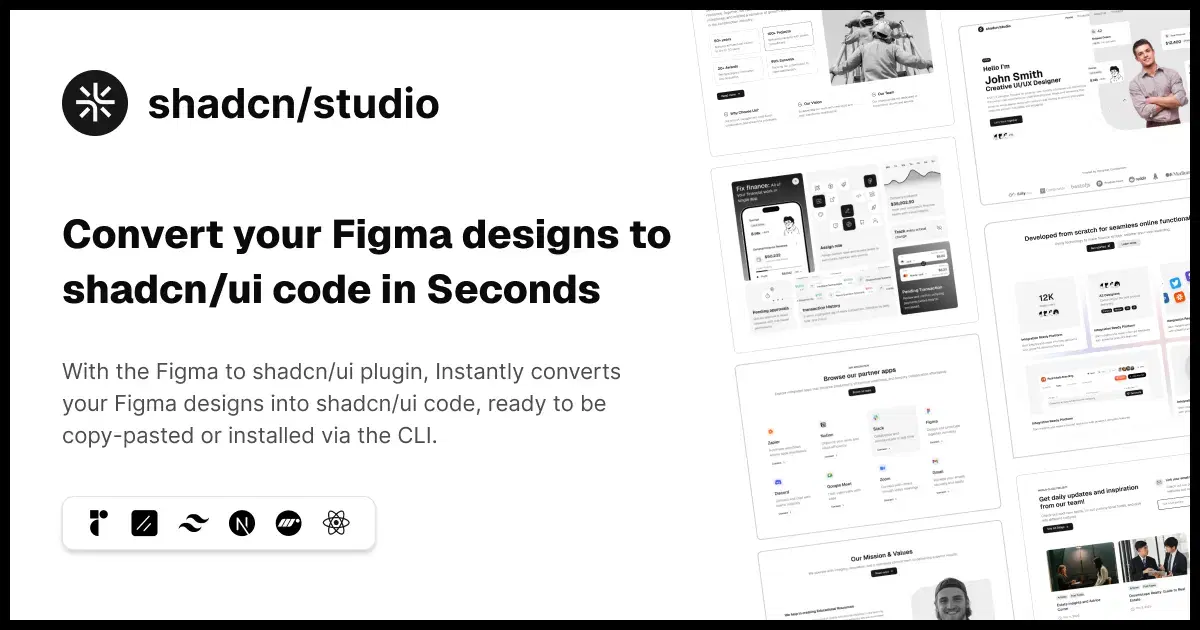
The Shadcn Figma to AI Code Plugin by Shadcn Studio is one of the most practical options for teams building modern React interfaces with shadcn/ui and Tailwind CSS. Instead of generating generic frontend markup, the plugin is designed specifically around the shadcn/ui development workflow.
You can select a design in Figma and use AI-powered generation to turn it into React components that follow shadcn/ui patterns. This makes the output more relevant for developers already using shadcn/ui in Next.js, Vite, or other React-based projects.
The generated result can be copied into a project, installed through the command-line workflow, or opened in v0 for further AI-assisted refinement. This gives teams several ways to continue working, depending on whether they prefer direct code access, registry-style installation, or visual AI iteration.
The plugin also supports design-variable workflows. Teams can export variables from Figma to CSS and bring existing project variables back into Figma, helping designers and developers maintain closer alignment between design tokens and implementation.
The plugin also includes more than 750 drag-and-drop Shadcn UI blocks, making it useful for rapidly designing pages while reducing design-to-development handoff work and keeping the final implementation consistent with the original design.
Key highlights:
- Converts Figma designs into React and shadcn/ui code
- Generates Tailwind CSS-based interface implementations
- Supports copying code or installing it through the CLI
- Allows generated designs to be opened and refined in v0
- Supports importing and exporting design variables
- Uses a bring-your-own-key model for AI generation
Good choice if:
- Your product uses shadcn/ui, React, Next.js, or Tailwind CSS and you want a more focused design-to-code workflow.
May not be ideal if:
- Your primary development stack is Vue, Angular, Flutter, or another non-React framework.
Shadcn Studio also offers 1000+ Sahdcn Components, 700+ Shadcn Blocks with Base UI & Radix UI support, Shadcn Admin Dashboard Templates,Shadcn Templates, Shadcn Builder & Shadcn AI MCP Server.
Builder io Figma Plugin
- Best for: Integrating Figma designs with an existing development workflow
- Type: AI development platform and Figma plugin
- Use case: Marketing pages, product interfaces, reusable components, and production codebases
The Builder.io Figma plugin is one of the more developer-oriented options in this collection. It can transfer Figma designs into Builder and use AI to generate responsive implementations from selected frames.
What makes Builder.io especially useful is its focus on working with real projects. Teams can connect generated interfaces with existing components instead of treating every design as a completely isolated export. This can reduce duplicate components and help the generated result follow an established design system.
The workflow can extend beyond copying a single snippet. Designers can export frames, add implementation instructions, generate a project, refine the result visually, and move changes toward the codebase.
It is therefore a strong option for teams trying to improve collaboration between designers and developers. It may require more setup than a simple one-click exporter, but that setup becomes valuable when consistency and maintainability matter.
Key highlights:
- Imports Figma frames into Builder workflows
- Generates responsive interfaces with AI assistance
- Can map Figma components to existing code components
- Supports visual editing and developer-oriented workflows
- Suitable for teams with established design systems
Good choice if:
- You need generated interfaces to fit into an existing application or component library.
May not be ideal if:
- You only need a quick standalone HTML export.
Codify AI
- Best for: Generating multiple frontend formats from selected Figma designs
- Type: Figma plugin
- Use case: UI experiments, code references, prototypes, and simple frontend starting points
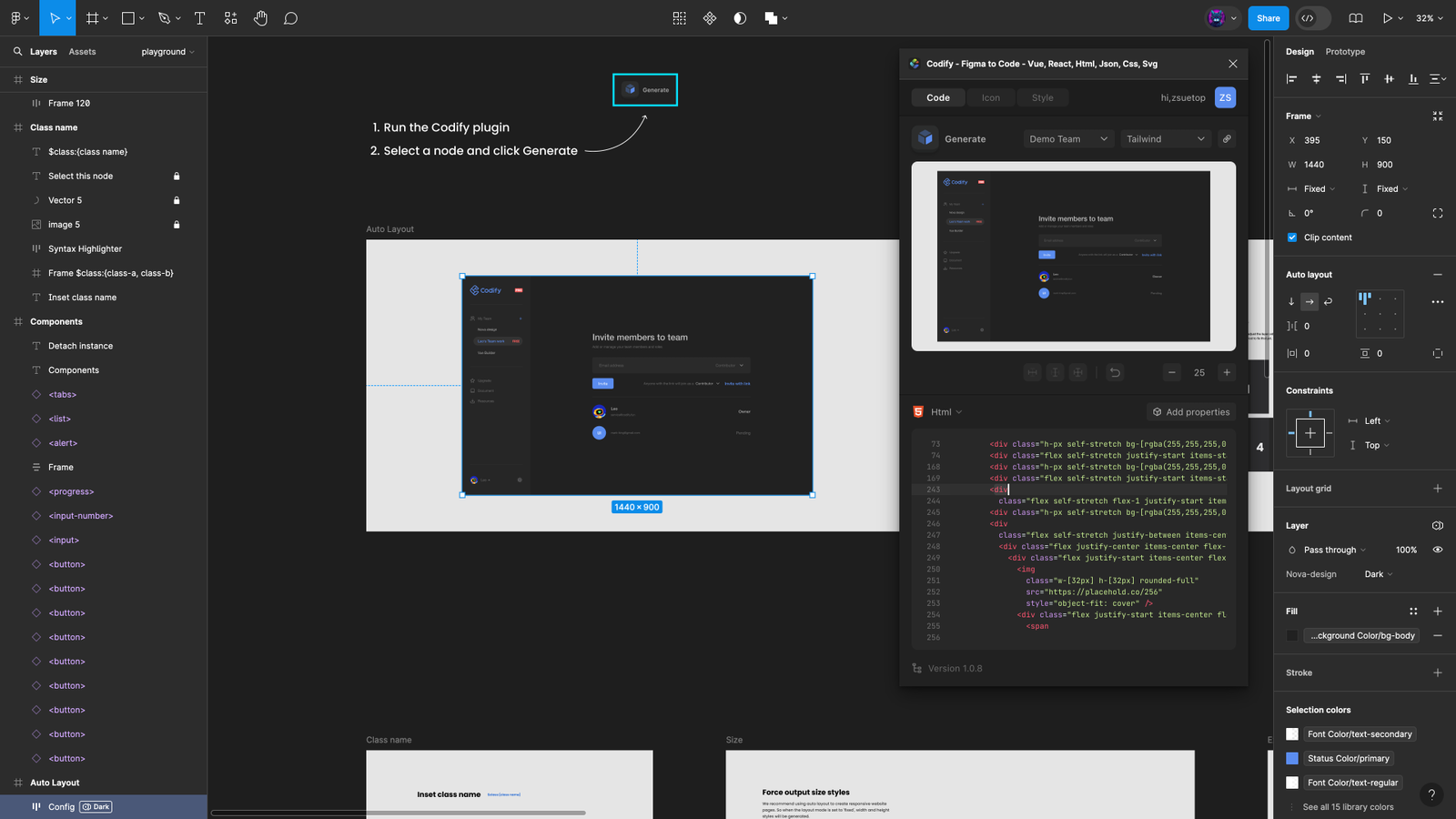
Codify AI figma plugin is a straightforward Figma-to-code option supporting several common frontend technologies. Its listed formats include Vue, React, Angular, HTML, Tailwind, JSON, and CSS, making it useful for designers and developers who work across different project stacks.
The plugin is best treated as a starting-point generator. You can select a design, choose an appropriate output, and use the generated code to avoid manually recreating every visual property. This can be useful for smaller components, internal prototypes, experiments, or early handoff.
The broad range of formats is appealing, although framework support alone does not guarantee that the generated result will follow the exact architecture, naming conventions, state management, or accessibility requirements of your project.
For production use, developers should still review component structure, semantic markup, responsiveness, repeated styles, and maintainability.
Key highlights:
- Supports several popular frontend frameworks
- Includes HTML, CSS, Tailwind, and JSON output options
- Runs inside Figma
- Useful for testing different implementation formats
- Provides a faster starting point than manual recreation
Good choice if:
- You want a lightweight plugin that can generate different types of frontend output.
May not be ideal if:
- You require deep integration with an existing codebase or design system.
Anima
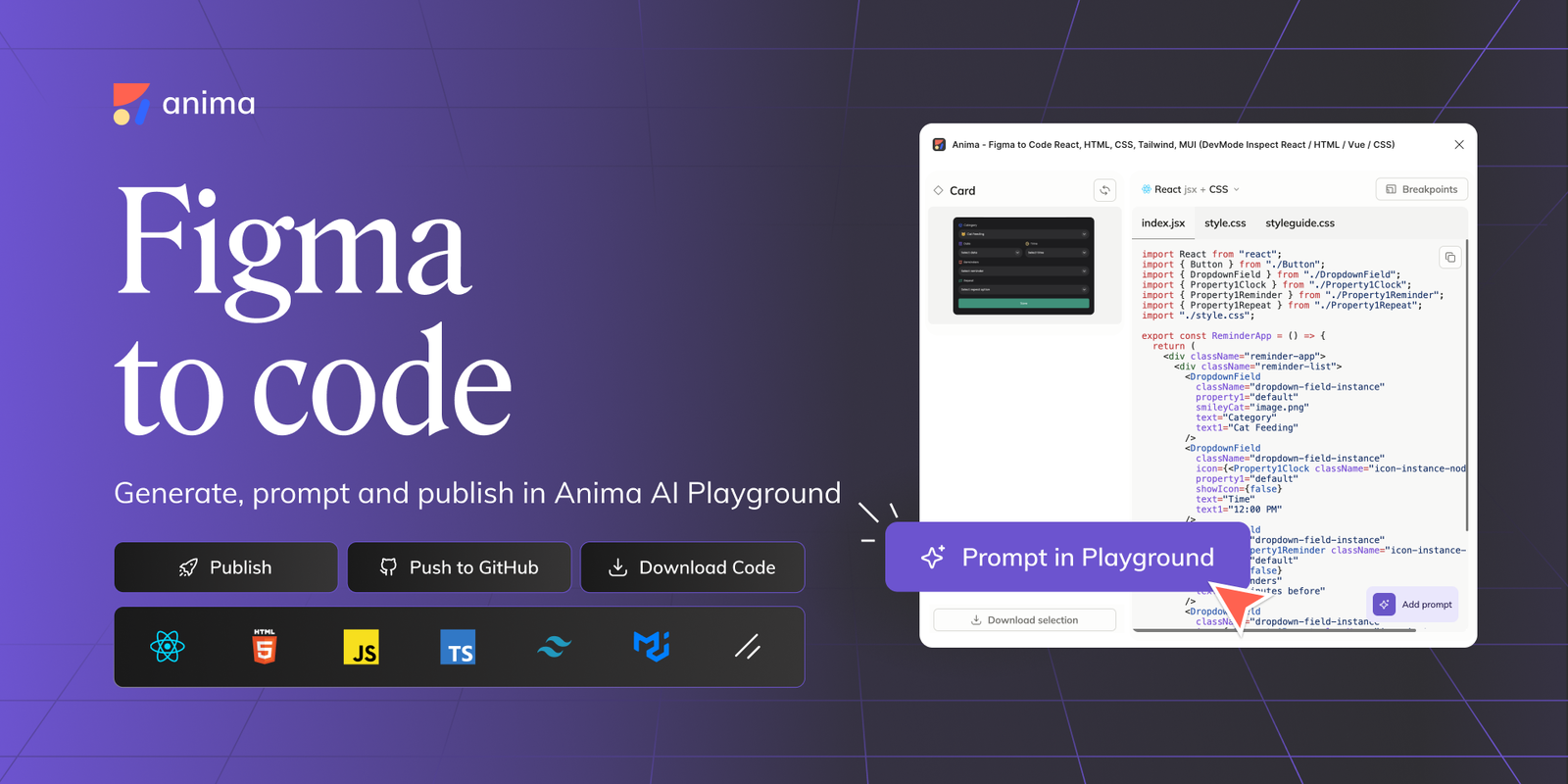
- Best for: Converting complete Figma interfaces into editable frontend code
- Type: Figma plugin and design-to-code platform
- Use case: Responsive websites, React interfaces, landing pages, prototypes, and developer handoff
Anima figma to ai code plugin is one of the strongest all-round options for turning Figma designs into working frontend interfaces. It supports workflows for React, HTML, CSS, and Tailwind, while also providing tools for previewing and continuing the generated project.
Instead of limiting users to a static snippet, Anima can take selected components, individual screens, or multi-screen flows and turn them into editable code. Designers and developers can inspect the result, preview how the interface behaves, make changes, and continue refining it in Anima’s browser-based environment.
Anima is particularly useful when the Figma file already uses sensible Auto Layout, constraints, reusable components, and organized styles. A structured source design gives the tool better information about how the interface should respond across different screen sizes.
The generated code should still be reviewed before it is merged into a production application. Business logic, accessibility, data integration, performance, and application architecture usually require developer input.
Key highlights:
- Generates React and HTML-based interfaces
- Supports CSS and Tailwind-oriented workflows
- Handles components, screens, and multi-screen flows
- Offers previews and continued AI-assisted editing
- Designed for both designers and developers
Good choice if:
- You want a practical balance between visual accuracy, code export, and continued editing.
May not be ideal if:
- Your team expects a finished application with complex backend logic from a single export.
Color Import & Export
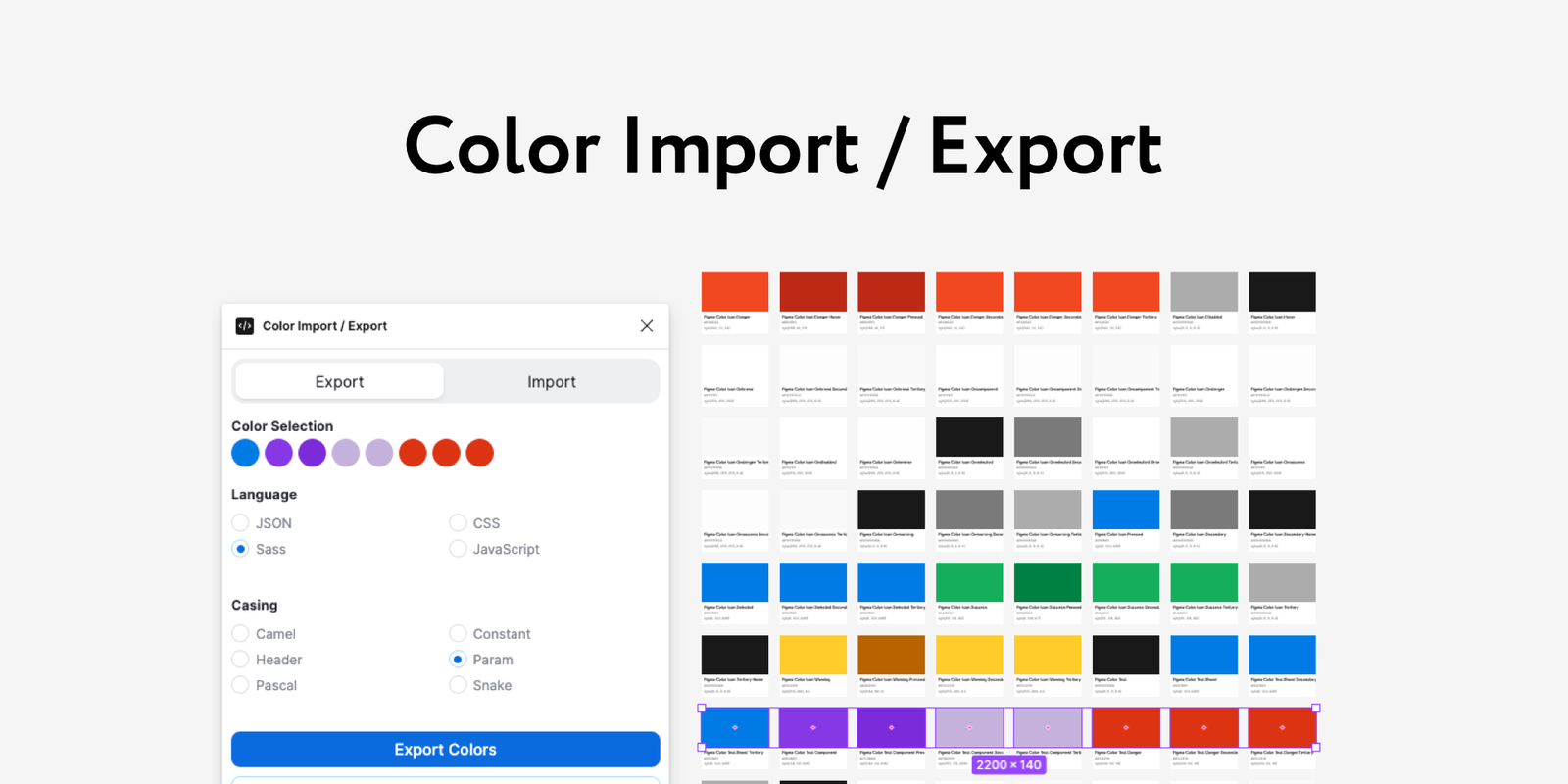
Best for: Moving color data between Figma files and external workflows
Type: Figma utility plugin
Use case: Design systems, brand libraries, theme migration, and color documentation
Color import and export is different from the other products in this list. It does not attempt to generate an entire website or application. Instead, it addresses a smaller but important design-system task: transferring and maintaining color information.
This can be useful when a team needs to move brand colors into another Figma project, create a reusable palette, document color values, or keep visual assets aligned across multiple files.Teams that need to create fresh visual assets for those projects can also use an AI photo generator to build images that match the brand direction.
Although color management may look minor compared with AI-generated React components, inconsistent color tokens often create unnecessary design and development work. A focused import-export utility can make palette migration faster and reduce manual copying errors.
This plugin works best as a supporting tool alongside a broader design-to-code workflow. Before exporting an interface, teams should still organize their variables, styles, semantic color names, and light or dark theme relationships.
Key highlights:
- Focuses on importing and exporting color information
- Useful for design-system and brand workflows
- Reduces manual palette recreation
- Helps maintain consistency across Figma projects
- Complements larger design-to-code tools
Good choice if: You regularly move color palettes or maintain multiple branded Figma files.
May not be ideal if: You are looking for code generation or complete website export.
Figma to Wix Studio
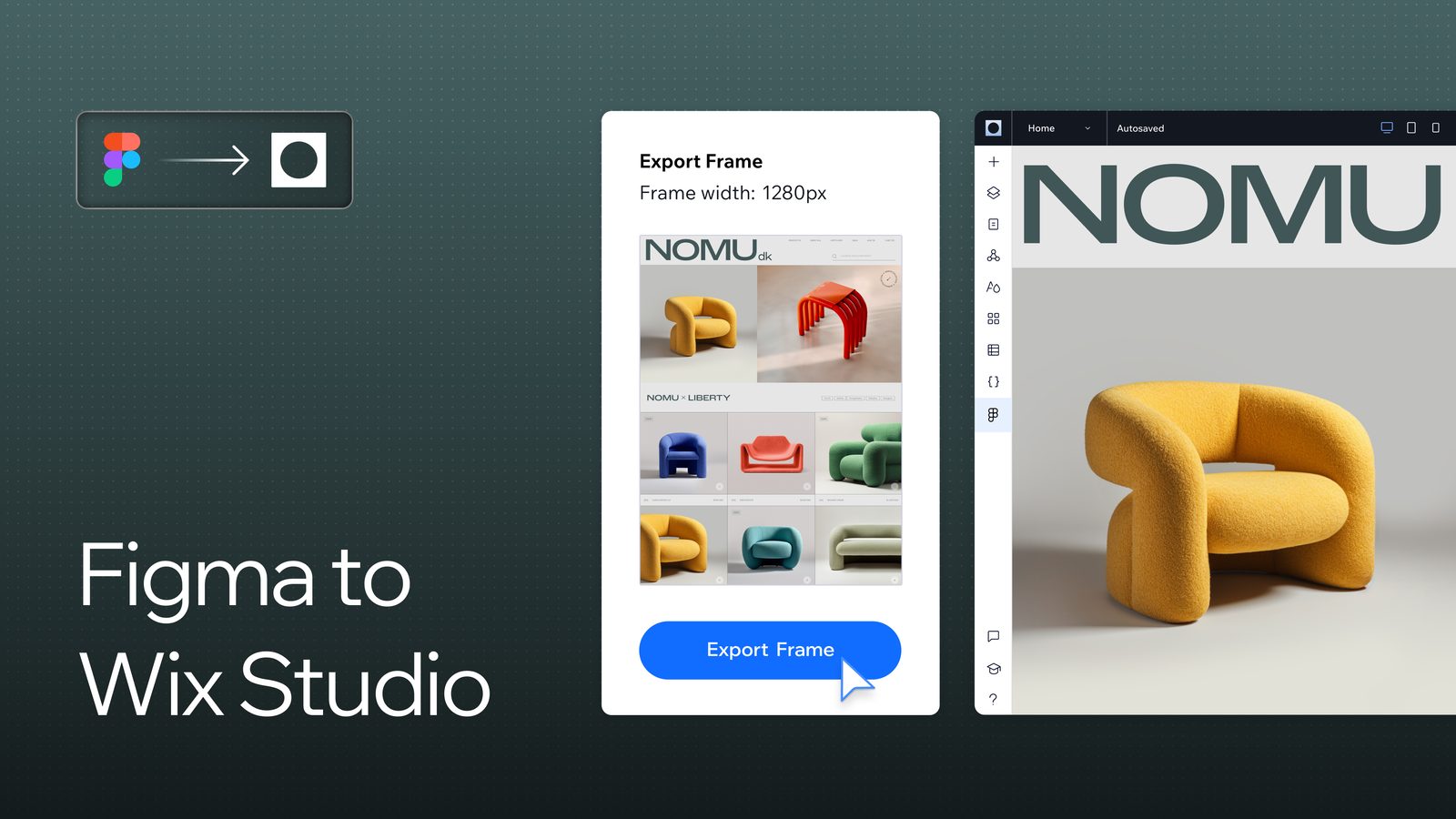
- Best for: Turning Figma website designs into editable no-code sites
- Type: Official Figma-to-Wix Studio plugin
- Use case: Agency websites, client projects, landing pages, portfolios, and business sites
Figma to Wix Studio is the most focused option for teams that plan to publish their websites through Wix Studio. Instead of exporting generic React or HTML code, the plugin transfers Figma frames into the Wix Studio environment.
Once imported, the design becomes part of a visual website-building workflow. Teams can adjust responsive behavior, add animations, connect CMS content, use Wix business features, include custom functionality, and prepare the website for publication.
This makes the plugin especially useful for agencies and freelancers. A designer can create the visual direction in Figma and then continue building the real site without recreating every section manually in the website builder.
The main limitation is platform commitment. The output is intended for Wix Studio rather than a framework-independent codebase. That is an advantage for Wix users but a constraint for teams that need portable source code.
Key highlights:
- Transfers Figma frames into Wix Studio
- Can import into a new or existing Studio website
- Supports continued visual editing after import
- Works with Wix CMS, animations, business tools, and custom code
- Useful for no-code and low-code website delivery
Good choice if:
- Your final website will be created and managed in Wix Studio.
May not be ideal if:
- You need portable React, Vue, or standalone HTML files.
Figma to AI Code by DesignCode
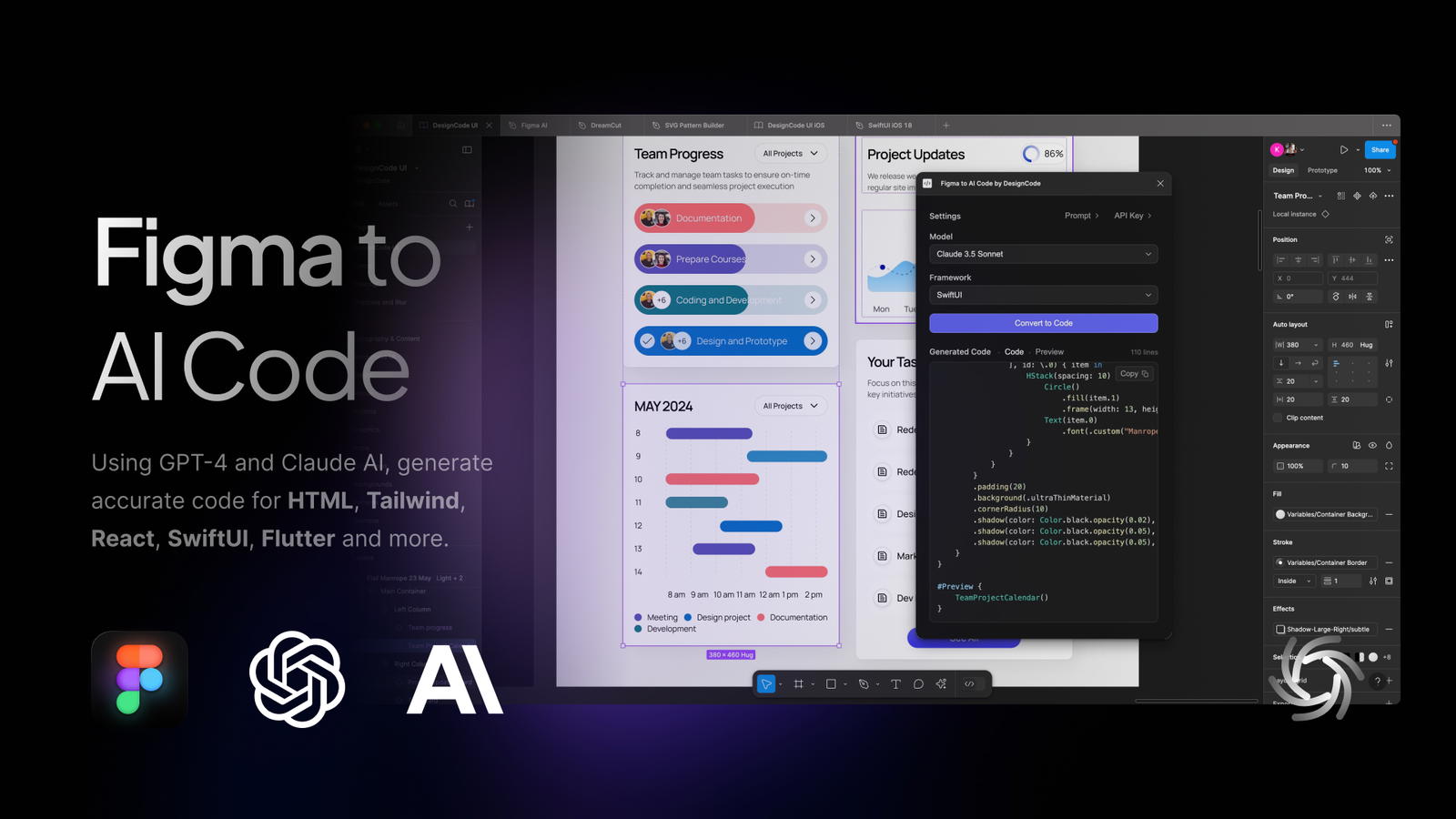
- Best for: Generating both web and mobile application interfaces
- Type: AI design and development platform
- Use case: React applications, Vue interfaces, Flutter apps, native mobile screens, and cross-platform prototypes
Designcode plugin comes with the best design-to-code workflow covers more than standard websites. It supports web targets such as React, Vue, and HTML, as well as mobile technologies including Flutter, SwiftUI, and Android.
This makes Designcode useful for product teams designing interfaces that may need to work across multiple platforms. A team could use Figma as the visual source and select an output that matches its web or mobile development stack.
Designcode also provides related design-conversion capabilities, including turning screenshots and existing webpages into editable Figma layouts. These additional workflows can be valuable when rebuilding an older product, studying an existing interface, or creating an editable starting point from a visual reference.
As with any broad multi-framework generator, teams should test the quality of the output for their specific stack. Native navigation, application logic, API integration, accessibility, and platform conventions still need careful implementation.
Key highlights:
- Supports both web and mobile development targets
- Offers React, Vue, HTML, Flutter, SwiftUI, and Android workflows
- Converts Figma designs into editable framework-oriented code
- Includes related screenshot-to-design and web-to-Figma tools
- Useful for cross-platform product teams
Good choice if:
- You need one design-to-code platform for both websites and mobile applications.
May not be ideal if:
- Your project requires highly customized architecture with strict internal conventions.
Codia AI
- Best for: Generating both web and mobile application interfaces
- Type: AI design and development platform
- Use case: React applications, Vue interfaces, Flutter apps, native mobile screens, and cross-platform prototypes
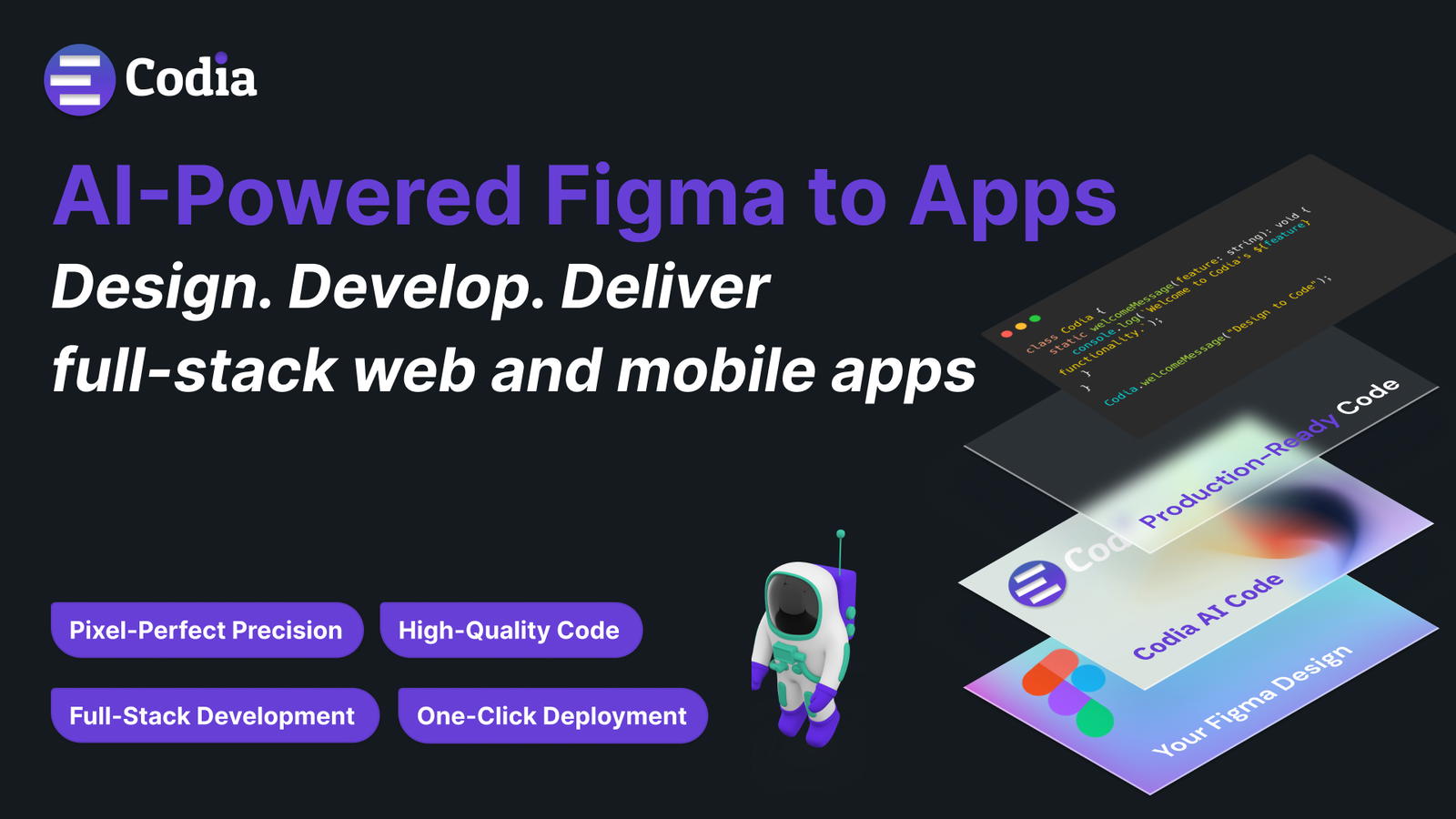
Codia AI stands out because its design-to-code workflow covers more than standard websites. It supports web targets such as React, Vue, and HTML, as well as mobile technologies including Flutter, SwiftUI, and Android.
This makes Codia useful for product teams designing interfaces that may need to work across multiple platforms. A team could use Figma as the visual source and select an output that matches its web or mobile development stack.
Codia also provides related design-conversion capabilities, including turning screenshots and existing webpages into editable Figma layouts. These additional workflows can be valuable when rebuilding an older product, studying an existing interface, or creating an editable starting point from a visual reference.
As with any broad multi-framework generator, teams should test the quality of the output for their specific stack. Native navigation, application logic, API integration, accessibility, and platform conventions still need careful implementation.
Key highlights:
- Supports both web and mobile development targets
- Offers React, Vue, HTML, Flutter, SwiftUI, and Android workflows
- Converts Figma designs into editable framework-oriented code
- Includes related screenshot-to-design and web-to-Figma tools
- Useful for cross-platform product teams
Good choice if:
- You need one design-to-code platform for both websites and mobile applications.
May not be ideal if:
- Your project requires highly customized architecture with strict internal conventions.
PlatUI
- Best for: Fast Figma-to-code experiments across web and mobile frameworks
- Type: AI-powered Figma plugin
- Use case: Flutter prototypes, React interfaces, React Native screens, and HTML layouts
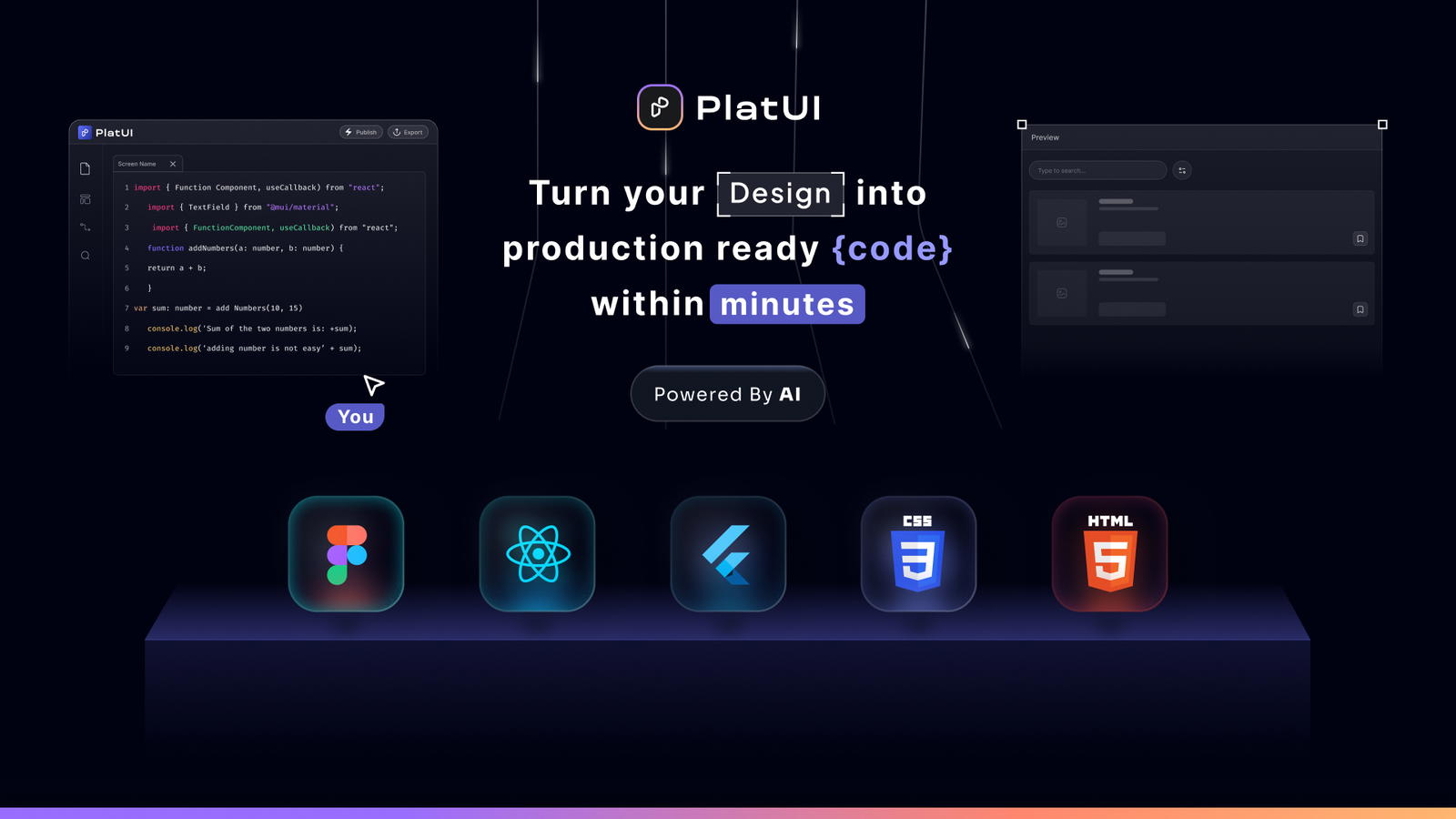
PlatUI is another multi-framework Figma-to-code plugin, with support for HTML, React, React Native, and Flutter workflows. Its mix of web and mobile targets makes it useful for teams that want to compare how a design could be implemented across platforms.
The workflow is relatively direct: select the relevant Figma frames, choose a target framework, and generate a project or code output. PlatUI also emphasizes responsive UI generation and Auto Layout preparation, both of which are important when converting visual designs into adaptable interfaces.
PlatUI is most suitable for prototypes, smaller interfaces, proof-of-concept applications, and early development work. It can reduce the effort required to establish an initial component structure, especially for teams exploring Flutter or React Native.
For larger applications, developers will still need to evaluate navigation, state management, API architecture, component reuse, testing, and accessibility.
Key highlights:
- Supports HTML, React, React Native, and Flutter
- Converts selected Figma frames into code projects
- Includes responsive interface workflows
- Useful for both web and mobile prototypes
- Provides a faster foundation for initial development
Good choice if:
- You want to generate Flutter or React Native interfaces from Figma.
May not be ideal if:
- You need advanced codebase mapping or enterprise design-system integration.
How to Choose Best One?
Use Figma AI for end-to-end ideation, editing, content generation, and prototyping within Figma.
Shadcn Studio Figma is best for React, Next.js, Tailwind CSS, and shadcn/ui workflows, including component conversion, CLI installation, v0 refinement, and variable syncing.
Pick Builder.io when generated interfaces must use existing components or fit an established codebase.
Anima suits general-purpose React, HTML, CSS, Tailwind, responsive previews, and continued editing.
Use Figma to Wix Studio when publishing directly to Wix Studio.
Codia AI supports both web and native mobile output, while PlatUI focuses on Flutter and React Native.
Codify AI offers a lightweight plugin with simple output formats.
Figma to AI Code by DesignCode works well for experimentation and prompt-driven prototypes rather than tightly controlled production code.
Add Color Import & Export when you need to transfer or maintain palettes across design files.
Regardless of the tool, prepare the Figma file carefully. Use Auto Layout, meaningful layer names, reusable components, consistent spacing, design variables, and clear responsive behavior. Better-structured designs generally give code-generation systems more reliable information.
Final Verdict
Anima is the best general-purpose option for React, HTML, CSS, and Tailwind.
Shadcn Studio Figma is ideal for shadcn/ui, Tailwind, and Next.js projects, with code copying, CLI installation, v0 refinement, and variable syncing.
Builder.io works best with established component libraries, while Figma AI supports the full design process. Codia AI and PlatUI are stronger for mobile and cross-platform output.
AI-generated code still requires engineering review for accessibility, responsiveness, performance, architecture, and business logic.