The best MCP servers for Cursor can turn your IDE into a fully connected workspace—where you can scrape websites, query databases, automate browsers, and access cloud tools without ever leaving your editor.
In this blog, we will explore the best MCP servers for Cursor.
TL;DR
-
MCP (Model Context Protocol) connects AI assistants to external tools
-
Cursor now supports multi-server dynamic context (↓46.9% token usage)
-
MCP servers eliminate context switching and boost productivity
-
Setup is simple via
.cursor/mcp.json -
This guide covers the best MCP servers developers actually use
What is a cursor?
Cursor is an AI-powered code editor designed to help developers write, understand, and ship code faster. It looks and feels like a modern IDE, but with a built-in AI assistant that can read your codebase, generate code, fix bugs, and automate tasks—all from within the editor.
Unlike traditional editors, Cursor doesn’t just autocomplete; it acts like a coding partner that understands context across your entire project.
Why Use the Cursor MCP Server
Cursor becomes even more powerful with MCP (Model Context Protocol).
With MCP servers, Cursor can:
-
Access external tools (web, databases, APIs)
-
Perform real-time research
-
Automate workflows beyond code
-
Eliminate constant context switching
👉 Think of Cursor as the brain, and MCP servers as the tools it can use
What Makes Cursor Different?
Cursor goes beyond basic AI suggestions by integrating deeply into your workflow:
-
Understands your full codebase (not just one file)
-
Generates and edits code with natural language prompts
-
Detects and fixes bugs intelligently
-
Refactors code across multiple files
-
Uses agents that can perform multi-step tasks
How to Add MCP Servers in Cursor
Adding MCP servers in Cursor is straightforward and flexible, allowing you to connect external tools directly to your development environment. Whether you want project-specific integrations or a global setup across all your workspaces, Cursor supports both approaches. Once configured, the AI agent can automatically use these tools in your workflow, reducing manual effort and context switching.
Create Config File
You can configure MCP servers in:
-
Project level →
.cursor/mcp.json -
Global level →
~/.cursor/mcp.json
Basic Configuration
{
  "mcpServers": {
    "server-name": {
      "command": "npx",
      "args": ["-y", "server-package"],
      "env": {
        "API_KEY": "your-key"
      }
    }
  }
}
Choose Transport Type
-
stdio → Local execution (default, simple)
-
SSE → Remote servers via URL
Best MCP Servers for Cursor
Let’s explore the most powerful MCP servers you can add today.
Shadcn Studio MCP Server:
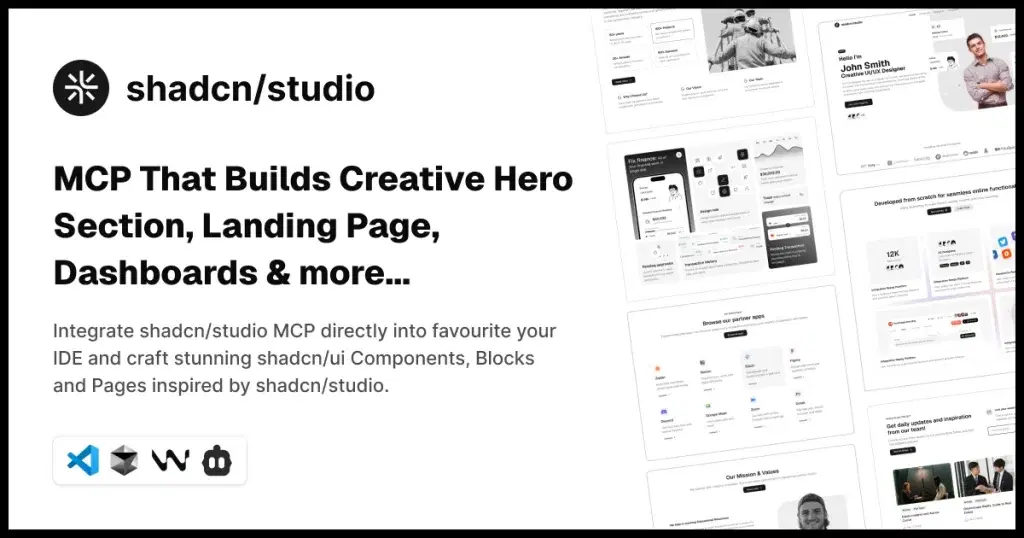
Shadcn Studio’s Shadcn MCP Server connects Cursor directly with Shadcn Studio, giving you access to production-ready UI blocks, components, and templates without leaving your editor. Instead of manually browsing and copying code, you can generate, customize, and integrate UI components using AI prompts. This significantly speeds up frontend development and ensures design consistency across projects.
When you need a full landing or pricing screen, Shadcn pages provide complete layouts you can adapt as the UI takes shape in Cursor.
Why Developers Love It:
-
Access ready-to-use UI blocks and components
-
Generate components via AI prompts
-
Maintain consistency with design systems
-
Reduce time spent on UI boilerplate
Use Cases:
-
Rapid UI development
-
Landing page creation
-
Design system implementation
👉 Best for frontend developers building fast with clean UI components
Apart from this, Shadcn Studio offers:
-
700+ Shadcn blocks
-
1000+ Shadcn Components and variants
-
10+ Shadcn Templates
-
AI-powered Shadcn Theme Generator
FlyonUI MCP Server: Prebuilt UI + Tailwind Components in Cursor

FlyonUI Tailwind MCP Server connects Cursor with FlyonUI’s library of prebuilt components and templates, enabling developers to build modern UIs faster using Tailwind CSS. It allows you to generate and integrate responsive components directly through AI prompts, eliminating repetitive frontend work. This is especially useful for quickly shipping dashboards, landing pages, and SaaS interfaces.
Why Developers Love It:
-
Access prebuilt Tailwind-based UI components
-
Generate responsive layouts instantly
-
Speed up frontend development
-
Reduce repetitive UI coding
Use Cases:
-
SaaS dashboards
-
Landing pages
-
Admin panels
👉 Best for developers building fast, scalable UIs with Tailwind
Apart from that, FlyonUI offers:
-
500+ Tailwind Blocks
Firecrawl MCP: Web Scraping on Steroids
Firecrawl MCP is an integration that connects AI tools like Cursor with the Firecrawl service using the Model Context Protocol (MCP). It allows the AI to automatically scrape websites, extract clean data, and use it in tasks like coding, summarization, and research, without needing manual copy-pasting or custom scraping scripts.
Why Developers Love It:
-
Extract structured data from any website
-
Crawl multiple pages with depth control
-
Convert web content → markdown
-
Perform search + scrape in one flow
Use Cases:
-
Competitor research
-
Content extraction
-
AI dataset creation
👉 Best starting MCP server (highly recommended)
Browserbase MCP: Cloud Browser Automation

Browserbase MCP connects Cursor with cloud-based browser automation, allowing AI agents to interact with real websites programmatically. It can handle dynamic pages, login flows, and JavaScript-heavy environments, something traditional scraping tools often struggle with.
Key Features:
-
Automate logins & workflows
-
Capture screenshots
-
Interact with DOM elements
-
Run JS on live pages
Perfect For:
-
QA testing
-
Web scraping (dynamic sites)
-
Debugging frontend issues
Magic MCP by 21st Dev: AI Utilities Inside Cursor

Magic MCP brings built-in generative AI capabilities directly into Cursor, eliminating the need to switch between tools for content or asset creation. It allows developers to generate images, transform text, and assist with documentation or code generation in real time. This makes it especially useful for developers who also handle content, UI, or rapid prototyping.
For marketing copy outside Cursor, AI tools can help draft blog ideas, product descriptions, and headlines before you bring the text back into your project.
Why Developers Love It:
-
Generate images and assets instantly
-
Transform and reformat text
-
Summarize content or docs
-
Generate code snippets from prompts
Use Cases:
-
Rapid prototyping
-
Documentation creation
-
Content generation
👉 Best for dev + content workflows
Opik MCP: Track ML Experiments
Opik MCP integrates experiment tracking into your development workflow, allowing you to monitor machine learning models without leaving Cursor. It helps organize, compare, and visualize experiments, making iteration cycles faster and more efficient. This reduces the friction of switching between ML tools and coding environments.
Why Developers Love It:
-
Track model performance in real-time
-
Compare experiment runs
-
Visualize training metrics
-
Collaborate on ML workflows
Use Cases:
-
Machine learning projects
-
Model optimization
-
Experiment analysis
👉 Best for ML engineers and data scientists
Framelink AI MCP For Figma
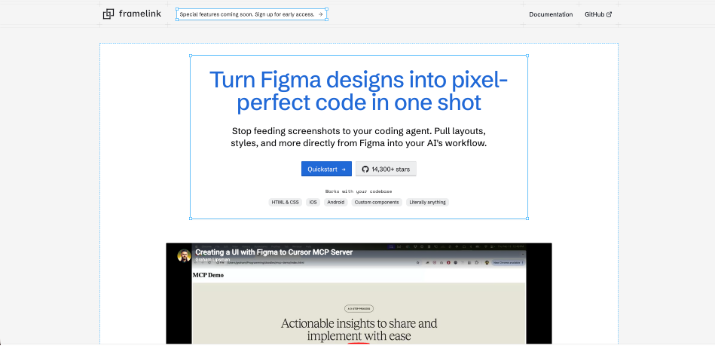
Figma Context MCP allows Cursor to directly access and interpret Figma design files, helping developers translate designs into code more accurately. It eliminates guesswork by exposing layout, spacing, typography, and component structure. This creates a smoother collaboration between designers and developers.
Why Developers Love It:
-
Access Figma designs inside Cursor
-
Extract spacing, typography, and colors
-
Understand component structures
-
Reduce design-dev gaps
Use Cases:
-
UI implementation
-
Design system consistency
-
Faster frontend development
👉 Best for frontend developers
Pandoc MCP: Universal Document Converter

Pandoc MCP brings powerful document conversion capabilities into Cursor, enabling developers to transform files across multiple formats effortlessly. It simplifies workflows that involve publishing, documentation, or report generation. Instead of using external tools, everything happens inside your coding environment.
Why Developers Love It:
-
Convert markdown → PDF, DOCX, HTML
-
Automate documentation workflows
-
Support multiple file formats
-
Simplify publishing pipelines
Use Cases:
-
Technical documentation
-
Report generation
-
Content publishing
Tip: Convert between:
-
HTML → DOCX
-
Docs → multiple formats
Excel MCP: Work with Spreadsheets
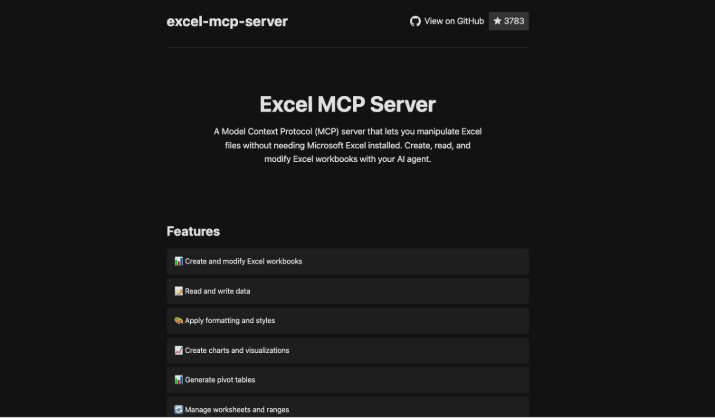
Excel MCP allows developers to interact with spreadsheets directly from the Cursor, making data handling far more efficient. It enables reading, writing, and analyzing structured data without opening Excel manually. This is especially helpful for backend workflows and reporting systems.
Why Developers Love It:
-
Read and write Excel files
-
Automate data processing
-
Perform analysis on tabular data
-
Generate reports programmatically
Use Cases:
-
Data analysis
-
Reporting automation
-
Backend data processing
👉 Best for data-driven workflows
Mindmap MCP: Visual Thinking Tool
Mindmap MCP helps developers organize complex ideas visually without leaving their IDE. It provides a structured way to map relationships, plan systems, and brainstorm solutions. This is particularly useful during early-stage development or architecture planning.
Why Developers Love It:
-
Create structured mind maps
-
Visualize relationships and flows
-
Plan features and architecture
-
Brainstorm efficiently
Use Cases:
-
Product planning
-
System design
-
Idea organization
👉 Best for planning and brainstorming
Markdownify MCP: Clean Content Conversion
Markdownify MCP converts content from various formats into clean, structured markdown that is easy to use and maintain. It helps developers standardize documentation and clean messy HTML or text inputs. This is especially valuable for blogs, docs, and knowledge bases.
Why Developers Love It:
-
Convert HTML → markdown
-
Clean up unstructured content
-
Standardize documentation
-
Improve readability
Use Cases:
-
Blog writing
-
Documentation cleanup
-
Content migration
👉 Best for content-focused developers
Filesystem MCP: Advanced File Ops
Filesystem MCP extends the Cursor’s file-handling capabilities beyond the current project scope. It allows developers to perform advanced operations like bulk processing, searching, and analyzing files efficiently. This makes it a powerful tool for automation-heavy workflows.
Why Developers Love It:
-
Access files outside project scope
-
Perform batch operations
-
Search and filter files efficiently
-
Analyze file metadata
Use Cases:
-
File automation
-
Bulk processing
-
Data organization
👉 Best for automation-heavy environments
Google Drive MCP: Cloud Integration

Google Drive MCP integrates cloud storage directly into Cursor, enabling seamless access to files without leaving the IDE. It simplifies collaboration by allowing developers to fetch, manage, and use shared documents instantly. This bridges the gap between development and cloud-based workflows.
Why Developers Love It:
-
Access Drive files instantly
-
Search and manage documents
-
Collaborate without leaving the IDE
-
Sync cloud and local workflows
Use Cases:
-
Team collaboration
-
Content access
-
Asset management
👉 Best for collaborative workflows
Brave Search MCP: Private Search

Brave Search MCP provides a privacy-focused way to perform web searches directly within Cursor. It avoids tracking while still delivering reliable and relevant results. This makes it ideal for developers who value both efficiency and privacy.
Why Developers Love It:
-
No tracking
-
Fast search results
-
Privacy-first approach
-
Clean integration
Use Cases:
-
Research
-
Documentation lookup
-
Debugging issues
👉 Best for privacy-conscious developers
Tavily MCP: AI-Powered Search
Tavily MCP enhances traditional search by providing AI-powered, context-aware results. It helps developers find more relevant information faster, especially when dealing with complex queries. This significantly improves research workflows inside Cursor.
Why Developers Love It:
-
Semantic search results
-
Context-aware answers
-
Faster deep research
-
Better relevance
Use Cases:
-
Technical research
-
Decision making
-
Problem solving
👉 Best for deep research workflows
DuckDuckGo MCP: Lightweight Privacy Search

DuckDuckGo MCP offers a simple and fast search experience with strong privacy protections. It’s lightweight and easy to use, making it a great fallback or quick-search tool. Developers can perform lookups without worrying about tracking.
Why Developers Love It:
-
Lightweight and fast
-
No tracking
-
Easy setup
-
Reliable results
Use Cases:
-
Quick searches
-
Debugging
-
General research
👉 Best for quick, private lookups
FastMCP: Build Your Own Servers
FastMCP is a framework that enables developers to create their own custom MCP servers with minimal effort. It’s designed for flexibility, allowing teams to build integrations tailored to their specific workflows. This makes it a powerful tool for extending Cursor beyond standard capabilities.
Why Developers Love It:
-
Build custom integrations
-
Minimal boilerplate
-
Rapid prototyping
-
Extend Cursor capabilities
Use Cases:
-
Internal tools
-
Custom APIs
-
Workflow automation
👉 Best for advanced developers
How to Choose the Right MCP Servers
Choosing the right MCP servers depends on your workflow, not just popularity. Each server solves a specific problem: research, automation, design, data, or integrations - so the best setup is the one that removes friction from your daily tasks. Instead of installing everything at once, start with a focused stack and expand as your needs grow.
Here are the fundamentals of choosing the right MCP servers:
-
Choose based on your primary workflow (research, automation, design, data, etc.)
-
Focus on tools that reduce context switching the most
-
Start with 2–3 high-impact servers, not everything at once
-
Prioritize real daily use cases, not “nice-to-have” features
-
Balance power vs simplicity (avoid tool overload)
-
Prefer servers with easy setup and good documentation
-
Ensure compatibility with your stack (Node, Python, APIs)
-
Consider security & API key management
-
Use local (stdio) for sensitive workflows when possible
-
Expand gradually based on actual workflow gaps
Conclusion:
MCP servers are redefining how developers interact with tools inside their IDE. Instead of constantly switching between tabs, apps, and workflows, everything comes together in one place, powered by AI.
The real value isn’t in using every MCP server available, but in choosing the ones that genuinely improve your day-to-day workflow. Start with a small, high-impact setup, and expand as your needs evolve.
If you’re just getting started, begin with tools like Firecrawl or Browserbase, then layer in others based on your use case.