Shadcn Application Block
Modern, ready-to-use Shadcn Application Blocks designed to speed up app development with polished, responsive UI layouts.
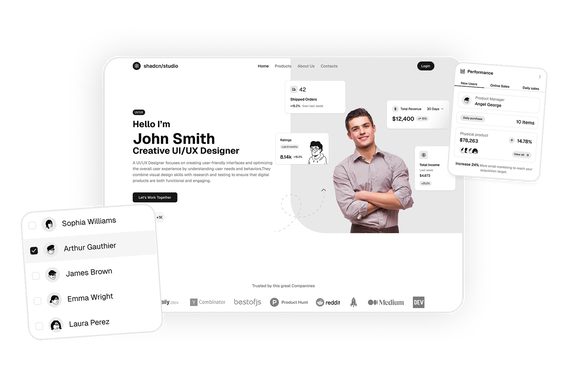
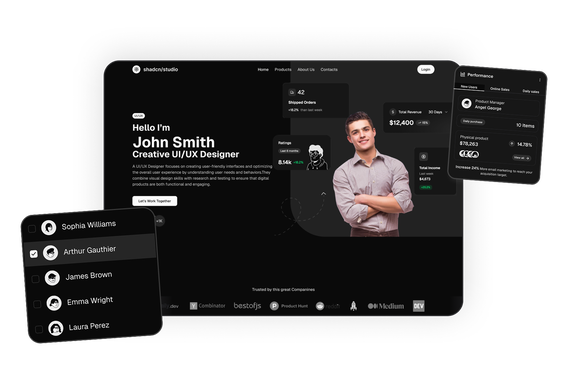
Shadcn Application Blocks
Shadcn Application Blocks are collections of static application UI layouts designed to help developers build modern web applications faster. Built using Shadcn UI, Tailwind CSS, and React, these blocks provide complete interface designs for common applications such as mail, chat, contact, user management, role & permissions and more.
Instead of designing application interfaces from scratch, developers can use ready-made Shadcn Application Blocks to create polished and consistent UI experiences. Each application includes multiple screens and interface elements that can be customized to match different project requirements.
At Shadcn Studio, developers can explore a growing collection of Shadcn Blocks designed for modern React applications. These application blocks cover common workflows and interface patterns while giving developers full control over the source code, styling, and components.
Shadcn Application Blocks are designed as static UI experiences, making them useful as starting points for developers who want to build their own application functionality, backend integrations, and data workflows.
What Are Shadcn Application Blocks?
Shadcn Application Blocks are complete static UI layouts that represent common web application experiences. Rather than providing individual components, each application block combines multiple Shadcn UI components into a cohesive interface.
Examples of Shadcn Application Blocks include:
- Mail applications
- Chat applications
- Contact Application
- Users Management Application
- Role & Permisssions Application
- Settings applications
Each application includes the relevant layouts, navigation elements, cards, lists, forms, dialogs, tables, and other interface components required to create a polished application UI.
These blocks follow a copy-paste-friendly development workflow, allowing developers to integrate the source code into their projects and customize the interface according to their needs.
Because these are static UI blocks, developers can connect them to their own APIs, databases, authentication systems, and application logic.
Why Use Shadcn Application Blocks?
Shadcn Application Blocks provide a practical starting point for developers who want to create polished application interfaces without designing every screen from scratch.
Faster Application UI Development
Ready-made application layouts help developers quickly build common interfaces such as inboxes, chat screens, calendars, and task management views without starting from a blank canvas.
Complete Application Interfaces
Instead of individual components, each block provides a complete static application experience with multiple interface elements working together as a consistent design.
Built with React and Tailwind CSS
Shadcn Application Blocks use React and Tailwind CSS, making them suitable for modern React-based projects and frontend development workflows.
Highly Customizable
Developers can modify layouts, colors, typography, spacing, components, and interface patterns directly in the source code.
Consistent Design Patterns
Using application blocks helps maintain consistent navigation, spacing, typography, cards, buttons, forms, and other UI patterns across different application screens.
Ready for Your Own Functionality
The static interfaces can be connected to custom APIs, databases, authentication, and backend functionality, allowing developers to turn the UI into a fully functional application.
Key Elements of Shadcn Application Blocks
Shadcn Application Blocks combine different UI elements to create complete and consistent application interfaces.
Application Navigation
Applications include navigation patterns such as sidebars, top navigation, menus, tabs, and breadcrumbs to help users move between different sections.
Lists and Data Views
List-based interfaces can display emails, conversations, tasks, users, events, and other structured information.
Detail Views
Application blocks include detailed views for displaying individual emails, conversations, tasks, events, and other content.
Forms and Inputs
Forms, input fields, dropdowns, checkboxes, switches, and other controls help create interfaces for entering and managing information.
Cards and Widgets
Cards and widgets organize important information into clear sections across dashboards and application screens.
Dialogs and Menus
Dialogs, dropdowns, popovers, and contextual menus provide common interaction patterns for application interfaces.
Responsive Layouts
Application interfaces are designed to adapt across desktop, tablet, and mobile screen sizes.
Types of Shadcn Application Blocks
Different applications require different interface structures and workflows. Shadcn Application Blocks cover several common application experiences.
Mail Application
A complete static mail interface with inbox navigation, message lists, email details, folders, labels, search, and compose layouts.
Chat Application
A modern chat interface with conversation lists, contacts, message views, chat details, and responsive conversation layouts.
Contact Application
A contact management interface for organizing contact details, profiles, communication history, and related information.
Users Management Application
A user management interface for viewing, organizing, searching, and managing user profiles and account information.
Role & Permissions Application
An access management interface for creating roles, assigning permissions, and controlling user access across the application.
Settings Application
A structured settings interface for account preferences, profile information, notifications, security, and application configuration.
Use Cases for Shadcn Application Blocks
Shadcn Application Blocks can serve as UI foundations for many types of modern web applications.
SaaS Applications
Use application interfaces as starting points for SaaS products that require dashboards, account areas, communication tools, settings, and other workflows.
Productivity Applications
Build interfaces for task management, calendars, notes, and other productivity-focused products.
Project Management Tools
Use task interfaces to create project management experiences for teams and organizations.
Internal Business Tools
Adapt application blocks for internal workflows such as communication, task tracking, and team collaboration.
Admin Applications
Use application interfaces alongside dashboard layouts to create comprehensive admin experiences.
Features of Shadcn Application Blocks
Shadcn Application Blocks include reusable UI patterns and layouts designed for modern application interfaces.
Common features include:
- Complete static application layouts
- Mail application interfaces
- Chat application interfaces
- Calendar layouts
- User management interfaces
- Settings screens
- Responsive navigation
- Search and filtering patterns
- Forms and input controls
- Cards and data views
- Dialogs and dropdown menus
- Tailwind CSS styling
- Dark mode compatibility
- Responsive layouts
- Reusable Shadcn UI components
- Customizable source code
These features provide developers with polished application UI foundations that can be customized and connected to their own application logic and backend services.
Base UI Shadcn Application Blocks Support
Shadcn Application Blocks can be adapted to modern Base UI workflows, allowing developers to create flexible and composable application interfaces. Developers can customize the layouts and components according to their preferred architecture while maintaining control over the source code and styling.
These static application interfaces can serve as a starting point for building custom React applications with Base UI components and application-specific functionality.
To get proper guidance, refer to the tutorial on how to Migrate from Radix UI to Base UI.
Radix UI Shadcn Application Blocks Support
Shadcn Application Blocks can also be used with Radix UI-based Shadcn workflows. Developers can customize the included interface patterns and combine them with accessible primitives to create modern application experiences.
The blocks provide a flexible visual foundation for applications while allowing developers to add their own data, interactions, authentication, APIs, and backend functionality.