Find all the awesome shadcn resources in one place. Discover component libraries, templates, themes, tools, plugins, and everything you need to build faster with shadcn.
Shadcn/ui has quickly become one of the most popular UI systems in the React ecosystem. Its copy-paste approach, combined with Tailwind CSS and Radix UI primitives, gives developers full ownership over their components without sacrificing accessibility or design quality.
But the core library is just the starting point. The real power comes from the growing ecosystem of tools, templates, extensions, and community resources built around it.
Official Shadcn Resources
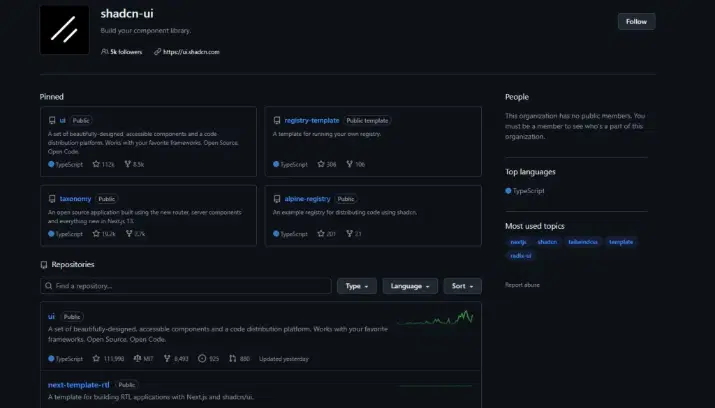
The core resources for getting started with shadcn UI and understanding how it works. Covers documentation, CLI tools, and updates that form the foundation for everything in the ecosystem.
-
shadcn/ui Official Docs - The main reference for components, installation, theming, and CLI usage. Everything else in this guide builds on top of this.
-
GitHub Repository - Source code, open issues, and community discussions. Worth watching for upcoming changes.
-
shadcn CLI - Adds individual components to your project directly from the terminal. You don’t copy code manually - the CLI handles it.
-
Changelog - Tracks new components, updates, and breaking changes. Check this before upgrading.
Shadcn Installation & Framework Guides
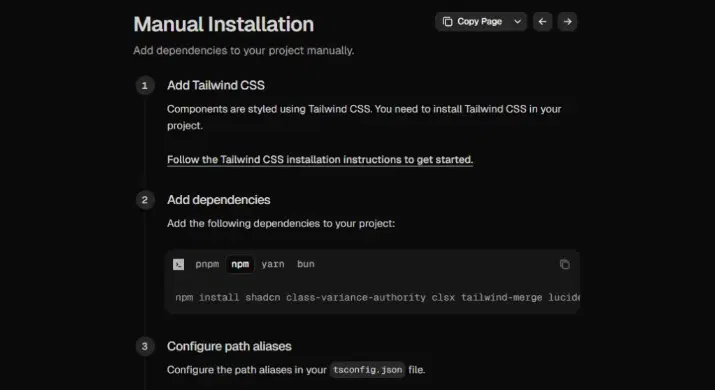
Guides for setting up shadcn UI across different frameworks and tech stacks. Whether you’re using Next.js, Vite, or other environments, these resources help you integrate and configure shadcn correctly.
-
Next.js - The most common integration, especially with the App Router. Best-documented and most widely used.
-
Vite - For React projects outside of Next.js. Lighter setup, faster dev server.
-
Remix - Less common but fully supported.
-
Astro - Use shadcn components inside Astro projects.
-
Laravel - For Laravel + Inertia.js stacks.
-
Manual Installation - If the CLI doesn’t fit your project structure, this walks you through every step by hand.
Component Libraries & Extensions
Extended libraries and add-ons that expand the capabilities of shadcn UI beyond core components.
From advanced UI blocks to charts, tables, and forms, these tools help you build complex and production-ready interfaces faster.
Full Libraries
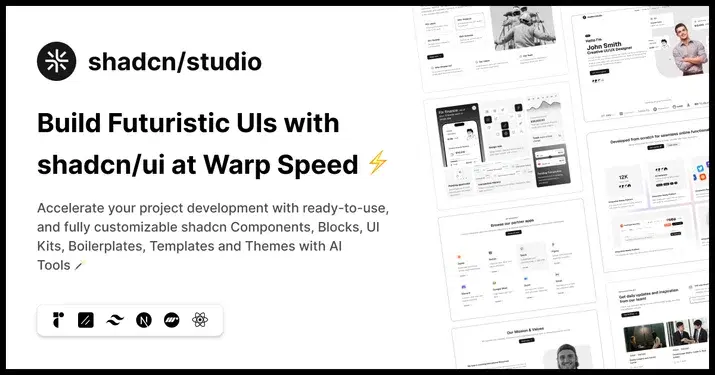
Complete UI libraries and extensions built on top of shadcn for faster development.
Includes everything from pre-built blocks and animations to advanced components like editors and interactive layouts.
-
Shadcn Studio - 1,000+ blocks, templates, and components with live preview. Output is clean shadcn code. Best for quickly dropping production-ready UI into a project.
-
Magic UI - Focuses on animation. Good for landing pages and marketing sites that need motion without writing Framer Motion from scratch.
-
Aceternity UI - High-end visual components: scroll effects, 3D cards, parallax. Use when the design calls for something more dramatic.
-
Plate - A full rich-text editor built on Slate.js with official shadcn support. Best option if you need a document or content editor.
-
Vaul - A single-purpose drawer component. Commonly used for mobile-style slide-up panels.
-
Kibo UI - Polished extension library with advanced composable components.
-
Tailark - Section and block library designed for shadcn marketing sites.
-
ShadcnBlocks - Premium blocks and Figma-to-shadcn kit with 1,400+ extra components.
Charts & Data
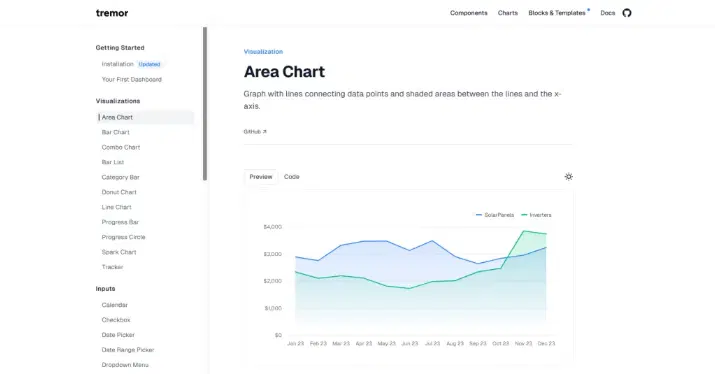
Libraries and components for visualizing data in Shadcn-based applications. Create consistent and responsive charts, analytics dashboards, and KPI sections with minimal setup.
-
shadcn/ui Charts - Official chart components built on Recharts. Follows shadcn’s theming system so everything looks consistent. Covers bar, line, area, pie, and radar.
-
Tremor - Dashboard-focused charts and KPI cards styled to match shadcn. Better for analytics-heavy UIs.
Tables
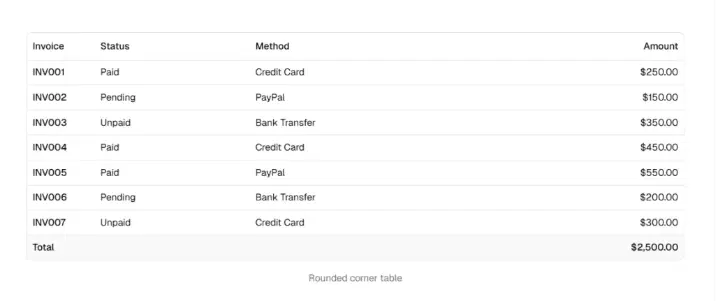
Flexible table solutions for building data-heavy interfaces with sorting, filtering, and pagination. Ideal for admin panels, dashboards, and any UI that requires structured data display.
-
Shadcn Table - Explore the collection of awesome Shadcn Table Components, featuring 16 table variants designed for customizable and interactive UI elements built with React and Tailwind CSS.
-
shadcn Data Table - Official guide for building sortable, filterable, paginated tables using TanStack Table. The recommended approach for anything beyond a simple list.
Forms
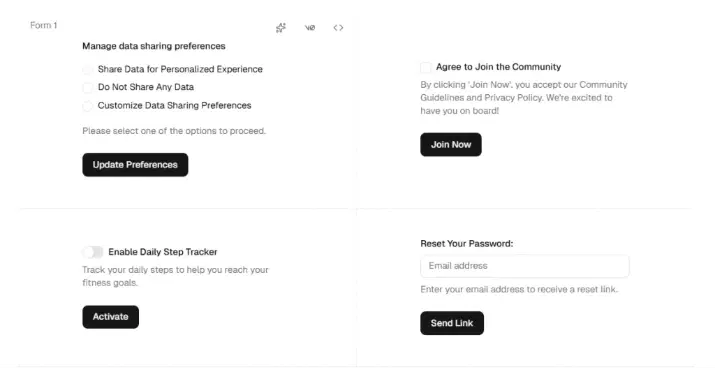
Reusable form components and input patterns designed for shadcn projects. Helps you build interactive, accessible, and scalable forms for authentication, data entry, and user flows.
-
Shadcn Form - Explore the collection of awesome Shadcn Form Components, featuring 10 form variants designed for customizable and interactive UI elements built with React and Tailwind CSS.
-
Input OTP - A one-time password input field that shadcn officially integrate. Useful for auth flows.
Templates & Starters
Pre-built templates and starter kits to help you launch shadcn projects without starting from scratch.
Skip boilerplate setup and get a production-ready structure for dashboards, SaaS apps, and landing pages from day one.
Dashboards
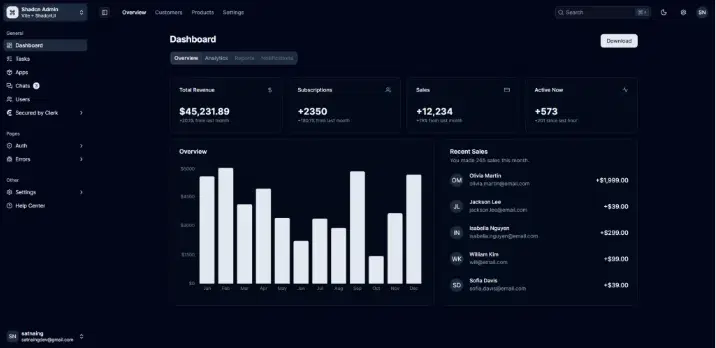
Ready-to-use admin dashboard templates built with shadcn UI components and modern tooling.
Includes layouts like sidebars, data tables, charts, and analytics cards to quickly build internal tools or admin panels.
-
shadcn/ui Dashboard - Official blocks for sidebar navigation, data tables, and analytics cards. The starting point for most admin UIs.
-
Shadcn Admin Vite - Free open-source admin template using Vite instead of Next.js.
-
TailAdmin - Clean admin panel with more polish out of the box.
SaaS & Landing Pages

Starter templates designed for marketing sites, product pages, and SaaS applications.
Comes with pre-built sections like hero, pricing, testimonials, and FAQs to help you launch faster and focus on content.
-
-
SaaS Templates
-
Flow SaaS Template - Clean SaaS landing with pricing, features, and CTAs
-
Grow Marketing Template - Marketing-driven SaaS layout optimized for conversions
-
-
AI & App Templates
-
Neural AI App Template - AI product landing with strong visual hierarchy
-
Swipe Mobile App Template - Mobile-first landing page for apps and startups
-
-
Content & Blog Templates
-
Ink Blog Template (Free) - Minimal blog layout with great readability
-
Track Changelog Template (Free) - Perfect for product updates and release notes
-
-
Business & Product Templates
-
Matter Physical Product Template - Designed for showcasing real-world products
-
Bistro Restaurant Template (Free) - Restaurant landing with menu + branding
-
Orion AI Agent Template - AI-focused SaaS with modern product storytelling
-
-
Portfolio Templates
- Craft Portfolio Template - Personal portfolio for developers and designers
-
-
OpenSaaS - Free, open-source, built on Wasp + React + Tailwind. Good if you want to avoid vendor lock-in.
-
SaaSBold - Full Next.js SaaS starter with auth, payments, and a landing page.
Theming & Styling Tools
shadcn uses CSS variables for its color system, which makes it easy to customize - but picking good values from scratch is harder than it looks.
Theme Generators
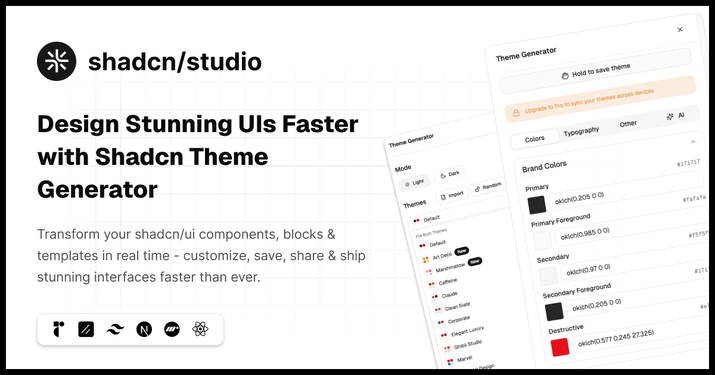
Tools to generate and customize shadcn themes using CSS variables without starting from scratch.
These help you quickly build consistent color systems, preview components in real time, and export production-ready styles for your app.
-
Shadcn Studio Theme Generator - Real-time visual editor with component preview and CSS variable export.
-
tweakcn - Open-source AI-powered theme editor with live shadcn preview. The most active community tool right now.
-
Shadcn Theme Generator by jln.dev - Generate a full color theme from a single base color. Outputs CSS variables ready to paste into globals.css.
Color References
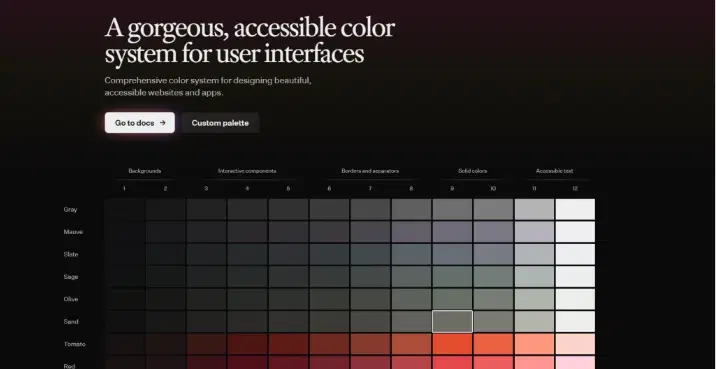
Structured color systems and palette generators designed for consistency, accessibility, and modern UI standards. Use these resources to create balanced light and dark themes that maintain proper contrast and visual hierarchy across your design.
-
Radix Colors - The color system shadcn is built on. 29 color scales with automatic dark mode balancing and APCA contrast compliance. Worth understanding before customizing deeply.
-
Accessible Palette - Generate color scales that pass WCAG contrast requirements. Useful when building custom shadcn themes for accessibility-sensitive products.
Font & Typography
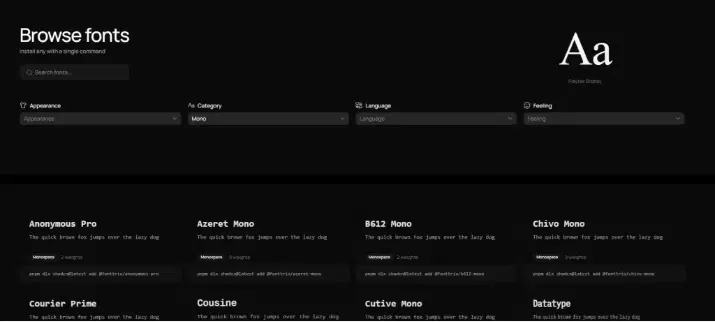
Resources to discover, pair, and scale fonts for clean, readable, and modern interfaces.
They help you define a strong typography system, from headings to body text, that integrates seamlessly with Tailwind and shadcn.
-
Fonttrio - Curated font pairing registry for shadcn. Three fonts. One command. Install perfectly configured typography (heading + body + mono) with shadcn add
-
Fontsource - Self-hostable open-source fonts that integrate cleanly with Next.js and shadcn projects.
-
Fontpair - Curated font pairings to help pick display and body fonts that work well together.
-
Type Scale - Visual type scale generator. Preview font sizes before wiring them into your Tailwind config.
Plugins & Integrations
Essential plugins, tools, and libraries to extend shadcn UI and speed up your development workflow.
From CLI utilities and design-to-code tools to animations and icons, these integrations help you build faster and ship polished interfaces.
Plugins
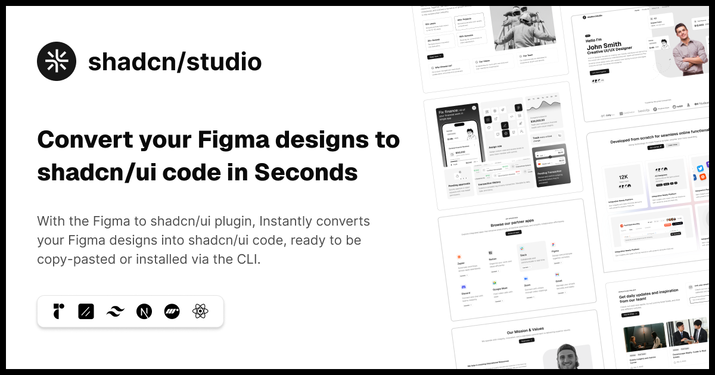
Core tools and integrations that extend shadcn UI and streamline your development workflow.
From official CLI utilities to design-to-code plugins, these help you build, manage, and scale projects faster.
-
Shadcn (Official CLI / Toolkit) - Shadcn’s official CLI is used to initialize Shadcn UI projects and add components directly into your codebase.
-
Shadcn Figma Plugin - Figma to shadcn/ui Convert designs into clean, production-ready shadcn code
Animation & Motion
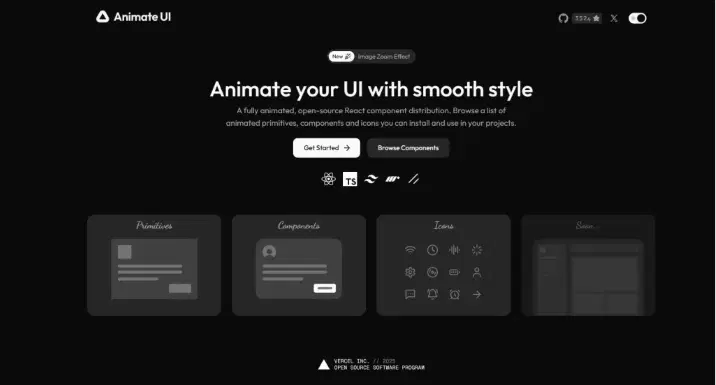
Libraries focused on adding smooth, modern animations to your shadcn and React interfaces.
Improve user experience with transitions, micro-interactions, and motion systems that feel fast and natural.
-
Animate UI - A clean and minimal animation library designed specifically for modern React and Shadcn projects.
-
Auto Animate - Zero-config animation library for smooth list and content transition effects.
-
Motion Primitives - Animated React components built on Framer Motion, styled with Tailwind, designed to drop into shadcn setups.
Icon Libraries
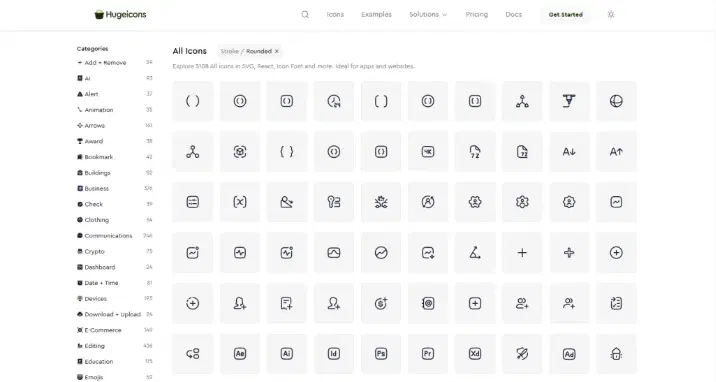
A wide range of icon sets compatible with shadcn, React, and Tailwind-based projects.
Choose from minimal, bold, or multi-style icons to maintain consistency and enhance visual clarity across your UI.
-
Hugeicons - 20,000+ modern icons across multiple styles. Great for variety-heavy UI designs and scalable design systems.
-
Lucide React - The official icon library used in shadcn components. 1,000+ clean, consistent icons.
-
Heroicons - SVG icons from the Tailwind team. Works seamlessly in shadcn UIs.
-
Radix Icons - 15x15px icons from the Radix team. Compact and designed for dense UI layouts.
-
Phosphor Icons - 1,000+ icons in six weights with a React package and Tailwind compatibility.
-
Tabler Icons - 4,000+ MIT-licensed stroke icons with a React package.
-
React Icons - Access dozens of popular icon sets in a single package.
IDE Extensions & Developer Tooling
Essential tools and integrations to improve productivity when building with shadcn UI and Tailwind CSS.
From editor extensions to AI builders and CLI tools, these resources help you write, manage, and scale code more efficiently.
VS Code Extensions
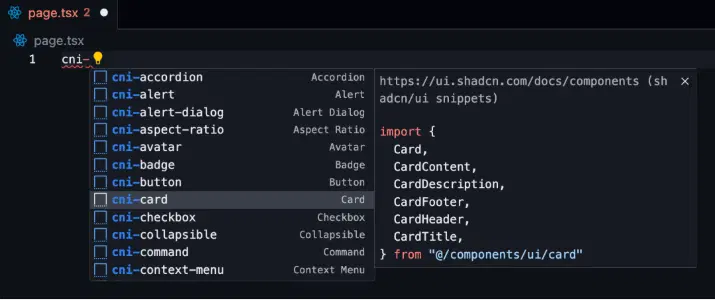
Handpicked extensions to enhance your coding experience while working with shadcn, React, and Tailwind CSS. Get features like autocomplete, linting, class sorting, and reusable snippets to speed up everyday development.
-
Tailwind CSS IntelliSense - Autocomplete, linting, and hover previews for Tailwind class names. Essential for any shadcn project.
-
shadcn/ui Snippets - VS Code snippets for common shadcn component patterns.
-
Headwind - Automatically sorts Tailwind class names on save.
-
ES7+ React Snippets - Helpful React snippets for quickly scaffolding components.
CLI & Build Tools
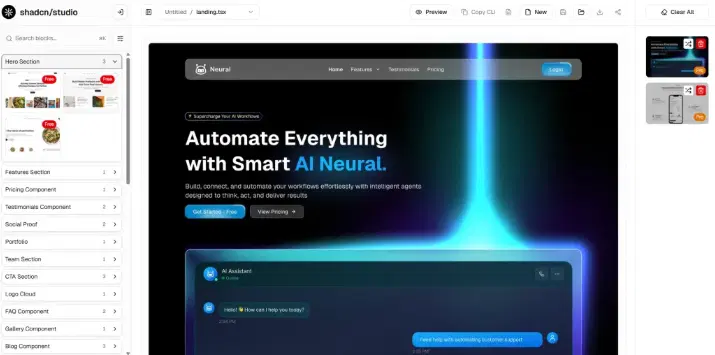
Command-line tools and build systems that streamline shadcn project setup and scaling.
Manage components, build pages faster, and organize large codebases with efficient workflows and monorepo support.
-
shadcn CLI - Add, update, and manage shadcn components directly from the terminal.
-
shadcn Builder - The Drag & Drop Builder lets you create full pages - landing pages, marketing pages, pricing pages, and more - by picking pre-built blocks and arranging them into a layout.
-
Turborepo - Monorepo build tool for teams sharing a shadcn component library across multiple apps.
AI & Visual Tools
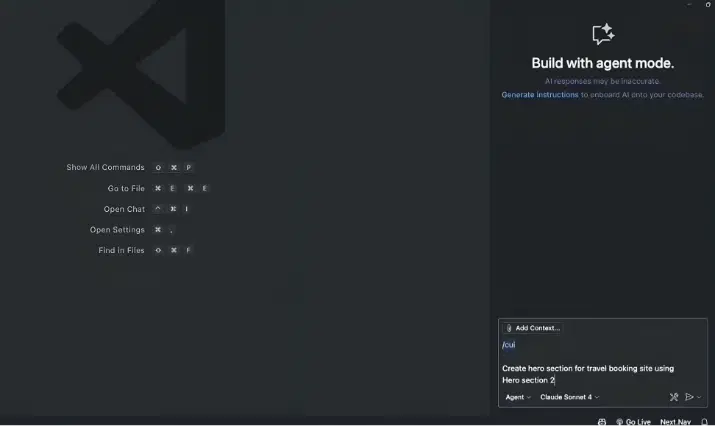
Modern AI-powered and visual tools to generate, design, and experiment with shadcn components.
From prompt-based UI generation to drag-and-drop builders, these tools accelerate development and reduce manual effort.
-
Shadcn MCP AI Builder - Integrate shadcn/studio’s Shadcn UI MCP Server directly into your favorite IDE and craft stunning shadcn/ui Components, Blocks, and Pages inspired by shadcn/studio.
-
v0 by Vercel - Generate shadcn component code from text prompts or screenshots. Tight integration with the shadcn ecosystem.
-
21st.dev - Community-contributed shadcn-compatible component marketplace. Browse by category, preview live, copy code.
Debugging & Testing
Tools to debug, test, and ensure the quality of your shadcn UI applications.
From inspecting UI issues to running automated tests, these help you build reliable and production-ready interfaces.
Debugging
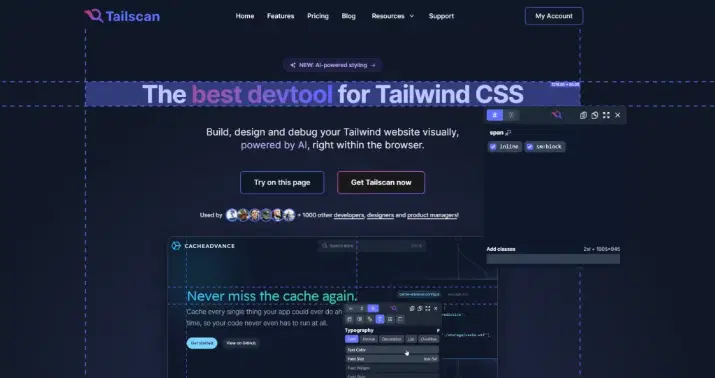
Utilities and extensions to inspect, troubleshoot, and fine-tune your UI during development.
Quickly identify styling issues, component behavior, and state problems in shadcn and React apps.
-
TailScan - Browser extension for visually inspecting and editing Tailwind class names on any live site.
-
React Developer Tools - Standard extension for inspecting component trees and state in shadcn React apps.
Testing
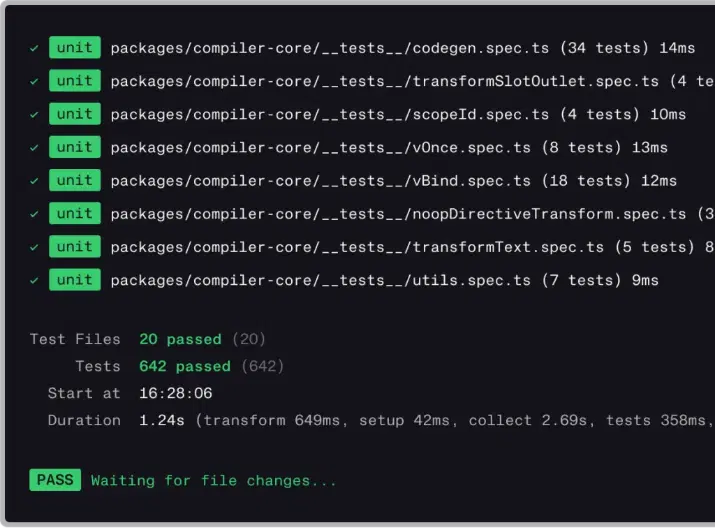
Libraries and frameworks to test your shadcn components and full application flows.
Cover everything from unit tests to end-to-end testing, ensuring your UI works correctly across different scenarios and browsers.
-
Vitest - Fast unit testing for React components. Recommended for Vite-based shadcn projects.
-
Testing Library - User-centric component testing for shadcn React components.
-
Playwright - End-to-end browser testing across Chrome, Firefox, and WebKit.
-
Cypress - Popular E2E testing tool for full shadow-powered application flows.
-
Storybook - Build and document shadcn components in isolation. Great for design systems.x
Learning Resources
Curated documentation, tutorials, and courses to help you learn and master shadcn UI.
Whether you’re starting out or going deeper into customization, these resources cover everything from basics to production-ready workflows.
Documentation
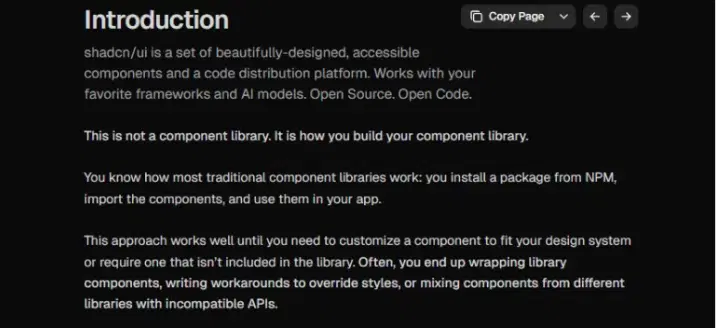
Official docs and foundational resources for understanding how shadcn UI works under the hood.
Covers components, primitives, and styling systems to help you customize and build with confidence.
-
shadcn/ui Official Docs - The best starting point.
-
Radix UI Docs - Understanding the primitives layer helps when customizing shadcn components deeply.
-
Tailwind CSS Docs - Required reading for customizing component appearance.
Tutorials & Blogs
Guides, walkthroughs, and real-world examples to help you apply shadcn in practical projects.
Learn modern UI patterns, workflows, and best practices through blogs and video tutorials.
-
Shadcn Blog - Guides, comparisons, and practical breakdowns around shadcn, UI patterns, and modern frontend workflows. More written, less fluff.
-
Themeselection’s YouTube - Deep dives into shadcn/studio, Figma plugins, and UI workflows. Mostly focused on their ecosystem, with step-by-step tutorials on building and exporting real UI components.
-
ByteGrad YouTube - Practical Next.js and shadcn tutorials focused on production-ready patterns.
-
Orc dev YouTube - Opinionated walkthroughs of the modern React stack, including shadcn.
Courses

Structured learning paths designed to take you from beginner to advanced in shadcn UI.
Includes hands-on projects, design-to-code workflows, and in-depth lessons across multiple platforms.
-
Shadcn Design Academy - Structured learning focused on building real UIs with shadcn. Covers components, layouts, and practical design-to-code workflows.
-
Udemy (shadcn UI) - A mix of beginner to advanced courses from different instructors. Good for learning through full project builds and guided tutorials.
-
Class Central (shadcn UI) - Curated list of courses and resources across platforms. Useful for discovering both free and paid learning paths in one place.
Design Inspiration

Curated galleries and community platforms to explore modern UI patterns built with and around shadcn.
Great for discovering layouts, sections, and real-world design ideas you can recreate or adapt in your own projects.
-
v0 Community - AI-generated shadcn components shared by the community. Good source of layout and pattern ideas.
-
Land-Book - Curated landing page gallery. Useful for finding SaaS UI patterns to build with shadcn.
-
Lapa Ninja - Another solid landing page inspiration resource with clean, modern designs.
Deployment & Hosting
Platforms to deploy, host, and scale your shadcn UI projects with ease. From static sites to full-stack apps, these tools help you go live quickly with reliable performance and global delivery.
-
Vercel - The default choice for Next.js and shadcn projects. Zero-config deployments with preview URLs per PR.
-
Netlify - Strong alternative with good support for static and server-rendered shadcn apps.
-
Railway - Simple cloud hosting for full-stack shadcn apps that need a database or backend.
-
Render - Flexible platform for Node.js, Next.js, and Docker-based applications.
-
Cloudflare Pages - Fast global CDN deployment for static and edge-rendered shadcn sites.
Community
Places to connect with other developers, learn from real-world discussions, and stay updated on the shadcn ecosystem. From forums to social platforms, these communities help you solve problems, share ideas, and grow faster.
-
GitHub Discussions - The main place for technical questions, feature requests, and deep dives on shadcn/ui.
-
Reddit r/shadcn - Active community where shadcn topics come up regularly.
-
Dev.to - Read and share tutorials, project breakdowns, and community opinions.
-
shadcn on Twitter/X - Follow the creator for new releases, tips, and community highlights.
-
ShadCord - A community where builders in the shadcn space connect
Conclusion
The shadcn/ui ecosystem has matured fast. Whether you are building a SaaS dashboard, a marketing site, or an internal tool, there are resources here that will save you time at every stage from initial setup to production deployment.
Use the official docs as your foundation, pick a good template to skip boilerplate, extend with community components where needed, and lean on the theming tools to make it yours. That combination covers most of what you will need to ship quality products with shadcn.